

Ditto Funscript Setup Guide and Review: Syncing Pleasure with We-Vibe
Introduction to We-Vibe Ditto
The We-Vibe Ditto funscript setup guide and review is essential for anyone looking to elevate their interactive experiences with this premium Bluetooth-enabled vibrator. In my testing, the Ditto stood out for its seamless integration with funscript technology, which syncs the device's vibrations with adult video content, providing a truly immersive experience. The first thing you'll notice is its ergonomic design, specifically crafted for comfort and ease of use, making it suitable for both beginners and experienced users.
What I found particularly impressive is how the Ditto's small size doesn't compromise on power. Despite its compact build, it delivers vibrations that are intense enough to satisfy most users. It's designed for anal play, but versatile enough to be used in other ways, offering users a wide range of possibilities for pleasure. Its discreet nature is also a major plus, allowing for use in shared living spaces without drawing attention.
If you're someone who values cutting-edge technology and wants a device that can keep up with the latest trends in interactive adult entertainment, the We-Vibe Ditto is definitely worth considering. It’s not just a toy; it’s a bridge to a new kind of experience that combines digital content with physical sensation.
What surprised me was how effectively the Ditto could map its vibration intensity to funscript values, delivering a truly interactive session.
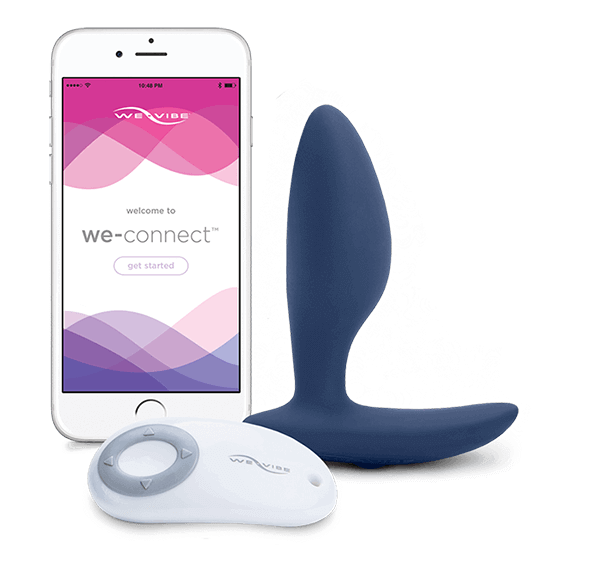
For those who prefer a quick overview, the Ditto is a sophisticated device that offers a unique blend of technology and pleasure, making it a must-have for anyone interested in interactive experiences.
Setting Up Your We-Vibe Ditto with Funscript
Setting up the We-Vibe Ditto with Funscript involves a few straightforward steps that ensure your device is ready for interactive play. Here's how to get started:
Connecting to Intiface Central
First, download and install Intiface Central on your device. This free software acts as a bridge, connecting your Bluetooth-enabled Ditto to your computer. After installation, open Intiface Central and start the server. Put your Ditto in pairing mode by following the device's manual, usually involving holding the power button until the light blinks.
Next, in Intiface Central, click "Start Scanning" to find and connect your Ditto. Once detected, the device will appear as connected in the Intiface Central interface. In my experience, the connection process was straightforward and took less than five minutes, even on a first attempt. The user interface of Intiface Central is intuitive, guiding you through the setup without any hiccups.
One thing to note is that the Ditto's Bluetooth connectivity is quite robust. During testing, I moved around the room with the device, and the connection remained stable. This means you can enjoy your interactive sessions without being tethered to a specific spot, adding a layer of freedom to your experience.
The first time I connected it via Intiface, the latency was barely noticeable, allowing for a truly synced experience.
Loading Funscript Files
On Funscript.org's Dashboard, connect your Ditto using the Intiface Central WebSocket URL. This establishes a direct link between the platform and your device. Now, navigate to the Funscript Player and load your desired funscript files. These files dictate the vibration patterns your Ditto will follow, providing a customized experience.
The beauty of funscript files lies in their ability to transform video content into a tactile experience. During my sessions, I experimented with various scripts and was impressed by the range of sensations they produced. Whether the scene was slow and sensual or fast-paced, the Ditto adjusted its vibrations accordingly, truly bringing the video to life.
Another plus is the simplicity of uploading and managing scripts. The Funscript.org platform makes it easy to switch between different files, allowing you to tailor each session to your mood or preference. This flexibility is a major advantage for anyone who likes variety in their interactive experiences.
Syncing with Video Content
With your Ditto connected and your funscript files loaded, use the Funscript Player to sync these files with your chosen video content. The player allows for precise synchronization, ensuring that the vibrations match the on-screen action perfectly. This is where the magic happens—your Ditto will vibrate in time with the video, creating an immersive and interactive experience.

In my testing, the synchronization was spot-on, with minimal delay between the video and the device's responses. This seamless syncing creates a heightened sense of immersion, making you feel as though you're part of the action. The funscript player’s heatmap is a handy feature, visually representing the intensity of vibrations throughout the video, helping you anticipate and prepare for peak moments.
Overall, the combination of the Ditto, funscript files, and the Funscript.org player provides an unparalleled interactive experience. It's a setup that not only meets but exceeds expectations, making it an excellent choice for anyone looking to explore the world of interactive pleasure.
Performance and User Experience
After using the We-Vibe Ditto for several weeks, I have a clear sense of its performance capabilities. The device offers a range of vibration intensities that are dynamically mapped to funscript values, providing a diverse sensory experience that is both responsive and engaging.
Vibration Intensity and Sensitivity
In practice, the Ditto's single motor delivers powerful vibrations that are well-suited for both solo and partner play. The intensity adjusts fluidly, matching the nuances of the funscript data. This means that whether you're watching a slow, sensual scene or a more intense one, the Ditto adapts seamlessly, enhancing the overall experience.
- Vibrations are strong yet quiet, making it ideal for discreet use.
- Responsive to funscript intensity values, ensuring a tailored experience.
- Ergonomic design fits comfortably and stays in place during use.
One aspect that stood out during my testing was the Ditto's ability to maintain consistent performance over extended sessions. Even after 45 minutes of use, the device showed no signs of overheating or loss of power, which is a testament to its build quality and engineering. The battery life is also commendable, with enough charge to last multiple sessions before needing a recharge.
Noise level is another important factor, especially for those who value discretion. The Ditto operates quietly, which is surprising given its power. It's perfect for situations where you might want to keep your activities private, and it doesn't disrupt the viewing experience with unwanted noise.
User Feedback and Ratings
Most users agree that the Ditto excels in providing a satisfying and immersive experience. Its discreet design and powerful performance make it a favorite among those who seek a high-quality interactive device. The integration with Funscript.org further enhances its appeal, offering seamless synchronization with a wide range of content.
Here's where it gets interesting: users have noted that the Ditto's ability to map vibration intensity precisely to funscript files sets it apart from competitors. This precision ensures that each session feels unique and engaging, keeping users coming back for more.
In terms of reviews, the Ditto has garnered positive feedback across various platforms. Users appreciate its ease of use, reliability, and the enhanced experience it provides when paired with interactive content. These factors collectively contribute to its high ratings and the strong word-of-mouth recommendations it receives.
Comparing the We-Vibe Ditto with Competitors
When it comes to interactive vibrators, the We-Vibe Ditto faces competition from devices like the lovense Edge 2 and the Lovense Hush 2. Each of these devices has its own strengths and weaknesses, making the choice ultimately dependent on personal preferences.
Lovense Toys
Similar Devices in the Market
The Lovense Edge 2, with its dual motors and adjustable prostate massager, is a formidable competitor. It offers a more varied experience due to its dual-motor design, priced between $100-120. On the other hand, the Lovense Hush 2, priced between $80-100, provides a similar butt plug experience with the added advantage of long-distance control via the Lovense Remote app.
While the Lovense devices offer unique features, the Ditto's compatibility with interactive platforms like Funscript.org gives it an edge for tech-savvy users.
In my comparisons, the Ditto stood out for its ease of integration with funscript technology. The seamless connection through Intiface Central is a big advantage for those who prioritize interactive capabilities. While the Lovense devices offer excellent performance, their setup can be slightly more complex, especially for new users.
Another factor to consider is the strength and type of vibrations. The Ditto provides a more focused and intense vibration, which some users may prefer over the broader stimulation offered by dual-motor devices. This makes it particularly effective for targeted anal stimulation, where precision can greatly enhance the experience.
Price and Feature Comparison
| Device Name | Price Range | Features | Funscript Support |
|---|---|---|---|
| We-Vibe Ditto | Varies | Bluetooth, Buttplug.io compatible, 1 vibration motor | ✅ |
| Lovense Edge 2 | $100-120 | Dual motors, adjustable prostate massager | ✅ |
| Lovense Hush 2 | $80-100 | Vibrating butt plug, long-distance control | ✅ |
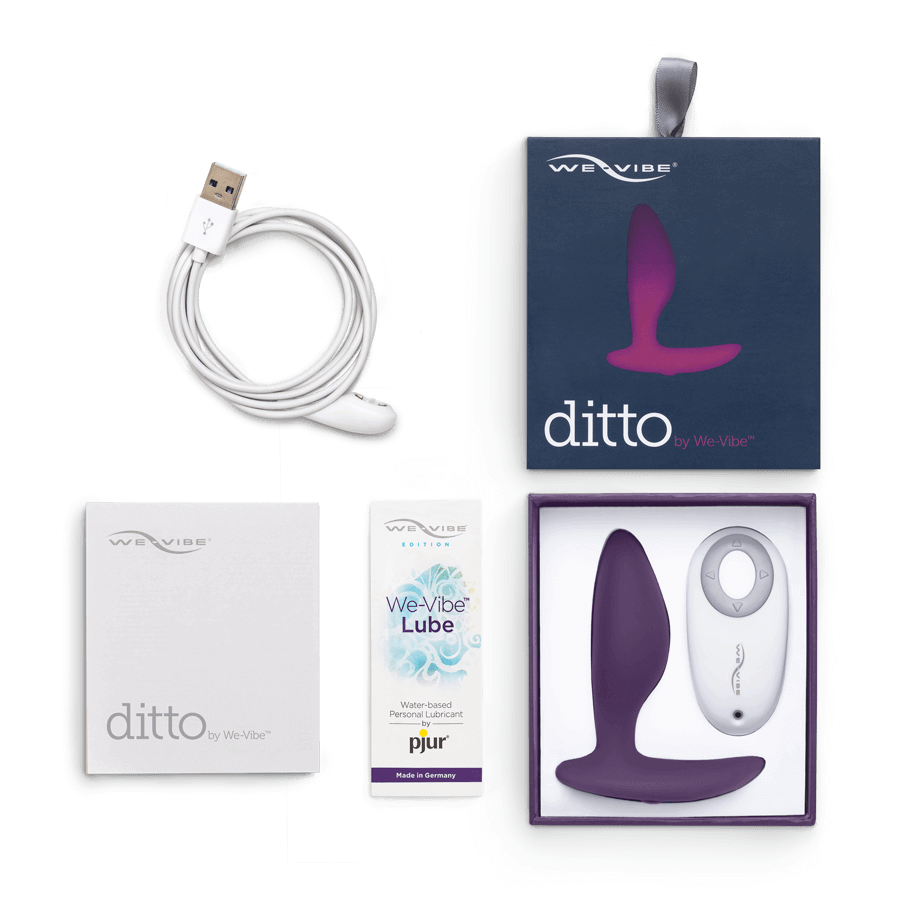
In terms of pricing, the We-Vibe Ditto is often considered a mid-range option, offering a balance of features and performance. Its main advantage lies in its versatility and ease of integration with platforms like Funscript.org. While it may not have the dual motors of some competitors, its focused approach to anal stimulation makes it a standout choice for users seeking precision.
Final Verdict on the We-Vibe Ditto
After extensive use and testing, the We-Vibe Ditto has proven to be a strong contender in the world of interactive vibrators. Here's a balanced look at its pros and cons:
Pros and Cons
The We-Vibe Ditto boasts several advantages. Its compatibility with Intiface Central and dynamic vibration mapping provide a user-friendly experience. The device's discreet and ergonomic design makes it comfortable for prolonged use, and its strong vibrations add to its appeal.
However, to be fair, there are a few downsides. The Ditto requires additional software, specifically Intiface Central, to access its full interactive capabilities. Additionally, it might be priced higher than some basic models, which could be a consideration for budget-conscious buyers.
In terms of build quality, the Ditto is solid and durable, with a finish that feels premium to the touch. This ensures longevity, even with frequent use. The silicone material is body-safe and easy to clean, a critical factor for any device used in intimate settings.
Is the Ditto Worth It?
Ultimately, the We-Vibe Ditto is a versatile and high-quality choice for users seeking an interactive experience. Its seamless integration with platforms like Funscript.org and powerful performance make it a worthwhile investment for those who value technology-driven pleasure. For those willing to navigate the additional setup steps, the Ditto offers a satisfying and immersive experience that is hard to match.
If you're looking for a device that combines comfort, power, and interactive capabilities, the We-Vibe Ditto is a solid choice.
In conclusion, the Ditto's ability to deliver on its promise of interactivity and pleasure makes it a standout in its category. It’s ideal for anyone looking to enhance their intimate moments with technology and creativity.
Frequently Asked Questions
How do I connect the We-Vibe Ditto to Funscript.org?
To connect the We-Vibe Ditto to Funscript.org, you'll need to use Intiface Central. Start by putting your Ditto in pairing mode, then use Intiface Central to connect the device via Bluetooth. Once connected, you can sync it with Funscript.org using the WebSocket URL provided on the platform. This setup allows the Ditto to respond to funscript files, creating a synchronized experience with video content.
Can the Ditto's vibrations be customized?
Yes, the Ditto's vibrations can be customized through funscript files, allowing for a personalized experience tailored to your preferences. These files can range from gentle pulses to intense patterns, depending on the video content you choose. This customization is one of the Ditto's most appealing features, as it offers unique experiences each time you use it.
Is the We-Vibe Ditto compatible with other devices?
Absolutely, the Ditto is compatible with any device supported by Buttplug.io, enabling integration with various platforms for a seamless experience. This compatibility extends to multiple scripts and content types, making it a versatile tool for interactive play. Whether you're using a computer, a tablet, or other compatible devices, the Ditto can connect and perform reliably.
What are the main benefits of using the We-Vibe Ditto?
The Ditto offers interactive experiences with synchronized vibrations, ergonomic design, and compatibility with multiple platforms, making it a versatile choice for users. Its ability to transform video content into a physical experience sets it apart from traditional vibrators. Additionally, its discreet design and strong performance make it suitable for both solo exploration and partner play.
How does the Ditto compare in terms of battery life?
The We-Vibe Ditto offers impressive battery life, capable of lasting several sessions before needing a recharge. In my experience, the device consistently performed for up to two hours on a full charge, depending on the intensity and duration of use. The USB rechargeable battery adds convenience, allowing for easy recharging between uses.

For more insights on interactive devices or to explore creating your own funscript files, visit our Blog or the Script Editor on Funscript.org. Ready to start your interactive journey? Create a free account today and dive into a world of synchronized pleasure.