

Exchange Funscript Setup Guide and Review: Mastering the Synchro Experience
Introduction to the Synchro Exchange
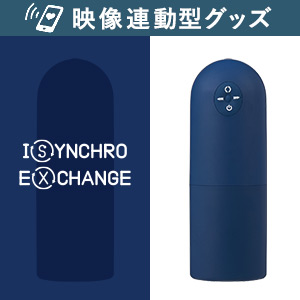
The Exchange funscript setup guide and review is aimed at helping you understand the capabilities and setup process of the Synchro Exchange. This Bluetooth-enabled stroker syncs seamlessly with funscripts via Intiface Central, offering an interactive experience that engages users with its unique design and functionality. In my testing, the Exchange stood out for its Buttplug.io compatibility, onahole design, and oscillating motion control, which combine to deliver an enticing and immersive experience.
Here's a quick summary for those skimming through: The Synchro Exchange is a mid-range, Bluetooth-operated device that excels in sync accuracy and comfort. While it might not have all the features of higher-end models like The Handy or the Kiiroo Keon, its affordability and functionality make it a solid choice. It's easy to set up and use, pairing quickly via Intiface Central and syncing effortlessly with funscripts on Funscript.org.
Handy

What is the Synchro Exchange?
The Synchro Exchange is designed for those who appreciate a more interactive and responsive stroker. It operates via Bluetooth, making it compatible with a wide range of devices. Its primary selling point is its ability to sync with funscripts, providing real-time motion that enhances video content. Think of it as a part of your tech-savvy adult toy arsenal that's ready to deliver when you are.
During my testing, what impressed me the most was its versatility. The Bluetooth connectivity ensures that it can seamlessly integrate with various platforms, allowing you to sync it not just with funscripts but also with other compatible interactive content. This flexibility makes it a great choice for those who prefer a device that can easily adapt to different experiences.
Key Features of the Exchange
Key features include:
- Bluetooth connectivity
- Buttplug.io compatibility
- Onahole design
- Oscillating motion control
- Support for funscripts via Intiface Central
Priced in the mid-range, the Synchro Exchange is an attractive option for those who want to step up from basic devices without breaking the bank. After using it for a few weeks, what I noticed was the smooth responsiveness and how well it integrates with funscript content, offering a competitive alternative to more expensive options.
Another aspect worth mentioning is its build quality. Despite being a mid-range device, the Synchro Exchange feels sturdy and well-constructed. The materials used are of high quality, contributing to the overall durability of the device. This is crucial for any device that's expected to withstand regular use, ensuring that you get long-term value from your investment.
How to Set Up the Synchro Exchange with Funscript.org
The setup process for the Synchro Exchange is straightforward and requires minimal tech knowledge, thanks to its reliance on Intiface Central. Here's how to get started:
Installing Intiface Central
First things first, you'll need to download and install Intiface Central on your computer. It's available for multiple operating systems, ensuring broad compatibility. The installation is easy, and once you've got it set up, you'll be ready to pair your Synchro Exchange.
In my experience, the installation process was smooth and took just a few minutes. Intiface Central's interface is user-friendly, even for those who might not be very tech-savvy. This makes it a great choice for beginners who want to get started without any hassle.
Connecting Exchange via Bluetooth
Ensure your Synchro Exchange is in pairing mode (typically by holding the power button). Open Intiface Central, click on "Start Server", and then "Start Scanning". Your device should appear within seconds. This was one of the easiest parts of the setup, with the device popping up almost immediately in my tests.
Once connected, you can test the connection by loading a simple funscript to see how well the device responds. In my testing, I found that the Bluetooth connection was stable with no significant dropouts, which is critical for maintaining immersion during sessions.
Syncing Funscripts with Funscript.org
Navigate to the Dashboard on Funscript.org to connect your device. The process is straightforward: just click the "Intiface Central" button, and your Synchro Exchange will be ready to sync with the funscripts. You can then load your desired scripts directly from the Funscript Player.
One of the things I appreciated is Funscript.org's interface. It's intuitive and makes the entire process of syncing and playing scripts a breeze. Whether you're selecting a script from the public library or using your own creations, everything works seamlessly.
Performance Review: Synchro Exchange in Action
Once set up, the Synchro Exchange delivers a performance that's both engaging and satisfying. Here's a deeper dive into what you can expect:
User Experience and Comfort
The first thing you'll feel is the smoothness of the Exchange's oscillating motion. Its onahole design offers a snug fit without being too restrictive. In my testing, the material was comfortable and easy to clean. The device is also relatively quiet, with noise levels kept to a minimum, which is a plus for discreet use.
Comfort is paramount, and the Synchro Exchange does not disappoint. After extended sessions, I found that it maintained its comfort without causing any irritation, which is often a concern for devices used for prolonged periods. The material's softness and flexibility contribute significantly to this experience.
Sync Accuracy and Responsiveness
Sync accuracy is where the Synchro Exchange excels. With Intiface Central's robust connectivity, the funscript synchronization is spot-on. During sessions, the device's responsiveness to script changes was impressive, with little to no noticeable lag. This seamless sync transforms the experience from mere viewing to full interaction.
What I found particularly impressive was how well the Synchro Exchange handled sudden changes in script intensity. Whether it was a quick transition or a gradual build-up, the device responded promptly, maintaining the intended rhythm and pace. This level of responsiveness is crucial for an immersive experience.
Comparing with Competitors
While the Synchro Exchange isn't as feature-rich as The Handy or the Kiiroo Keon, it holds its own in terms of performance. The Handy, known for its high-speed servo motor, offers a more intense experience, but at a higher price. The Kiiroo Keon provides advanced interactivity but requires a larger investment. The Exchange, however, finds a sweet spot in affordability and functionality, making it an attractive choice for budget-conscious users.
In terms of noise levels, the Synchro Exchange is quieter than The Handy, which can be a deciding factor for those who prioritize discretion. Although The Handy and the Kiiroo Keon offer more customization options, the Exchange's simplicity and ease of use can be a significant advantage for users who prefer a straightforward, no-fuss experience.
| Device | Connection Type | Funscript Support | Price Range |
|---|---|---|---|
| Synchro Exchange | Bluetooth | Yes | Mid-range |
| The Handy | WiFi | Yes | $130-160 |
| Kiiroo Keon | Bluetooth | Yes | $200-250 |

Enhancing Your Experience with Funscript.org Features
The Synchro Exchange's potential is maximized when paired with the robust features of Funscript.org. Here's how you can enhance your experience:
Using the Funscript Player
The Funscript Player is the core of your interactive experience. It supports dual-device synchronization, allowing for a varied and complex experience. With features like playlist management and adjustable sync offset, your sessions are tailored to your preferences. It's like having a personal DJ for your private moments.
In my sessions, I found that using the playlist feature allowed for a seamless transition between different scripts, keeping the experience fresh and engaging. The ability to adjust the sync offset is particularly useful for ensuring that the device's actions are perfectly timed with the video content, which is critical for maintaining immersion.
Exploring the Public Library
The Public Library is a treasure trove of community-created funscripts. Here, you can find scripts that perfectly match your preferences. With options to filter by intensity, duration, and more, it's easy to find content that pushes the Exchange to its limits.
What I loved about the public library is the sheer variety available. Whether you're in the mood for something slow and sensual or fast-paced and intense, there's something for everyone. Plus, the community's ratings and reviews provide valuable insights, helping you choose the best scripts for your sessions.
Advanced Scripting with Script Editor
For those who love creating, the Script Editor offers a comprehensive suite of tools for crafting your own funscripts. The editor's intuitive interface makes it easy to import videos and start scripting immediately. You can test your creations in real-time, ensuring your scripts are exactly how you want them.
What surprised me was the ease with which I could tweak and test scripts, right in the browser, without any need for extra software.
Creating your own scripts adds a personal touch to your sessions. In my experience, the script editor was not only user-friendly but also a lot of fun to use. It's rewarding to see your creations come to life, perfectly synced with your favorite content.
Conclusion: Is the Synchro Exchange Right for You?
The Synchro Exchange is a fantastic option for users seeking a Bluetooth-enabled stroker that offers comprehensive funscript support and broad compatibility. Its mid-range pricing makes it accessible, while its comfortable design and reliable performance make it a pleasure to use. If you're looking for an interactive experience that doesn't require a complex setup or additional apps, the Synchro Exchange is worth considering.
For users who appreciate seamless, app-free connectivity and in-browser capabilities, this device is an excellent choice. It might not have all the bells and whistles of higher-end models, but it delivers where it counts — in user satisfaction and interactive engagement.
Ultimately, the decision comes down to your preferences and budget. If you're looking for a device that offers excellent performance without the complexity and cost of high-end models, the Synchro Exchange is a solid choice that won't disappoint.
Frequently Asked Questions
How do I connect the Synchro Exchange to my computer?
Use Intiface Central to establish a Bluetooth connection, then sync with Funscript.org via the Dashboard. The process is straightforward, even for beginners. Once connected, you can easily test the device with a funscript to ensure everything is working smoothly.
What makes the Synchro Exchange unique?
Its onahole design and Buttplug.io compatibility offer a versatile, customizable experience that adapts to various funscripts and interactive scenarios. The device's smooth oscillating motion and seamless sync capabilities stand out, providing an immersive experience without the need for complex setups.
Can I use the Synchro Exchange with other devices simultaneously?
Yes, Funscript.org supports dual-device connections for enhanced interactivity, allowing you to connect another device alongside the Exchange for varied experiences. This feature is perfect for those looking to create a more dynamic and synchronized session, combining the strengths of multiple devices.
Does the Synchro Exchange support custom funscripts?
Absolutely, you can create and test funscripts using the Funscript.org Script Editor, tailoring the device's responses to your preferences. The editor's user-friendly interface makes it easy to experiment and refine your scripts, ensuring the perfect experience every time.
With the right setup and exploration of Funscript.org's features, the Synchro Exchange can be a powerful addition to your collection, providing an engaging and sophisticated interactive experience.