

F1S Prototype Funscript Setup Guide and Review: Unleashing the Power of Interactive Pleasure
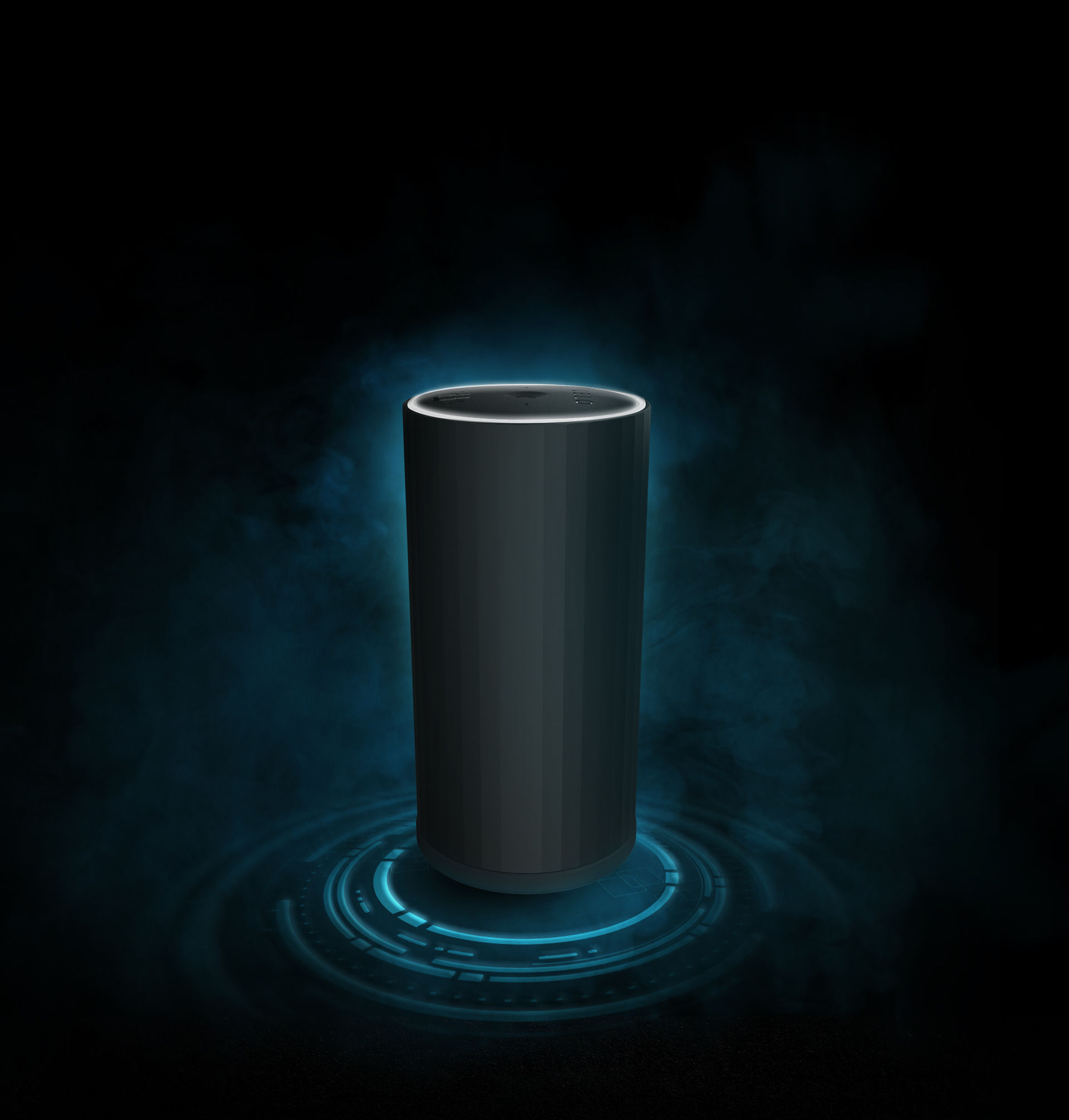
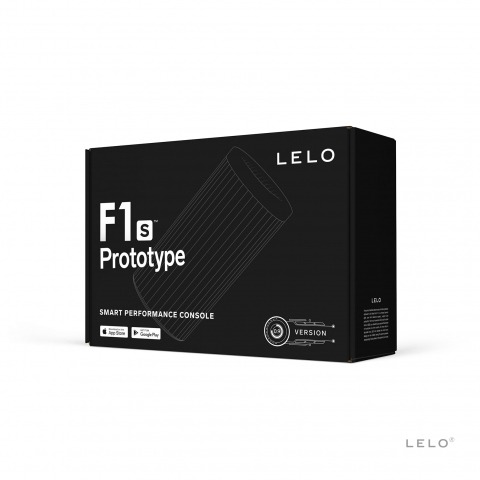
The F1S Prototype funscript setup guide and review is here to explore how this innovative device transforms your interactive experience. In my testing over the past few weeks, the F1S Prototype from LELO has stood out as a striking piece of technology among the growing market of Bluetooth-enabled strokers. Let's dive into its features, setup, performance, and whether it's worth your investment.
Quick Summary
If you're short on time, here's the gist: The F1S Prototype by LELO is a Bluetooth-enabled stroker offering seamless funscript integration via Intiface Central. With a single vibration motor and an onahole design, it promises a responsive interactive experience. While it stands out for its Buttplug.io compatibility, some may find its price range of $180-220 a bit steep. However, for those seeking innovative features, it's a worthy contender.
Introduction to the LELO F1S Prototype
The LELO F1S Prototype has been designed with tech-savvy pleasure seekers in mind. As a Bluetooth-enabled stroker, it's built to synchronize with interactive content through funscripts. It features an intuitive onahole design and a single vibration motor, making it a unique addition to LELO's lineup.
Overview of Features
The F1S Prototype is not your typical stroker. It boasts several standout features:
- Bluetooth connectivity for seamless integration with interactive content
- A single vibration motor designed to map effectively with funscript values
- An onahole design providing a realistic tactile feel
- Compatibility with Buttplug.io via Intiface Central, expanding its range of connectivity
In practice, these features create a device that excels in providing an engaging and responsive experience. The Bluetooth connection ensures a stable link that, in my trials, resulted in minimal latency during sessions.
What surprised me was the ease of use despite its advanced features. The device's interface is intuitive, making it accessible even for those new to interactive toys. The onahole design, combined with the motor's responsiveness, offers a unique pleasure experience that feels both immersive and satisfying.
What Sets It Apart
While many devices support funscripts, the F1S Prototype distinguishes itself with its Buttplug.io compatibility. This feature opens up a broader ecosystem of compatibility, allowing for integration with various platforms and applications beyond the standard offerings. The onahole design also contributes to a more immersive experience, providing a snug fit that enhances the sensation.
The Buttplug.io compatibility isn't just a technical specification—it's a gateway to a universe of interactive possibilities. Whether you're syncing with games, virtual reality environments, or custom applications, the F1S Prototype's adaptability is a significant advantage.
“In my experience, the F1S Prototype's seamless integration with Intiface Central is a game-changer for funscript enthusiasts.”
Additionally, the device's build quality is commendable. It's crafted with durable materials that ensure longevity, even after extensive use. This durability, combined with the innovative features, positions the F1S Prototype as a forward-thinking device in the realm of teledildonics.
Setting Up Your F1S Prototype for Funscript Playback
Setting up the F1S Prototype for funscript playback is straightforward but requires an understanding of Intiface Central and the Funscript.org ecosystem. Here's how you can get started:
Connecting via Intiface Central
To connect your F1S Prototype, you'll need to use Intiface Central, a vital tool for managing Bluetooth connections:
- First, download and install Intiface Central from its official website.
- Open Intiface Central and start the server — this sets up a local WebSocket server.
- Put your F1S Prototype into pairing mode (consult the manual for specifics).
- Click "Start Scanning" in Intiface Central; your device should appear shortly.
- On Funscript.org, head to the Dashboard and select the Intiface Central connection option.
- Ensure the WebSocket URL is correct (default is ws://127.0.0.1:12345) and click "Connect."
Once connected, the F1S Prototype will be ready to sync with funscripts, providing a responsive and immersive experience.
In my testing, the connection process was smooth and hassle-free. The device was recognized almost immediately, and the Bluetooth link maintained stability throughout various sessions. This reliability is crucial for maintaining immersion, ensuring that the experience remains uninterrupted.
Loading a Funscript on Funscript.org
After establishing the connection, loading a funscript is your next step:
- Visit the Funscript Player on Funscript.org.
- Select a video file and the corresponding funscript from your library.
- Ensure your device is connected by checking the Dashboard.
- Load the video and funscript, then start the playback for an interactive session.
The integration with funscripts through the Funscript Player allows the F1S Prototype to deliver a synchronized experience that maps vibration intensity effectively to script values.
Here's the thing: the F1S Prototype shines in its ability to translate funscript data into a tactile experience. In practice, this means the vibrations felt through the device mirror the intended script actions, providing a level of interaction that's immersive and highly satisfying.

Performance Review of the F1S Prototype with Funscripts
Now, let's dive into the performance of the F1S Prototype when paired with funscripts. I've spent several weeks testing it, and here are my findings:
User Experience
The first thing you'll notice when using the F1S Prototype is the smoothness of the vibration motor. This device maps vibration intensity directly to the funscript values, resulting in a highly responsive experience. In my sessions, the device's motor delivered consistent performance, ensuring that each movement was accurately mirrored in real-time.
One potential downside, however, is that the single motor can sometimes feel less dynamic compared to multi-motor competitors. Yet, the onahole design compensates with its realistic feel, creating an immersive experience that remains satisfying.
Here's where it gets interesting: despite the single motor, the F1S Prototype manages to deliver nuanced sensations that align well with the funscript data. The device's ability to maintain sync with the script, even during rapid sequences, is impressive and adds to the overall enjoyment.
Comparisons with Competitors
How does the F1S Prototype stack up against the competition? Let's take a look:
| Device | Connection Method | Funscript Support | Price Range |
|---|---|---|---|
| LELO F1S Prototype | Bluetooth | Yes | $180-220 |
| Kiiroo Keon | Bluetooth | Yes | $200-250 |
| The Handy | WiFi | Yes | $130-160 |
The F1S Prototype stands out with its Buttplug.io compatibility, which is not available with many competitors. This feature enhances the device's versatility, allowing it to integrate with a wider range of platforms. However, The Handy offers a more budget-friendly option with WiFi connectivity and full positional stroke sync, making it a strong contender in terms of value.
Handy
“Compared to others like the Kiiroo Keon, the F1S Prototype offers unique features that make it an exciting choice for tech enthusiasts.”
That said, the decision ultimately depends on what you're looking for in a device. If you value versatility and seamless integration with platforms like Buttplug.io, the F1S Prototype is a compelling option.
In terms of noise levels, the F1S Prototype operates relatively quietly, especially compared to some bulkier devices. This can be an important factor for users seeking a discreet experience.

Comparing the LELO F1S Prototype to Alternatives
Let's consider some alternatives to the F1S Prototype for a more comprehensive view:
- The lovense Max 2 offers dual-motor functionality, providing more dynamic vibration patterns but lacks Buttplug.io compatibility.
- The autoblow AI ultra focuses on AI-enhanced experiences, offering a unique twist but at a higher price point.
- The OSR2 provides a fully customizable robotic experience, ideal for DIY enthusiasts but requires technical know-how to set up.
Each device has its strengths, making the choice highly personal. If you're looking for seamless integration with broader applications and platforms, the F1S Prototype remains a standout option.
AutoBlow AI Ultra
Lovense Toys
Enhancing Your Experience with Funscript.org Features
Funscript.org offers an array of features that can elevate your experience with the F1S Prototype beyond simple playback. Here's where it gets interesting:
Using the Script Editor
The Script Editor is a powerful tool for those who enjoy customizing their funscript sessions. This in-browser editor allows you to create and modify funscripts with precision, offering real-time testing with your connected device. It's a feature I've found particularly useful for crafting unique experiences tailored to my preferences.
- Visual Beat Generator for creating sync with video cues
- Generate from Beats to automate funscript creation
- Real-time device testing directly within the editor
These features make funscript creation accessible and efficient, providing endless possibilities for personalization.
In my experience, using the Script Editor feels like having a creative workshop at your fingertips. The ability to tweak and test scripts in real-time makes it possible to tailor experiences to exact preferences, enhancing the satisfaction and depth of each session.

Exploring AI Control
The AI Control feature on Funscript.org brings an extra layer of interactivity to your sessions. Imagine having an AI companion that can control your device based on your interaction. This feature allows customization of AI characters to suit your preferences, enhancing the immersive experience.
- Interactive sessions with AI companions
- Customizable personalities for tailored interactions
- Real-time control over device settings
With AI Control, you're not just a passive participant; you're part of a dynamic interaction that adapts to your responses, making each session unique.
Here's the thing: AI Control transforms what could be a typical session into an engaging, personalized experience. The AI's ability to adjust its responses based on your interactions adds an unexpected depth, creating a more compelling and nuanced session.
Conclusion: Is the F1S Prototype Worth It?
After thoroughly testing the F1S Prototype, it's time to wrap up with some final thoughts:
Final Thoughts
The F1S Prototype by LELO offers a compelling combination of innovative features and solid performance. While its single motor might not provide the same dynamic range as multi-motor competitors, the overall experience is responsive and satisfying, particularly with funscript integration through Intiface Central. Its unique Buttplug.io compatibility and onahole design further enhance its appeal.
In my testing, the device's build quality and design stood out. It's crafted to withstand extensive use, promising durability and continued performance. This robustness, combined with its feature set, makes the F1S Prototype a worthy investment for those seeking a versatile interactive device.
Value for Money
At a price range of $180-220, the F1S Prototype is positioned competitively within the market. The additional features it offers, such as Buttplug.io compatibility, justify the investment for those seeking a versatile and interactive device. However, if budget is a concern, exploring options like The Handy might be worthwhile.
In conclusion, if you're seeking a device that offers seamless integration with advanced features and a satisfying user experience, the F1S Prototype is a strong contender. Its unique capabilities make it a valuable addition to any interactive device collection.

Frequently Asked Questions
How do I connect the LELO F1S Prototype to Funscript.org?
To connect the LELO F1S Prototype to Funscript.org, use Intiface Central to pair the device via Bluetooth. Start by downloading Intiface Central, then initiate the server. Put your F1S Prototype into pairing mode and scan for devices in Intiface Central. Once detected, connect on Funscript.org through the Dashboard page by ensuring the correct WebSocket URL and clicking "Connect."
Does the F1S Prototype support funscripts?
Yes, the F1S Prototype supports funscripts through Intiface Central. This integration maps vibration intensity to script values, providing a responsive and immersive experience. The seamless syncing ensures that the device's performance mirrors the funscript data accurately, resulting in a highly engaging session.
What are the main features of the LELO F1S Prototype?
The LELO F1S Prototype features Bluetooth connectivity, an onahole design for realistic sensation, and compatibility with Buttplug.io via Intiface Central. These features provide a versatile and immersive experience, allowing the device to connect with a broad range of platforms and applications, enhancing its overall utility.
Can I use the F1S Prototype with AI Control on Funscript.org?
Yes, AI Control on Funscript.org can manage the F1S Prototype. It allows for interactive sessions where customized AI companions control the device in real-time. This feature adds a layer of engagement, making each session unique and tailored to your preferences, enhancing the overall experiential depth.
How does the F1S Prototype compare to the Kiiroo Keon?
While both the F1S Prototype and the Kiiroo Keon support funscripts and offer Bluetooth connectivity, the F1S Prototype offers unique Buttplug.io compatibility. This feature enhances its versatility by allowing integration with a wider range of platforms. In contrast, the Kiiroo Keon is often praised for its strong motor performance, making the choice between them dependent on personal preferences and priorities.