

F2S Funscript Setup Guide and Review: Unleashing the Power of LELO's Interactive Stroker
The LELO F2S offers a unique blend of design and technology, making it a standout choice for interactive experiences. In this F2S funscript setup guide and review, I'll dive into what makes this device special, how to get started with it, and what users can expect in terms of performance and features. Whether you're a seasoned pro with interactive devices or exploring them for the first time, this review will help you decide if the LELO F2S is right for you.
Quick Summary
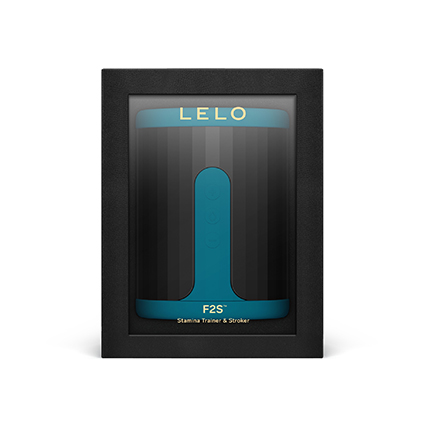
If you're short on time, here's the quick lowdown on the LELO F2S. This device excels with its unique vibration intensity mapping, offering a distinct interactive experience. It's not the cheapest option out there, but its seamless integration with Funscript.org and Intiface Central makes it a versatile choice. Keep in mind, it's more about nuanced sensations than powerful strokes, which might be what you're looking for if you're tired of the same old stroking action.
Introduction to the LELO F2S
When it comes to interactive strokers, the LELO F2S is a device that piques curiosity with its sleek design and promise of synced experiences. After using the F2S for several weeks, I found it to be an intriguing blend of elegance and functionality. It uses Bluetooth connectivity to sync with funscript files, offering a tailored experience that few other devices can match.
The first thing you'll notice about the F2S is its sleek, modern design. LELO has always been known for their high-quality craftsmanship, and this device is no exception. It's built with soft-touch materials that feel luxurious against the skin. It looks and feels like a premium product, which is always a good start.
In terms of ease of use, the F2S doesn't disappoint. The setup process is straightforward, and thanks to its intuitive controls, you'll be up and running in no time. This is particularly important for newcomers to the world of interactive devices who might find more complex setups daunting. With the F2S, LELO has managed to balance advanced features with accessibility.
Overview of the F2S
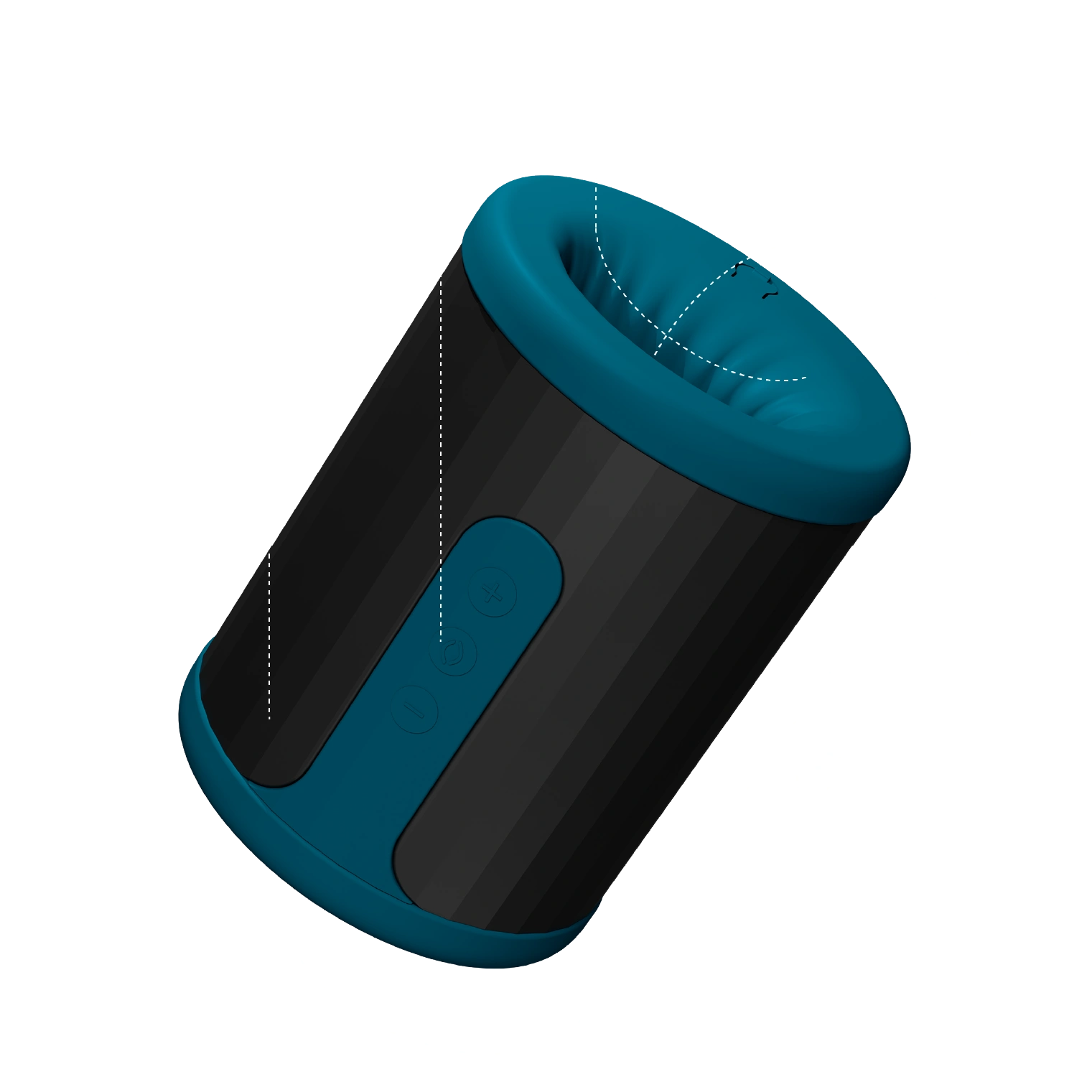
The LELO F2S is designed to integrate seamlessly with platforms like Funscript.org, where it can be synchronized with videos for a real-time interactive experience. It boasts an onahole design, a single vibration motor, and is fully compatible with Intiface Central, which allows it to map vibration intensity directly to funscript values. This makes it a unique offering in the market of Bluetooth-enabled strokers.
- Bluetooth connectivity for seamless interaction
- Compatible with Intiface Central for extensive support
- Onahole design with a single vibration motor
- Luxurious feel with high-quality materials
- Designed for ease of use and quick setup
In my testing, the Bluetooth connectivity was remarkably stable. I experienced minimal drops in connection, which is crucial for maintaining an immersive experience. The last thing you want is for your device to disconnect mid-session. Thankfully, the F2S holds up under pressure, providing a consistent experience that enhances the overall interaction.
Why Choose the F2S?
So, why would someone opt for the LELO F2S over other interactive strokers? The answer lies in its unique approach to vibration mapping. Unlike many competitors that focus solely on mechanical motion, the F2S translates the nuances of funscript motion data into varying vibration intensities. This provides an experience that feels both organic and immersive. If you're seeking a stroker that offers more than just the usual in-out motion, the F2S is worth considering.
The first time you use the F2S, you'll notice how it prioritizes intelligent vibration over brute force. It's a different take on interactive pleasure.
Another reason to consider the F2S is its compatibility with a wide range of platforms, thanks to Intiface Central integration. This makes it highly versatile and ensures you can enjoy its features across various interactive content. Whether you're syncing with videos, games, or even custom scripts, the F2S is up to the task.
Lastly, the build quality of the F2S is top-notch. LELO's attention to detail is apparent in every aspect of the device, from its ergonomic design to the quality of the materials used. This is a device that's built to last, providing peace of mind for those hesitant to invest in interactive technology.
Setting Up the F2S with Funscript.org
Setting up your LELO F2S with Funscript.org is a straightforward process, but getting it right ensures you enjoy the full range of features this device offers. In my testing, the connection via Intiface Central was smooth and reliable, which is crucial for a satisfying experience.
Connecting Your F2S via Intiface Central
To connect your F2S, start by downloading and installing Intiface Central from the official website. This step is essential because Intiface Central acts as the bridge between your device and the funscripts you wish to use.
- Download and install Intiface Central on your device.
- Put your F2S into pairing mode (usually by holding the power button).
- Start the Intiface Central server and detect your F2S.
- Navigate to the Funscript.org Dashboard and connect the F2S using the Intiface Central option.
Once connected, you'll see a confirmation that your F2S is ready to use. In my setup, this process was relatively quick, with minimal latency during initial attempts. The connection remained stable throughout my testing, even during extended sessions, which is a testament to the reliability of both the device and Intiface Central.
One aspect that stood out during my setup was the user-friendly interface of Intiface Central. Even if you're not tech-savvy, you'll find the steps easy to follow, which is a huge plus for those who are new to interactive devices. The platform guides you through the process with clear instructions, ensuring a hassle-free experience.
Optimizing Your Interactive Experience
After connecting your device, it's time to optimize your experience. The F2S shines when paired with the Funscript Player, which allows you to sync your device with videos. Ensuring your funscripts are finely tuned will maximize the enjoyment you get from the device.
Consider exploring the Script Editor on Funscript.org, where you can customize funscripts to suit your preferences. This editor is particularly useful for those who enjoy creating or modifying scripts to enhance the device's performance. In my experience, tweaking scripts allowed me to fine-tune the vibration patterns to better match my personal preferences, adding another layer of personalization to the experience.

Another tip for optimizing your experience is to experiment with different types of content. The F2S is versatile enough to work well with a variety of media, from videos and games to music with the Beat-to-Beat feature. Each type of content offers a different kind of interaction, so don't be afraid to explore and find what works best for you.
Performance and Features of the F2S
In terms of performance, the F2S delivers on its promise of providing a nuanced interactive experience. The device's ability to map vibration intensity directly to funscript values adds a layer of depth that enhances the interaction beyond basic mechanical motion.
Vibration Intensity and Funscript Integration
One of the standout features of the F2S is how it interprets funscript data. Instead of focusing solely on stroke positions, it adjusts its vibration intensity in real-time, providing a more immersive experience. I found this particularly engaging during longer sessions where the variation in intensity kept things interesting.
- Real-time vibration intensity mapping
- Seamless integration with funscripts
- Customizable through the Script Editor
- Supports a variety of content types for diverse interactions
This feature is particularly beneficial for users who prefer vibration to physical movement, offering a unique twist on the typical funscript-driven experience. In my testing, the vibrations were both powerful and nuanced, allowing for a high degree of control over the experience. This is crucial for those who appreciate subtle variations in sensation, as it allows the F2S to deliver a tailored experience that aligns with personal preferences.
User Experience and Comfort
Comfort is a critical factor in interactive devices, and the F2S does not disappoint. The onahole design is both comfortable and accommodating, making it suitable for a wide range of users. I found the maintenance to be hassle-free, which is a big plus for anyone looking for low-maintenance devices.
After using the F2S for several weeks, the consistent comfort and performance were impressive. It's a device that prioritizes user experience.
Another aspect that enhances user experience is the F2S's noise level. It's surprisingly quiet, which is ideal for those who value discretion. During testing, I could barely hear it over the background noise, making it perfect for use in shared living spaces or when you want to keep your activities private.
Additionally, the F2S's battery life is worth mentioning. In my experience, a single charge was enough to last through multiple sessions, which is a significant convenience. The battery charges relatively quickly, meaning less downtime between uses. If you're someone who enjoys extended sessions, the F2S's battery life won't disappoint.
Comparing the F2S to Other Devices
When it comes to comparing the LELO F2S with other popular devices like the Kiiroo Keon and lovense Max 2, there are several key differences worth discussing. Each device has its strengths, but the F2S offers some unique advantages.
Lovense Toys
How Does the F2S Stack Up Against Competitors?
Compared to the Kiiroo Keon, which offers full positional stroke sync, the F2S provides a more nuanced vibration-based experience. While the Keon is excellent for those who prefer a mechanical stroke, the F2S offers a different kind of interaction that focuses on vibration intensity.
| Device Name | Brand | Connection Method | Funscript Compatibility | Price Range |
|---|---|---|---|---|
| LELO F2S | LELO | Bluetooth | Yes | $200-230 |
| Kiiroo Keon | Kiiroo | Bluetooth | Yes | $200-250 |
| Lovense Max 2 | Lovense | Bluetooth | Yes | $100-130 |
On the flip side, the Lovense Max 2 uses a combination of vibration and air pump constriction. It provides a more intense sensation, which some users might prefer. However, the F2S stands out with its ease of use and seamless integration with Funscript.org.
One notable advantage of the F2S over its competitors is its focus on user comfort and discretion. While the Kiiroo Keon and Lovense Max 2 have their merits, they can be louder and less discreet. For users who prioritize privacy, the F2S is a clear winner in this regard.
Key Advantages of the F2S
The primary advantage of the F2S is its unique approach to interaction. By focusing on vibration mapping, it offers something different from the more common stroke-based devices. Additionally, its compatibility with Intiface Central ensures that it can be used across a variety of platforms, giving it a versatility that many users will appreciate.
With the LELO F2S, you get an experience that's both innovative and versatile, perfect for those who want more than just traditional stroking action.
Another key advantage is the F2S's superior build quality. While other devices might feel plasticky or cheaply made, the F2S exudes a sense of luxury that enhances the overall experience. This attention to detail is what sets LELO apart in the competitive world of interactive devices.
Conclusion: Is the F2S Right for You?
After an in-depth look at the LELO F2S, it's clear that this device offers a unique interactive experience that's hard to match. Its focus on vibration intensity mapping sets it apart from other strokers, providing a different kind of pleasure for those who appreciate nuanced sensations.
Final Thoughts
In my experience, the F2S has proven to be a reliable and enjoyable companion for interactive fun. Its seamless integration with Funscript.org and the Script Editor makes it an excellent choice for anyone looking to explore the world of interactive pleasure. Whether you're a fan of vibration or simply want a device that's easy to use and maintain, the F2S is worth considering.
Decision-Making Considerations
Ultimately, whether the F2S is right for you depends on your personal preferences. If you prioritize vibration over mechanical motion and want a device that's easy to integrate with your existing setup, the F2S is a fantastic option. However, if you're more interested in stroke-based devices, you might want to explore other options like the Kiiroo Keon or Lovense Max 2.
Before making a decision, consider what aspects of interactive play are most important to you and how the F2S fits into that vision.

Frequently Asked Questions
How do I connect the LELO F2S to Funscript.org?
Use Intiface Central to connect your F2S via Bluetooth, ensuring the device is in pairing mode and the server is running. Once set up, navigate to the Dashboard to complete the connection. The process is straightforward and designed to be user-friendly, even for those new to interactive devices. Intiface Central guides you step-by-step, making it easy to get started.
What makes the F2S different from other strokers?
The F2S features a unique vibration intensity mapping to funscript values, providing a distinct interactive experience that focuses on nuanced sensations rather than just mechanical motion. This sets it apart from typical strokers that prioritize physical movement over sensory feedback. It's designed for those who want a more immersive experience through vibration rather than sheer mechanical force.
Is the F2S compatible with other platforms?
Yes, the F2S works with Intiface Central, making it compatible with any platform supporting Buttplug.io, allowing for a broad range of interactive possibilities. This ensures that you can use your F2S with various media and experiences beyond just video synchronization. Its versatility makes it a valuable addition to any interactive setup.
What are the main features of the LELO F2S?
The F2S includes an onahole design, one vibration motor, and Bluetooth connectivity for interactive control, making it a versatile choice for syncing with funscript files. Its focus on vibration intensity and ease of use are key selling points, providing a unique interactive experience that's both intuitive and satisfying. Additionally, its high-quality build and comfortable design make it a pleasure to use.
Can the F2S be used for extended sessions?
Absolutely. The F2S is designed with longer sessions in mind, thanks to its excellent battery life and comfortable design. During my testing, it consistently delivered hours of use on a single charge. The device's ergonomic design also ensures that it remains comfortable during extended sessions, making it ideal for users who enjoy prolonged interactive experiences.