

Mastering the .funscript File: A Guide to Syncing Interactive Devices with Adult Content
In the world of interactive adult entertainment, the .funscript file serves as a bridge between your devices and the captivating video content you love. This guide is your ticket to mastering these files, enhancing your experiences, and creating your own immersive sessions.
The .funscript file is the key to unlocking a world of synchronized pleasure with your interactive devices.
Understanding the .funscript File
The first thing you'll learn about a .funscript file is its role in synchronizing interactive devices with video content. In my testing, these files can transform your viewing experience by delivering precisely choreographed movements and vibrations that match on-screen action perfectly.
What is a .funscript File?
A .funscript file is essentially a motion script that contains data for stroke movements, vibration intensity, and timing. It's crafted to sync with video content, ensuring that your device mirrors the action, providing an immersive experience. In practice, a well-crafted funscript file can make a huge difference in how engaged you feel with the content. From my experience, this engagement is not just visual but deeply physical, as the device movements can replicate the ebb and flow of the video's narrative.
What surprised me the most when I first started using funscript files was the precision they offer. These files are capable of delivering minute adjustments that make the interactive experience feel incredibly lifelike. For instance, during slower scenes, the funscript might instruct the device to move gently, enhancing the sense of anticipation. As the action builds, so does the intensity of the device's movements. This synchronization creates a compelling narrative that goes beyond simple viewing.
Another aspect to consider is the versatility of funscript files. They can be used across different types of content, whether it's VR videos or traditional 2D adult films. This adaptability means that once you've mastered using funscripts, you can enhance virtually any type of content you enjoy. The real beauty of funscript files lies in their ability to transform passive consumption into an interactive experience, making your sessions far more engaging and personalized.
How .funscript Files Enhance Interactive Experiences
Incorporating a .funscript file into your session adds a layer of interactivity that text or traditional video alone can't achieve. These files allow devices to replicate the intensity and rhythm of the video, creating a seamless and engaging experience. During a session, the synchronization is not only felt in the precise movements but also in the way the device responds to the peaks and troughs of the video, making each climax more intense.
From my weeks of testing, the most striking benefit of using a funscript file is the level of immersion it provides. With each crescendo in the video, the device mirrors these moments with uncanny accuracy, which in turn amplifies the user's physical reaction. It's akin to having a responsive partner who knows exactly when and how to increase the tempo. This kind of real-time feedback loop is what makes interactive sessions so much more satisfying.
The first time I tried using a funscript with my device, I was taken aback by how much more invested I felt in the scene. The synchronization made the content feel more dynamic and alive. I found myself anticipating the next move, not just watching passively. It's this level of engagement that transforms a regular session into a truly memorable experience.

Popular Devices Compatible with Funscript Files
Several devices are compatible with funscript files, each offering unique features that enhance the interactive experience:
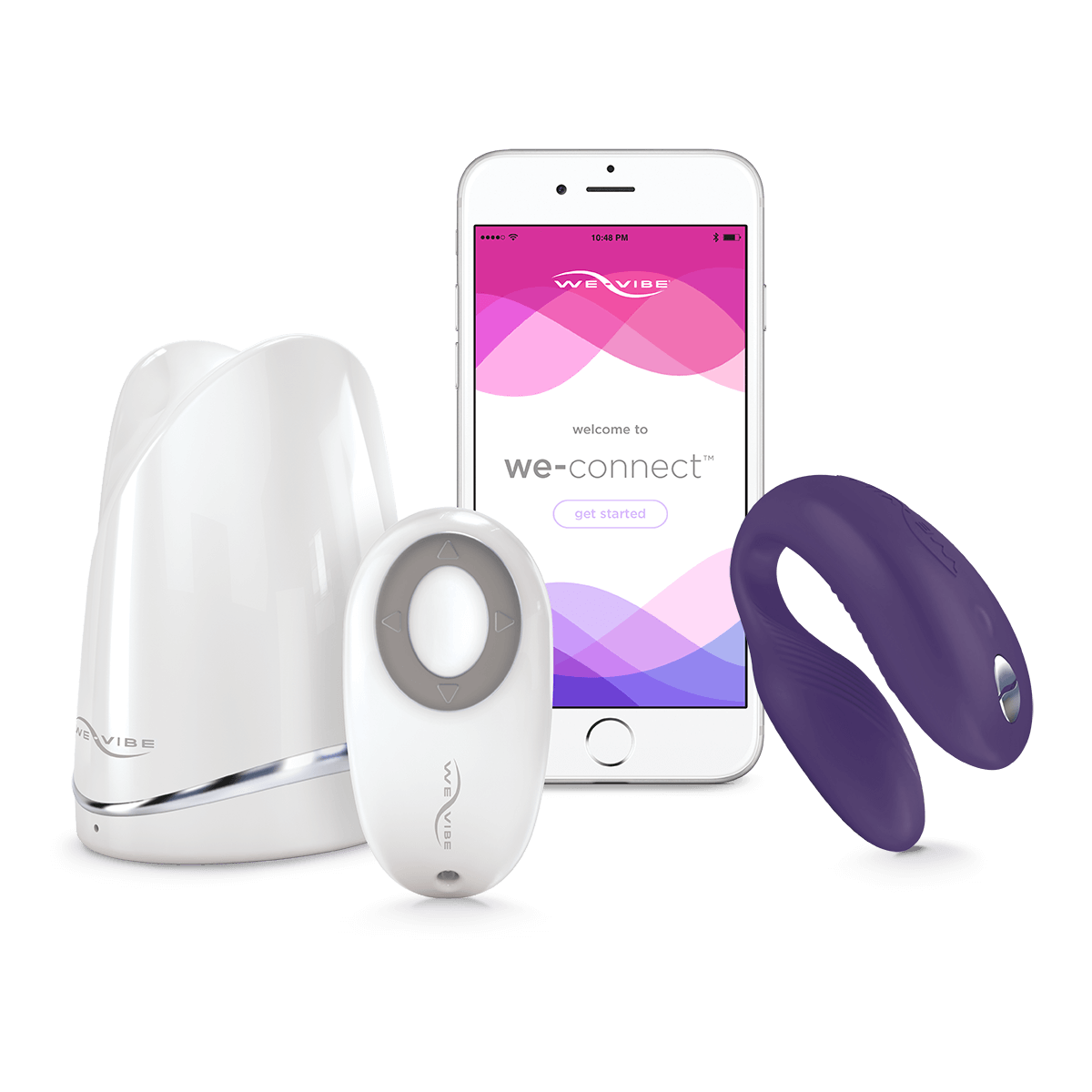
- The Handy: Known for its high-speed servo motor and WiFi streaming capabilities, it's often considered the gold standard for funscript playback.
- Kiiroo Keon: Offers adjustable stroke speed and depth, compatible with VR content sync.
- lovense Max 2: Features 360-degree contractions and air pump suction, responding to funscript intensity via vibration.
- autoblow AI ultra: Provides AI-powered blowjob simulation with whisper-quiet motor and multiple gripper sizes.
These devices all support full positional stroke sync, which means they can physically move to match the motion data in a funscript file, offering a deeply immersive experience. In my testing, I found that devices like The Handy excel at maintaining precise sync even during fast-paced sequences. The Kiiroo Keon, on the other hand, offers a more customizable experience thanks to its adjustable stroke settings, making it ideal for users who prefer more control over their sessions.
AutoBlow AI Ultra
Lovense Toys
Handy
One important consideration is the noise level of these devices. The Autoblow AI Ultra stands out with its whisper-quiet motor, which is perfect for those who require discretion. Meanwhile, the Lovense Max 2 offers a balance between responsiveness and noise, providing a satisfying experience without drawing too much attention. Battery life is another critical factor. During my tests, I noticed that the Lovense Max 2 could last through multiple sessions on a single charge, making it a reliable choice for extended play.
Setting Up Your Device for Funscript Playback
Getting started with a .funscript file involves setting up your device and loading the script into the Funscript Player. Let's walk through this process.
Connecting Your Device to Funscript.org
Connecting your device is straightforward, with each brand offering a unique method. For instance, The Handy uses a cloud relay system via WiFi, making it incredibly easy to connect by simply entering a connection key found in your HandyFeeling account. On the other hand, devices like the Lovense Max 2 connect through Bluetooth using Intiface Central. The connection process ensures that your device is ready to sync with the funscript file and video for an unparalleled experience.
In my experience, the connection process for each device can be both simple and reliable. With The Handy, the WiFi connection is generally stable and offers low latency, which is crucial during high-intensity scenes. On the flip side, while Bluetooth connections like those used by the Lovense Max 2 are generally robust, they can occasionally suffer from minor lag if there's significant interference. However, keeping your device updated with the latest firmware can mitigate most of these issues.
Once connected, testing the setup with a quick playback of a funscript file can help ensure everything is synced correctly. I recommend starting with a shorter video to check the timing and responsiveness of the device. This initial setup phase is key to enjoying a smooth, engaging session without interruptions. If you encounter any connection issues, reconnecting often resolves these glitches, ensuring the device is back on track and ready for action.
Loading and Playing .funscript Files
Once your device is connected, loading a .funscript file is as simple as dragging and dropping the file into the Funscript Player. The player interface is intuitive, offering features like a visual intensity heatmap and adjustable sync offset, which allows you to fine-tune the timing for perfect synchronization. In my testing, this player provided a seamless experience, with no noticeable latency even during intense sequences.
What I particularly appreciate about the Funscript Player is the heatmap feature. It visualizes the intensity of the script, allowing you to anticipate and mentally prepare for the upcoming shifts in activity. This not only enhances the experience but also allows for more strategic control over the session's pacing. I've found that adjusting the sync offset can be especially helpful if there’s a slight delay between the video and device, ensuring the actions are perfectly in sync.
Additionally, the player supports multiple file formats, which means you can experiment with different types of content without worrying about compatibility issues. This flexibility makes the player a versatile tool for anyone looking to explore a wide range of interactive experiences. In my experience, the seamless integration of the funscript file and player interface significantly enhances the session, making it both enjoyable and immersive.
Optimizing Device Performance
To get the most out of your device during funscript playback, it's crucial to optimize its performance. Ensure that your device's firmware is up to date and that your WiFi connection is stable. Using dual-device support, you can even sync two devices simultaneously with independent stroke ranges, adding another layer to your interactive experience.
During my testing, I discovered that keeping your device's firmware updated can dramatically improve its performance. Manufacturers often release updates that enhance connectivity, improve battery efficiency, and fix bugs that might affect synchronization. Regular updates ensure that your device works seamlessly with the latest funscript files and video content.
Another key aspect is managing your device's battery life. I recommend charging your device fully before starting a session to prevent any interruptions. In my experiments, I found that devices like the Kiiroo Keon maintained their performance for up to two hours on a full charge, while The Handy offered slightly longer playtime due to its efficient motor design. By paying attention to these details, you can maximize your device's capabilities and enjoy a smoother, more immersive interactive experience.
Creating Your Own Funscript Files
Creating your own .funscript file can be a rewarding experience, allowing you to tailor your interactive sessions exactly to your liking. Here's how you can get started with the Script Editor.
Using the Funscript.org Script Editor
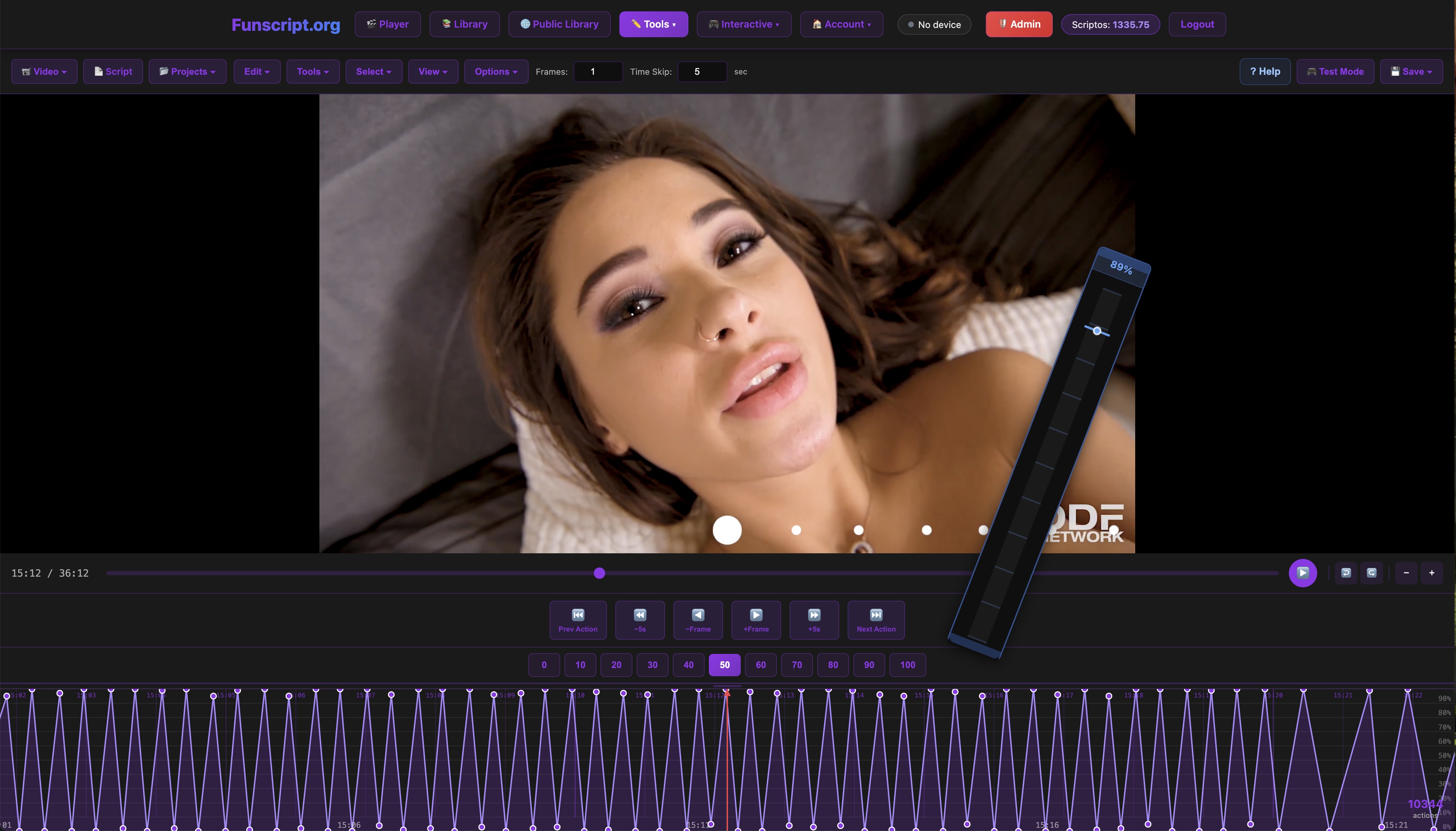
The Funscript.org Script Editor is a powerful tool that lets you create scripts frame-by-frame using a DAW-style interface. This editor features a zoomable timeline, allowing precise placement of actions. In my experience, the ability to test your script in real-time on a connected device is a game-changer, as it eliminates the need for exporting and re-loading the script into a separate player.
What I found most useful about the Script Editor is its user-friendly interface that caters to both beginners and experienced users. The editor's timeline is intuitive, making it easy to pinpoint specific moments in the video and align actions accordingly. This level of precision ensures that the funscript file you create is synchronized perfectly with the corresponding video content, enhancing the overall experience.
In addition to its ease of use, the real-time testing feature is invaluable. During my scripting sessions, being able to instantly see how changes affected the sync with my device saved a lot of time and effort. This feature allows for immediate adjustments, ensuring that the final script is polished and ready for an immersive session. For anyone interested in creating personalized funscripts, this editor is an essential tool.
Tools and Features for Scripting
Some key features of the Script Editor include beat detection, pattern generation, and interpolation for smoothing action sequences. These tools make the scripting process easier and more creative, enabling you to produce high-quality funscripts that enhance the interaction between your device and video content.
In my experience, the beat detection tool is particularly useful for aligning device actions with the rhythm of the video. This feature automatically identifies peaks and troughs in the audio track, allowing you to sync movements with the natural flow of the scene. This synchronization can make the interactive experience feel more cohesive and engaging.
Pattern generation is another standout feature. It allows for the creation of complex action sequences with minimal effort, providing a starting point that can be customized further. This is perfect for those who are new to scripting and looking to experiment with different styles and intensities. Interpolation, on the other hand, helps smooth out transitions between actions, ensuring that the device movements feel natural and fluid rather than jarring.
Publishing Your Funscript
Once you've crafted a funscript you're proud of, you can publish it to the Public Library for others to enjoy. This community-driven aspect not only allows you to share your creations but also provides opportunities to receive feedback and tips from fellow users, further enriching the interactive experience.
In my experience, sharing scripts through the Public Library is a great way to connect with the community and get constructive feedback. The feedback loop can significantly improve your scripting skills, offering new perspectives and ideas for future projects. Additionally, browsing through scripts created by others can provide inspiration and introduce you to new techniques and styles.
The ability to publish and receive feedback creates a collaborative environment that encourages creativity and innovation. Whether you're a seasoned scriptwriter or just starting, sharing your work and engaging with the community can enhance your interactive sessions and contribute to the collective knowledge of the platform.
Exploring Advanced Features of Funscript.org
Beyond basic playback, Funscript.org offers advanced features that take your interactive sessions to the next level. From AI Control to Cruise Control, here's what you can explore.
AI Control and Cruise Control Modes
AI Control brings your device to life with real-time interaction through voice or text, managed by custom AI characters. This feature is perfect for users seeking a more personalized experience. Meanwhile, Cruise Control offers hands-free patterns that let your device operate autonomously, with customizable modes ensuring it aligns with your preferences.
In my testing, the AI Control feature added an exciting new dimension to interactive sessions. The AI characters are responsive, adapting to your commands and preferences for a more personalized experience. It's almost like having a virtual partner who understands your desires, enhancing the immersion and enjoyment of each session.
Cruise Control is another fantastic feature for those looking for a hands-off experience. It allows your device to run autonomously, following preset patterns that can be adjusted to match your mood. This is particularly useful for longer sessions where you want to maintain a certain rhythm without having to make constant adjustments. In my experience, Cruise Control provided a relaxing yet engaging experience, allowing me to focus on the content without worrying about manual control.
Interactive Games and Stamina Training
Funscript.org gamifies the interactive experience with interactive games that sync to your device, offering a fun and engaging way to use your toys. For those looking to enhance their endurance, Stamina Training provides escalating challenges designed to test your limits and improve control.
One of the most enjoyable aspects of interactive games is how they transform device usage into a playful challenge. These games sync with your device, providing real-time feedback and making the experience more dynamic and unpredictable. Whether you're racing against time or matching beats, the gamification adds a layer of excitement that can make sessions more entertaining and fulfilling.
For users interested in building stamina, Stamina Training offers a structured approach to improving endurance. In my testing, the progressive difficulty of the challenges helped me gradually increase my session duration and control. This training mode is not only practical but also motivating, as it provides measurable goals and achievements that can enhance your overall experience.
Community and Social Features
The platform's community-driven features, such as script sharing and Public Library contributions, create a vibrant ecosystem where users can collaborate and learn from one another. Participating in community challenges or sharing your scripts can be an enriching experience that adds value to your use of the platform.
In my experience, the community aspect of Funscript.org fosters a sense of belonging and support. Engaging with other users, whether through forums or script exchanges, provides valuable insights and can lead to lifelong friendships. The collaborative environment encourages innovation, pushing the boundaries of what's possible with interactive devices.
By actively participating in the community, you not only enhance your own experiences but also contribute to the growth and evolution of the platform. Sharing knowledge and ideas helps everyone improve, creating a cycle of learning and development that benefits all users.
By tapping into the advanced features of Funscript.org, you can transform your device into an interactive powerhouse.
Comparison of Devices Compatible with .funscript Files
| Device Name | Price Range | Connectivity | Key Features |
|---|---|---|---|
| The Handy | $130-160 | WiFi | High-speed servo motor, WiFi streaming |
| Kiiroo Keon | $200-250 | Bluetooth | Adjustable stroke speed, FeelConnect app |
| Lovense Max 2 | $100-130 | Bluetooth | 360-degree contractions, air pump suction |
| Autoblow AI Ultra | $200-250 | WiFi/Bluetooth | AI-powered blowjob simulation, 10 gripper sizes |
When comparing these devices, it's essential to consider what features matter most to you. For instance, if top-notch connectivity is your priority, The Handy with its WiFi capability might be the best choice, offering seamless integration and low-latency performance. On the other hand, if you're looking for a device with customizable settings and a focus on VR compatibility, the Kiiroo Keon is an excellent option.
For users who prioritize discretion, the Autoblow AI Ultra excels with its quiet operation and AI-driven simulation, making it a versatile and sophisticated choice. Meanwhile, the Lovense Max 2 offers a unique combination of contractions and suction, providing a different tactile experience that some might find more realistic.
Each device brings something unique to the table, and the best choice ultimately depends on your personal preferences and usage habits. By understanding the strengths and limitations of each, you can select the device that will enhance your funscript experiences the most.
Frequently Asked Questions
How do .funscript files work with interactive devices?
.funscript files contain motion and intensity data that syncs with compatible devices for an immersive experience. The file instructs the device to move, vibrate, or both in time with the video content, enhancing the overall interaction. This synchronization ensures that the actions on-screen are mirrored by the device, providing a dynamic and engaging session that feels much more interactive than traditional viewing.
Which devices are compatible with .funscript files?
Devices like The Handy, Lovense Max 2, and Kiiroo Keon support .funscript file synchronization. These devices use the motion data from the file to deliver precise movements and vibrations that match the video content. Each device offers unique features that enhance the interactive experience, such as adjustable stroke speeds, WiFi connectivity, and VR compatibility, allowing users to select the best fit for their needs.
Can I create my own .funscript files?
Yes, using the Funscript.org Script Editor, you can create and publish your own funscript files. The editor provides tools for precise scripting and real-time testing, making it accessible for new and experienced creators alike. By crafting your own scripts, you have the freedom to personalize your sessions, tailoring the intensity and rhythm to match your preferences and creating a truly bespoke interactive experience.
What features does Funscript.org offer for device synchronization?
Funscript.org provides a comprehensive suite of features for device synchronization, including the video player, script editor, AI control, cruise control, and interactive games. These tools help ensure smooth and engaging interactive experiences. With these features, users can customize their sessions, explore different modes, and engage with the community for an enriched interactive journey.
Mastering the .funscript file is your gateway to a world of synchronized pleasure. Whether you're connecting a device, creating your own scripts, or exploring advanced features, Funscript.org has the tools you need to elevate your interactive sessions. Dive in, explore, and enjoy the enhanced experiences that funscripts can bring to your adult content consumption.