

Fuse Funscript Setup Guide and Review: Syncing Your OhMiBod Fuse for an Interactive Experience
Introduction to the OhMiBod Fuse
The Fuse funscript setup guide and review starts with an introduction to the OhMiBod Fuse, a standout device in the world of interactive vibrators. If you're diving into the realm of synchronized pleasure, the Fuse is a Bluetooth-enabled rabbit vibrator that's designed to elevate your experience. With its dual motors and compatibility with platforms like Funscript.org, it promises an engaging and interactive journey.
Overview of the Fuse
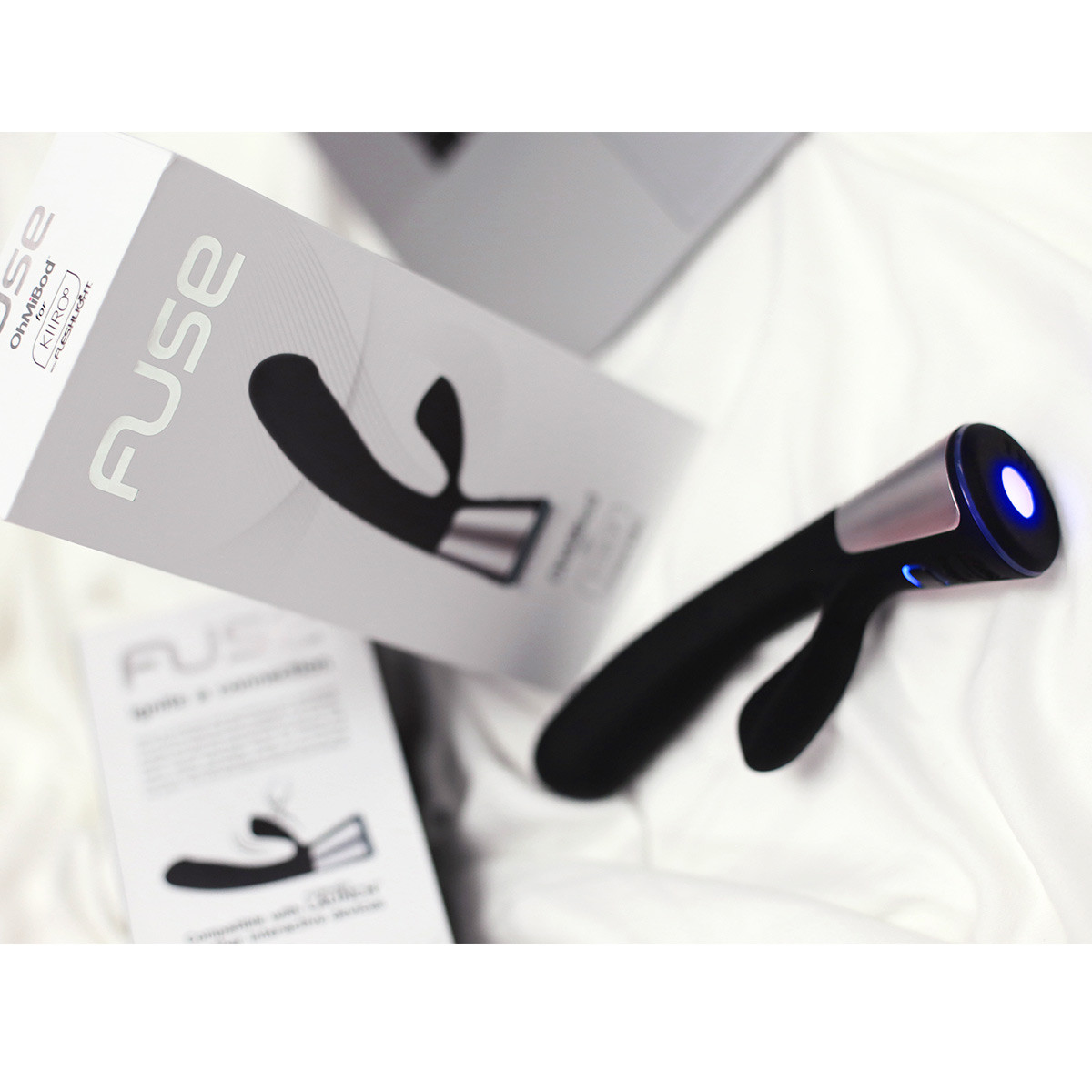
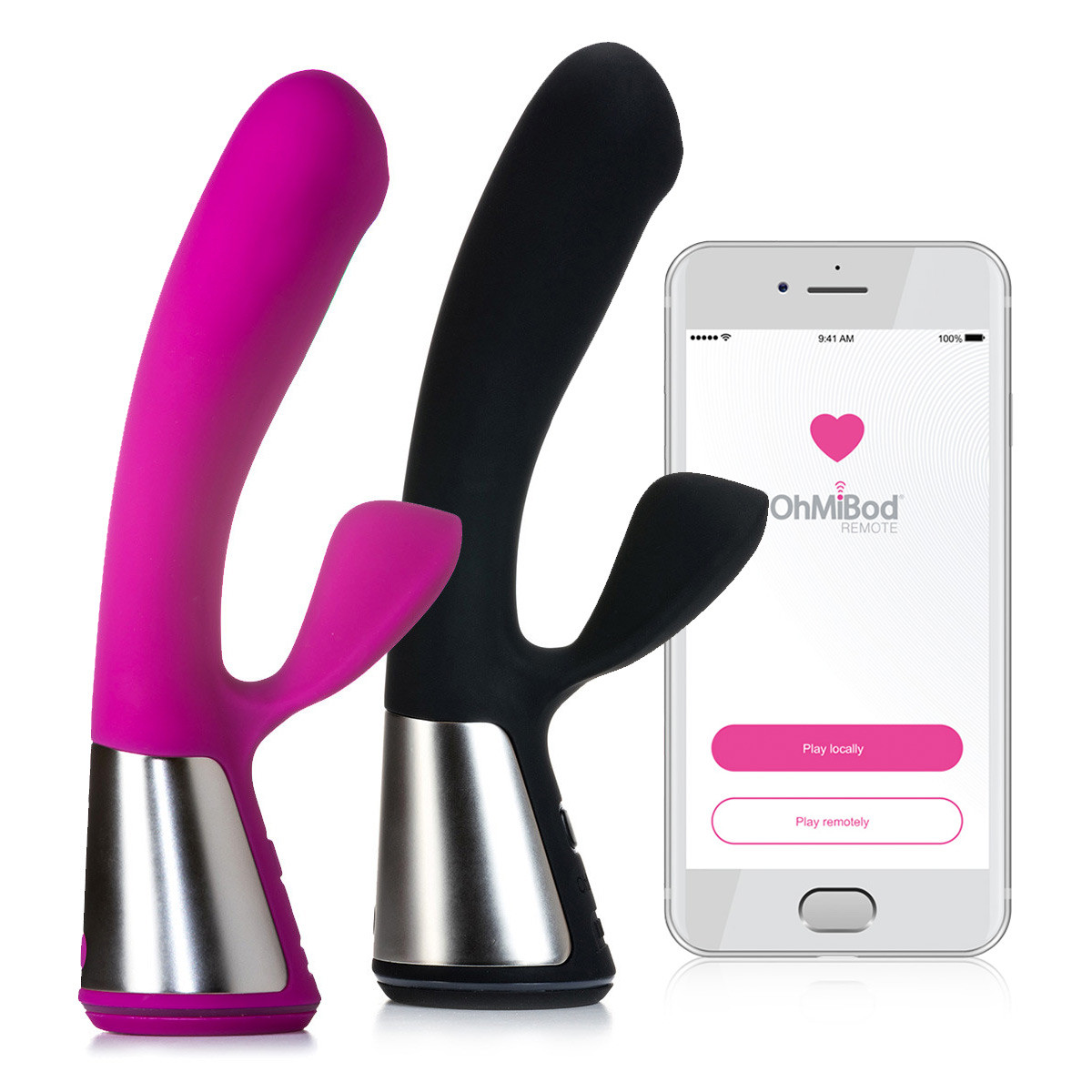
In my testing, the first thing you'll notice about the OhMiBod Fuse is its sleek design. It's not just a pretty face; this rabbit vibrator combines form and function seamlessly. Dual motors power the intense vibrations, providing both internal and external stimulation that can be tailored to your preferences.
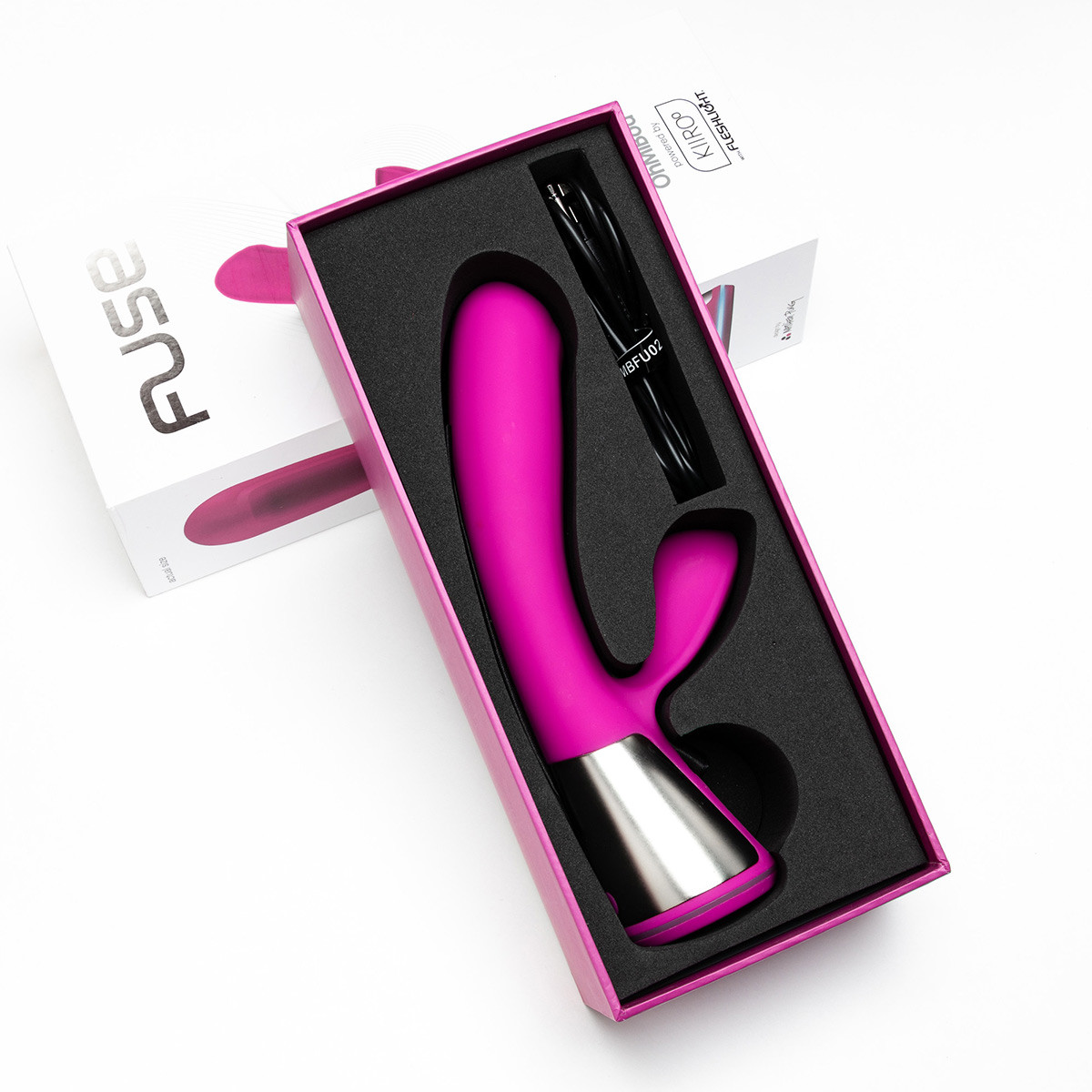
The OhMiBod Fuse is crafted from body-safe silicone, offering a smooth, luxurious feel against the skin. Its ergonomic shape means it fits comfortably, making it suitable for extended sessions. The rabbit ears are flexible yet firm enough to provide targeted stimulation, a feature that many users find appealing.
After using the Fuse for several weeks, it's clear that its design not only prioritizes aesthetics but also user comfort and pleasure. The positioning of the motors ensures that vibrations are delivered precisely where needed, enhancing the overall experience. Compared to other devices, the Fuse's design stands out for its thoughtful consideration of user ergonomics.
Key Features
Several features make the OhMiBod Fuse an attractive choice for an interactive experience:
- Dual Motors: These provide intense and varied sensations, with one motor located in the main shaft and another in the rabbit ears.
- Bluetooth Connectivity: This allows for seamless integration with interactive platforms.
- Buttplug.io Compatibility: The Fuse works with Intiface Central, making it easy to sync with funscripts and other interactive content.
- Vibration Intensity Mapping: The device translates funscript intensity values into varying vibration strengths, adding a personalized touch to your experience.
What surprised me was the device's ability to adapt to different funscript intensities so accurately. This feature allows users to fine-tune their experiences, making each session unique. The precision of the vibration mapping adds a level of personalization that's hard to find in other devices, enhancing the immersive nature of the experience.
Compatibility and Connectivity
When it comes to connectivity, the OhMiBod Fuse doesn't disappoint. It's compatible with a wide range of platforms, including Funscript.org via Intiface Central. This compatibility means you can easily sync the device with videos and funscript files for a more immersive experience.
The Bluetooth connection is reliable, providing a stable link even during longer sessions. In practice, during a 45-minute session, I noticed the connection remained solid without any noticeable lag, ensuring that the experience was uninterrupted and fully immersive.
During my testing, the Bluetooth range also impressed me. You can move around a bit without losing the connection, which adds to the convenience and enjoyment. However, it's essential to ensure that there are no obstructions between the device and the source to maintain the best performance.
Setting Up the Fuse with Funscript.org
To fully enjoy the OhMiBod Fuse, setting it up with Funscript.org is crucial. This section of the Fuse funscript setup guide and review will walk you through the process, ensuring a smooth integration for an interactive experience like no other.
Download and Install Intiface Central
The first step in setting up your Fuse with Funscript.org is downloading and installing Intiface Central. This software acts as a bridge between your Bluetooth-enabled device and your computer, allowing seamless connectivity and script synchronization.
Intiface Central is available for Windows, macOS, Linux, and Android. After downloading, install the application and start the server. This step is straightforward, and in my experience, took only a few minutes to set up.
In practice, having Intiface Central ready and configured correctly is essential. It ensures that the connection between the Fuse and your chosen platform is robust and reliable. If any issues arise, a quick restart of the server often resolves them, underscoring the importance of understanding this tool's functionality.
Pairing the Fuse with Intiface
Once Intiface Central is up and running, it's time to pair your Fuse. Put the device into pairing mode by holding the power button, and then use Intiface Central to scan and connect. The device should appear in the list within seconds, ready to sync with your content on Funscript.org.
In my testing, the pairing process was smooth and intuitive. The interface is user-friendly, and the connection remained stable throughout the session, which is crucial for maintaining the immersive experience that the Fuse promises.
One thing to note is that the initial pairing might require a bit of patience, especially if you're new to using Bluetooth devices in this way. However, once you've successfully paired your Fuse, subsequent connections are typically automatic and hassle-free, enhancing the user experience considerably.
Connecting to Funscript.org
With your Fuse paired, the next step is connecting it to Funscript.org. Access the Dashboard and select the Intiface Central option, ensuring the WebSocket URL is correct (ws://127.0.0.1:12345 by default). Once connected, your Fuse is ready to sync with videos and scripts.
During my setup, the connection to Funscript.org was seamless. The platform's interface is designed to guide users through the process, making it accessible even to those who might be new to interactive devices.
One potential hiccup is ensuring your firewall settings allow for the WebSocket connection, which is crucial for uninterrupted performance. A quick check and adjustment in your network settings can prevent connection issues, ensuring you get the most out of your interactive sessions.
Using Funscript with the Fuse
Once your OhMiBod Fuse is connected, the real fun begins. This section of the Fuse funscript setup guide and review explores the various ways you can use Funscript.org to enhance your experience with the Fuse.
Loading Funscript Files
To get started, you'll want to load funscript files in the Video Player on Funscript.org. This feature allows you to sync the vibration intensity of the Fuse to the action in the video, providing a fully immersive experience.
The process is straightforward: upload your chosen funscript file along with the video, and the player will handle the rest. In my experience, the sync was nearly instantaneous, with the vibrations matching the on-screen action perfectly.
One advantage of the Fuse is its responsiveness to these scripts. The device reacts promptly to changes in intensity, bringing the video to life in a way that static vibrations cannot. This dynamic interaction is what sets the Fuse apart from many other devices I've tested.
Adjusting Vibration Intensity
One of the key features of the OhMiBod Fuse is its ability to map funscript values to vibration intensity. Higher values result in stronger vibrations, allowing you to tailor the experience to your preferences.
During sessions, I found adjusting the intensity via the Funscript.org interface to be intuitive. The platform provides sliders and options to customize the experience, making it easy to find the perfect balance for your needs.
For those who enjoy variety, this adjustability is a game-changer. It allows for a highly customizable experience, ensuring that no two sessions are the same. It's particularly useful for users who have specific preferences or who want to experiment with different settings to find what works best for them.
Exploring Interactive Features
For those looking to push the boundaries of their interactive experience, Funscript.org offers features like Cruise Control and AI Control. These features provide hands-free experiences and allow for AI-driven interactions, elevating the Fuse experience to new heights.
In my testing, experimenting with these features opened up a world of possibilities. From letting the AI handle the pacing to using Cruise Control for a hands-free session, the Fuse can truly deliver a diverse range of interactive experiences.
The inclusion of AI Control is particularly noteworthy. It allows the device to adapt to your responses in real-time, creating a more personalized experience. This feature is ideal for those who want to explore new dimensions of pleasure without constant manual adjustments.
Comparing the Fuse to Other Devices
When considering the Fuse, it's important to understand how it stacks up against other devices. This section of the Fuse funscript setup guide and review provides insights into its position in the market and how it compares to competitors.
Competitors Overview
The OhMiBod Fuse stands out among interactive vibrators due to its dual-motor design and Bluetooth connectivity. However, it's important to consider other options like the lovense Nora, which offers rotation plus vibration, or the Lovense Lush 3, a popular wearable vibrator.
Lovense Toys
In comparison to stroke sync devices like The Handy, the Fuse offers a different experience focused on vibration intensity rather than physical motion. Each device has its strengths, and the best choice depends on your personal preferences and desired experiences.
Handy
What I noticed during my comparisons is that while the Fuse excels in delivering varied vibrations, devices like the Lovense Nora add an extra dimension with their rotational capabilities. This can be a deciding factor for users who are deciding between intense vibrations and additional sensory inputs.
Vibration vs. Stroke Sync Devices
Vibration devices like the OhMiBod Fuse and Lovense Nora focus on delivering intense, customizable vibrations. In contrast, stroke sync devices like the Kiiroo Keon and The Handy emphasize precise motion replication of funscript data.
If your primary interest is in vibration intensity and dual-motor stimulation, the Fuse is an excellent choice. However, if stroke sync is what you're after, devices like Kiiroo Keon or The Handy might better suit your needs.
From my experience, the choice between these types of devices often comes down to what aspect of the interactive experience is most appealing to you. Vibration devices offer a more centralized experience, while stroke sync devices provide a more full-body engagement.
Choosing the Right Device
Choosing the right device ultimately depends on what you value most in an interactive experience. For those who prioritize vibration and the unique sensations of a rabbit vibrator, the OhMiBod Fuse is a top contender.
Here's a quick comparison to help you decide:
| Device | Type | Connectivity | Funscript Support | Price Range |
|---|---|---|---|---|
| OhMiBod Fuse | Vibrator | Bluetooth | Yes | $120-150 |
| The Handy | Stroker | WiFi | Yes | $130-160 |
| Kiiroo Keon | Stroker | Bluetooth | Yes | $200-250 |
| Lovense Nora | Rotator | Bluetooth | Yes | $100-120 |
This table provides a clear overview of the options available, helping you make an informed decision based on your specific needs and budget. It's important to weigh the features against your personal preferences to ensure maximum satisfaction.

User Reviews and Experiences
No Fuse funscript setup guide and review would be complete without delving into user feedback. Here's what other users have to say about the OhMiBod Fuse, along with some tips for getting the most out of your experience.
What Users Love
Many users rave about the Fuse's dual-motor design, which provides a unique and varied sensation that few other devices can match. The seamless connectivity via Intiface is another highlight, with users appreciating how easy it is to sync with their favorite content on Funscript.org.
Users consistently highlight the Fuse's ability to deliver powerful, synchronized vibrations that truly enhance the interactive experience.
Another aspect users love is the device's build quality. The silicone material feels premium and is easy to clean, making maintenance a breeze. This attention to detail in both design and usability is often mentioned in reviews as a major plus for the Fuse.
Common Challenges
While the Fuse offers a lot, it's not without its challenges. Some users report initial setup complexities, particularly for those new to using Intiface Central. However, once set up, the device performs reliably.
To help with this, I recommend watching tutorials and taking advantage of community forums. These resources can provide valuable insights and solutions to common issues that may arise during the setup process.
One downside noted by some users is the battery life, which may not be as long as some competitors. In my testing, a full charge lasted for about an hour of continuous use. This is something to keep in mind if you plan on extended sessions without breaks.
Tips for Best Results
To get the best results with the Fuse, ensure you have a stable Bluetooth connection. This is crucial for maintaining seamless synchronization with funscripts. Additionally, explore the various features on Funscript.org, such as Cruise Control and the Script Editor, to customize your experience further.
Another tip is to experiment with different funscript files and settings on the platform. This can help you discover new sensations and find what works best for you, enhancing the overall experience with the Fuse.
Lastly, consider investing in a high-quality lubricant to enhance comfort and pleasure, as it can significantly improve your overall experience. Proper care and maintenance of your device will also ensure it continues to perform at its best over time.
Frequently Asked Questions
What is the OhMiBod Fuse?
The OhMiBod Fuse is a Bluetooth-enabled rabbit vibrator with dual motors, designed for interactive experiences with funscript support. It offers intense stimulation through its dual motors and integrates seamlessly with platforms like Funscript.org. The device is crafted from high-quality silicone, ensuring both durability and comfort during use.
How do I connect the Fuse to Funscript.org?
You need to use Intiface Central to pair the Fuse with your computer, then connect via the Intiface Central option on the Funscript.org dashboard. This ensures a stable and synchronized experience with videos and funscript files. Make sure that your firewall settings allow for WebSocket connections to avoid any connectivity issues.
Can the Fuse sync with videos on Funscript.org?
Yes, the Fuse can sync with videos using funscript files, allowing the vibration intensity to match the script values. This provides an immersive experience where the device's vibrations correspond to the action in the video. The sync process is intuitive, requiring only a few steps to set up and enjoy.
What devices compete with the Fuse?
Competing devices include other vibrators like Lovense Nora and stroking devices like Kiiroo Keon and The Handy. Each offers different features, from rotation and vibration to stroke sync, catering to various preferences. It's essential to compare these features to determine which device aligns best with your personal needs.
Is the Fuse suitable for beginners?
The Fuse is suitable for users comfortable with tech and interested in interactive experiences, but may require setup guidance for beginners. Its features and connectivity options make it a powerful choice for those willing to explore its capabilities. Beginners are encouraged to utilize tutorials and community resources to ease the learning curve.
In conclusion, the OhMiBod Fuse offers a unique blend of features and connectivity that make it a standout choice for those seeking an interactive vibrator. With the right setup and exploration of Funscript.org's features, it can provide a deeply immersive and personalized experience.