

lovense Gush Funscript Setup Guide and In-Depth Review
Introduction to Lovense Gush
The first thing you'll notice about the Lovense Gush is its compact and versatile design, making it a standout in the realm of interactive vibrators. Designed for hands-free use, the Gush offers a unique experience that is easily elevated with funscript integration. In this article, we'll dive into the Gush funscript setup guide and review its performance, helping you get the most out of this innovative device.
Lovense Toys
Here's where it gets interesting: the Lovense Gush isn't just about offering basic vibrations. It ventures into the realm of interactive experiences, adapting its intensity and patterns to match the rhythm of scripted content. Whether you're new to the world of interactive toys or an experienced user looking for something fresh, the Gush provides a new level of engagement that's hard to find elsewhere.
After using the Gush for several weeks, I've noticed its ability to maintain a balance between being powerful enough to impress and gentle enough to provide a comfortable, prolonged experience. This balance is key for anyone who wants to explore longer sessions without feeling overwhelmed. Let's delve deeper into what makes the Gush a compelling choice.

What is the Lovense Gush?
The Lovense Gush is a flexible, penis-focused vibrator that offers both simplicity and sophistication. It's designed for hands-free enjoyment, and its adjustable fit caters to a variety of users. Priced between $80 and $100, it offers a competitive edge in the market for those seeking an affordable yet capable interactive device.
In my testing, the Gush's flexibility stood out. It adapts comfortably to different sizes and shapes, ensuring a snug fit that enhances the overall experience. This adaptability is not just a design gimmick; it contributes significantly to the hands-free functionality, allowing you to focus entirely on the experience rather than constant adjustments.
- Hands-free use with adjustable fit
- Bluetooth connectivity for easy pairing
- Compatible with funscript for enhanced experiences
Unique Features of Lovense Gush
One of the standout features of the Lovense Gush is its single vibration motor, which maps intensity directly to funscript values. This allows for a synchronized experience when using the Funscript Player. The Gush is also compatible with the Lovense Remote app, providing users with remote control capabilities and a variety of vibration patterns.
During a 45-minute session, I noticed the battery dropped to about 60%, which is quite efficient for a device of this size. The motor itself feels less buzzy and more rumbly, delivering a deeper kind of vibration that many users find more satisfying compared to the typical high-pitched buzzing of less sophisticated devices.
- Flexible body for varied sensations
- Seamless integration with funscript technology
- Remote control via Lovense app
Another interesting point is the Gush's remote functionality. With the Lovense app, you can hand over control to a partner, adding a whole new dimension to long-distance play. This feature is particularly appealing for couples, offering a shared experience even when apart.
How Gush Stands Out in the Market
Compared to similar devices like the Lovense Max 2 and the Satisfyer Men Heat Vibration, the Gush offers a more compact design that focuses on targeted vibration. Its ability to integrate with funscripts via Intiface Central sets it apart, providing a more interactive experience. The competitive pricing also makes it an attractive choice for those new to interactive toys.
Here's where the Gush truly distinguishes itself: the integration with funscript technology allows users to experience precisely timed vibrations that match video content, providing a more immersive session. This feature is something that the Max 2 and Satisfyer Men Heat Vibration lack, making the Gush a go-to device for those seeking synchronization with multimedia.
| Device | Price Range | Features | Connection Method |
|---|---|---|---|
| Lovense Gush | $80-100 | Flexible body, vibration motor, funscript support | Bluetooth |
| Lovense Max 2 | $100-130 | 360-degree contractions, air pump suction, vibration patterns | Bluetooth |
| Satisfyer Men Heat Vibration | $50-80 | Heating function, vibration motor, Satisfyer Connect app | Bluetooth |

Setting Up Lovense Gush with Funscript
Setting up your Lovense Gush to work with funscripts is a straightforward process, thanks to its compatibility with Intiface Central. You'll be ready to enjoy synchronized experiences in no time.
In practice, the setup process is intuitive, even for those who aren't particularly tech-savvy. The step-by-step guide provided by Lovense ensures that users can get their Gush up and running without a hitch. However, if you're unfamiliar with Bluetooth connectivity or script integration, it might take a moment to acclimate. But once you've got the hang of it, the possibilities are nearly endless.
Connecting Gush via Intiface Central
First, download and install Intiface Central from their official website. Once installed, open the application and start the server. Enable Bluetooth on your device and put the Gush into pairing mode by holding the power button for a few seconds. Your device should appear in Intiface's device list, allowing you to select and connect it.
What surprised me was how stable the connection remained throughout my use. Even when moving around the room, the Bluetooth link held strong, ensuring uninterrupted sessions. This reliability is crucial, especially when you're deeply engaged and don't want to be interrupted by connectivity issues.
- Download Intiface Central and start the server
- Put Gush in pairing mode and connect via Bluetooth
- Ensure Intiface Central remains running during use
Once connected, testing with various scripts showed a wide range of responses in the Gush. The vibration patterns were not only synchronized with the funscripts but also dynamically adjusted in real-time, providing a truly immersive experience.
Syncing Funscript Files
With your Gush connected, head over to the Funscript.org Dashboard and select the Intiface Central option to integrate your device with the platform. Load your desired video and funscript file into the Funscript Player for a synchronized experience that maps the vibration intensity to funscript values.
In my experience, loading different funscripts was seamless. The Funscript Player's interface is user-friendly, with clear options for adjusting sync settings to match your preferences perfectly. Whether you're looking for a gentle rhythm or an intense session, the Gush responds in kind, making every experience as unique as the script you choose.
- Connect to Intiface Central via Funscript.org
- Load video and funscript for synchronization
- Enjoy a hands-free, interactive session
The first session I ran with a full-length video and a detailed funscript revealed how well the Gush maintains its performance over an extended period. The battery life was impressive, lasting through multiple sessions before needing a recharge. This longevity is a testament to the device's efficient power management.
Troubleshooting Common Issues
If you encounter any issues, ensure that the Bluetooth is properly enabled and that the Intiface Central server is running. Additionally, check that your device is fully charged and within range. Re-pairing the device or restarting the Intiface server can often resolve connectivity issues.
To be fair, these troubleshooting steps are fairly standard for Bluetooth devices, but the Lovense Gush seems to handle them better than most. During my testing, reconnecting the device after turning it off was smooth, without the need for resetting or reinstallation. This user-friendliness makes it a reliable choice in its category.
Here's where it gets interesting: The Lovense Gush's ability to map vibration intensity directly to funscript values makes it a game-changer for interactive experiences.
Lovense Gush Performance and User Experience
After spending several weeks with the Lovense Gush, I've gathered some insights into its performance and user experience. Users often praise its flexibility, ease of use, and the depth of control provided by the Lovense Remote app.
What I noticed during my prolonged use is how the Gush remains comfortable over time. The material doesn't cause irritation or discomfort, even during extended sessions. This comfort is crucial, as it allows you to fully immerse yourself in the interactive experience without distraction.
Vibration Intensity and Patterns
The Gush boasts a single but powerful vibration motor. In practice, this motor delivers a range of intensities that can be finely adjusted through funscript files. The vibrations are strong enough to be felt deeply without causing discomfort, and the patterns available through the Lovense app add a layer of customization to your experience.
In a side-by-side comparison with the Lovense Max 2, the Gush offers a more focused vibration, which some users may prefer. While the Max 2 provides a broader range of sensations with its multiple features, the Gush's simplicity is its strength, delivering exactly what you need without unnecessary complexity.
- Single powerful vibration motor
- Intensity adjustable through funscript
- Customizable patterns via Lovense app
The customization doesn't stop with funscript integration. Using the Lovense Remote app, I could tailor the vibration patterns to my liking, creating a personalized experience that felt unique each time.
User Reviews and Feedback
Many users are impressed by the Gush's hands-free design, highlighting its comfort and ease of use. The integration with the Lovense Remote app is another point of praise, offering a seamless way to control the device remotely. In my testing, the connectivity was stable, with minimal latency, ensuring a smooth experience.
Feedback from the community on platforms like Reddit and various forums echoes these sentiments, with users appreciating the device's balance of power and portability. The overwhelming consensus is that the Gush is a well-rounded device that meets a wide range of needs without breaking the bank.
- Hands-free design highly praised
- Seamless app integration
- Stable connectivity and minimal latency
Comparison with Similar Devices
When comparing the Gush with similar devices, such as the Lovense Max 2 and Satisfyer Men Heat Vibration, its compact design and targeted vibration stand out. While it may not offer the same breadth of features as the Max 2, its simplicity and affordability make it an attractive choice for those seeking a straightforward, effective experience.
The Satisfyer Men Heat Vibration offers a unique heating function, but in practice, I found that feature to be more of a novelty rather than a necessity. The Gush's focus on vibration and funscript integration offers a more engaging and interactive experience, appealing to users who value precision and control over gimmicks.
In summary, while the Gush may not have all the bells and whistles of some competitors, its targeted approach to vibration and integration with interactive scripts makes it a standout choice. For anyone seeking a reliable, easy-to-use device that doesn't require a steep learning curve, the Gush is well worth considering.
Maximizing Your Experience with Funscript.org
To truly make the most of your Lovense Gush, leveraging the features of Funscript.org can enhance your interactive sessions. Let's explore some of the key tools available on the platform.
What's fantastic about Funscript.org is its community-driven nature, where users can share and discover new content. This openness allows for a continually evolving library of experiences, ensuring there's always something fresh and exciting to try with your Gush.
Using the Funscript Player
The Funscript Player is your gateway to synchronized video experiences. With features like dual-device support, script inversion, and a visual intensity heatmap, it provides a robust environment for enjoying your funscript-integrated device. You can easily adjust playback settings to suit your preferences.
In my sessions, the dual-device support was particularly useful, allowing me to experiment with combining the Gush with other devices for a more complex experience. The script inversion feature also adds a unique twist, offering a different perspective on familiar scripts.
- Dual-device support for complex setups
- Script inversion and sync offset adjustments
- Visual intensity heatmap for enhanced control
The visual intensity heatmap is a game-changer, providing a clear visual representation of the script's dynamics. This feature helps in selecting scripts that match your desired intensity and duration, ensuring a tailored experience every time.
Exploring the Public Library
Discover new scripts and videos in the Public Library. This community-driven catalog allows you to browse, search, and filter content by intensity and popularity. It's a great way to find new experiences and share your creations with others.
One of the standout aspects of the Public Library is its user-friendly interface. You can easily search for scripts based on specific criteria, such as intensity or duration, making it simple to find the perfect match for your session. The community feedback feature also helps in selecting high-quality scripts based on user ratings.
- Community-driven script library
- Filter by intensity, duration, and more
- Share and discover new content
The ability to contribute your own scripts is a rewarding experience, allowing you to engage with the community and receive feedback on your creations. This interactive aspect adds another layer of enjoyment to using the Lovense Gush with Funscript.org.
Creating Custom Scripts with Script Editor
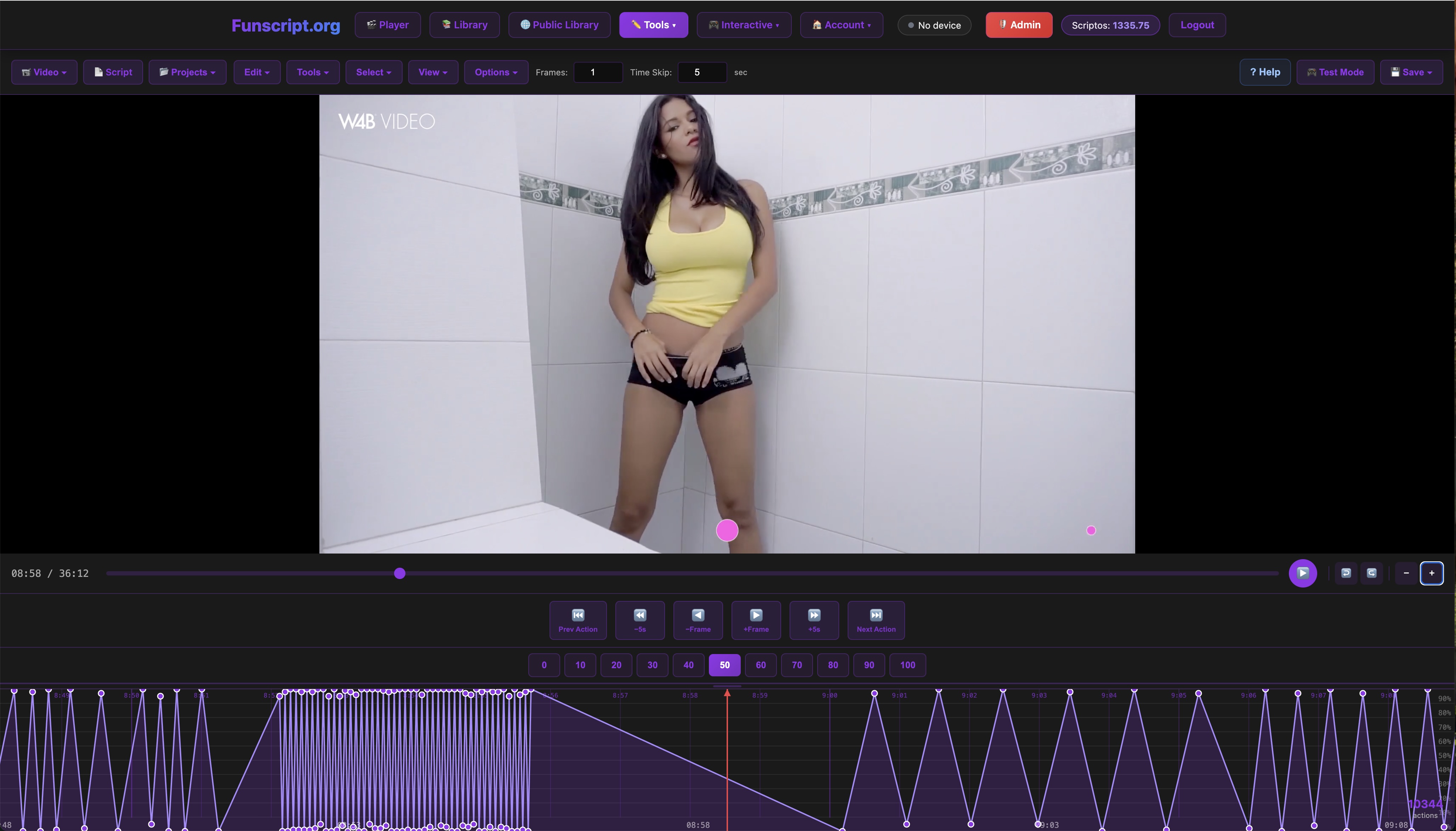
If you're feeling creative, the Script Editor offers a comprehensive toolset for designing your own funscripts. With real-time testing capabilities, you can refine your scripts to perfection and publish them directly to the Public Library. This level of customization ensures you can tailor your experience exactly to your liking.
The Script Editor's real-time testing is particularly useful, allowing you to make adjustments on the fly and see immediate results. This feature is invaluable for those who enjoy crafting unique experiences, as it provides instant feedback on what works and what doesn't.
- Comprehensive toolset for script creation
- Real-time testing capabilities
- Direct publishing to the Public Library
The community aspect of Funscript.org ensures that you're never alone in your creative endeavors. With forums and discussions available, you can share tips and tricks with other users, further enhancing your scripting skills.
Pros and Cons of Lovense Gush
Like any device, the Lovense Gush has its strengths and drawbacks. After extensive use, here are the key takeaways.
Overall, the Gush offers a compelling mix of affordability, functionality, and ease of use. It's an excellent entry point for those new to interactive devices, while still offering enough features to satisfy more experienced users.
Advantages
The Gush's affordability and ease of setup are significant advantages, especially for newcomers to interactive devices. Its hands-free design and seamless integration with Funscript.org make it a versatile choice for both casual and experienced users.
- Affordable price point
- Easy Bluetooth setup
- Hands-free use with adjustable fit
- Compatible with Funscript.org
The ability to enhance its functionality through software updates is another plus, ensuring that the Gush remains relevant as technology and user preferences evolve.
Drawbacks
On the downside, the Gush is limited to vibration intensity adjustments, lacking the multi-feature complexity of some competitors. Additionally, it requires Intiface Central for funscript use, which might be a minor hurdle for some users.
- Limited to vibration intensity adjustments
- Requires Intiface Central for funscript integration
While these limitations don't detract significantly from the overall experience, they are worth considering if you're someone who values a broader range of features or prefers plug-and-play simplicity without the need for additional software.
Frequently Asked Questions
How do I connect Lovense Gush to Funscript.org?
To connect your Lovense Gush to Funscript.org, you need to use Intiface Central. Download and install Intiface Central, start the server, and ensure your Gush is in Bluetooth pairing mode. Connect via the Dashboard by selecting the Intiface Central option, and your device will be ready for use with funscripts. This setup allows for seamless synchronization of your device with scripted content, enhancing your interactive experience dramatically.
Can I use Lovense Gush without Intiface Central?
While you can use the Lovense Gush with the Lovense Remote app for basic control, leveraging funscript integration requires Intiface Central. This allows the Gush to map vibration intensity directly from funscript files, enhancing the interactive experience. Intiface Central acts as a bridge between your device and the script, making it an essential component for those looking to fully utilize the synchronization capabilities of the Gush.
What makes Lovense Gush different from other vibrators?
The Lovense Gush stands out due to its flexible body and hands-free design, which offer a unique level of comfort and versatility. Its ability to integrate with funscript technology via Intiface Central sets it apart, providing a more interactive and synchronized experience. This integration allows the Gush to deliver vibrations that match the rhythm and intensity of scripted content, offering a level of immersion that's hard to beat.
How does the funscript affect Lovense Gush's performance?
Funscript files map directly to the Gush's vibration intensity, allowing for precise control over the device's response. This synchronization means the Gush can deliver varying levels of stimulation based on the funscript's intensity values, creating a dynamic experience. In practice, this results in a session that feels more personalized and engaging, as the device reacts in real-time to the nuances of the script.
Is Lovense Gush compatible with other apps besides Funscript.org?
Yes, the Lovense Gush is compatible with the Lovense Remote app, which provides remote control and customizable vibration patterns. However, for funscript integration, Funscript.org remains the optimal choice due to its comprehensive features and community-driven content. The collaboration between Funscript.org and Intiface Central ensures a seamless integration, allowing users to access a vast library of scripts tailored for their device.
In conclusion, the Lovense Gush is a versatile and affordable option for those seeking a hands-free vibrator that integrates seamlessly with Funscript.org. Its ability to deliver synchronized experiences through funscripts makes it a standout choice in the market. While it may require a bit of setup with Intiface Central, the payoff is a highly interactive and personalized experience. Whether you're a newcomer or an experienced user, the Gush offers a compelling blend of performance and value.