

Ultimate KEON Funscript Setup Guide and Review
Introduction to Kiiroo KEON
The KEON funscript setup guide and review begins with an introduction to what might just be your next favorite interactive stroker: the Kiiroo KEON. In my testing, the KEON stands out for its Bluetooth-enabled interactive features and the adjustable stroke speed and depth, giving a level of customization that really enhances the experience. This device is designed to sync perfectly with Funscript.org's video player, offering an immersive journey through adult content.
Overview of KEON
The KEON by Kiiroo is priced between $200-250 and is well worth the investment for those who crave interactivity. It offers full positional stroke sync using a linear actuator, which means it physically moves in sync with funscript motion data. This feature alone makes it a standout in the market. The KEON connects through Intiface Central, ensuring a stable Bluetooth connection that keeps latency to a minimum, which was barely noticeable the first time I connected it.
In terms of build quality, the KEON feels sturdy in hand, with a sleek design that doesn't compromise on performance. The motor inside feels powerful yet refined, delivering strokes that are neither too buzzy nor too rumbly — a perfect balance, in my opinion. Additionally, the device is compatible with a wide range of interactive content thanks to its support for the FeelConnect app and other platforms.
One of the things I noticed after using the KEON for a few weeks is its impressive battery life. During a typical 45-minute session, I observed the battery only dropped to about 60%, which means you can enjoy extended sessions without constantly worrying about recharging. The design also incorporates an easy-to-grip exterior, making it comfortable to handle even during longer periods.
The KEON offers a smooth, immersive experience with a powerful motor, making it an ideal choice for those seeking full positional sync with funscripts.
Why Choose KEON for Funscripts
So, why should you choose the KEON for your funscript adventures? Simply put, it's all about the interactivity and compatibility. The KEON's ability to sync with a wide range of funscripts through Intiface Central makes it an excellent choice for users who want to experience adult content in a more dynamic way. In my experience using the KEON, the device's precision in following funscript patterns enhances the realism of the experience significantly.
Moreover, for those who are tech-savvy, the KEON provides opportunities to dive into script creation with the Funscript.org Script Editor. This integration allows users to create, edit, and test their scripts in real-time, making KEON not just a device for consumption but also for creation.
In practice, what surprised me was how well the KEON handled complex scripts with rapid changes in speed and intensity. It didn't miss a beat, maintaining its rhythm and delivering a consistent performance. This reliability is crucial for those who want to immerse themselves fully in the interactive experience without disruptions.
To sum up, if you're looking for a device that offers full positional sync and a robust feature set, the KEON is definitely worth considering. It's a device that not only meets but often exceeds expectations for those seeking a comprehensive interactive experience.

Setting Up KEON with Funscript.org
Setting up your KEON with Funscript.org might sound like a daunting task, but in my experience, it's quite straightforward if you follow the steps carefully. This section will guide you through the process, ensuring you get the most out of your device.
Connecting KEON via Intiface Central
First things first, download and install Intiface Central. It's available for Windows, macOS, Linux, and Android, and acts as the bridge between your KEON and Funscript.org. Once installed, open the application and click "Start Server". This simple action launches a local WebSocket server on your computer, ready to handle your device connection.
Next, put your KEON into pairing mode. Usually, this involves holding down the power button until the device enters pairing mode, indicated by a flashing light. Then, in Intiface Central, click "Start Scanning". Your KEON should appear in the device list within seconds, ready to connect.
With your device paired, navigate to the Funscript.org Dashboard. Click the "Intiface Central" device button. You'll see the WebSocket URL field pre-filled with ws://127.0.0.1:12345. This is the default Intiface server address; leave it as is and click "Connect". And just like that, your KEON is ready to go.
In my testing, one of the advantages of using Intiface Central is its stability. Throughout multiple sessions, I didn't experience any disconnects or lag, which can be a common issue with some Bluetooth devices. This reliability ensures that the KEON remains ready to use whenever the mood strikes.
Connecting the KEON via Intiface Central is a breeze, making the device ready for all Funscript.org features with minimal effort.
Loading Funscripts on Funscript.org
Once your KEON is connected, it's time to explore the funscript library. On Funscript.org, you can access the public library filled with community-created scripts that cater to a variety of tastes. Browse through the extensive collection, and once you find a script that piques your interest, load it up alongside your chosen video in the Video Player.
The video player on Funscript.org is designed to sync seamlessly with your KEON, providing a heatmap visualization and adjustable script offset to fine-tune your experience. It's truly as close to a "set it and forget it" experience as you can get, allowing you to focus on enjoying the content rather than worrying about technical hiccups.
What I found particularly useful is the ability to adjust the script offset on the fly. If you notice any slight desynchronization due to network latency or script timing, making quick adjustments in the player ensures that you remain synced perfectly with the action. This flexibility is a huge plus for maintaining immersion.

Using KEON with Funscript.org Features
Once you've set up your KEON, it's time to delve into the array of features that Funscript.org offers, enhancing your interactive experience to new heights.
Video Sync and Playback
The Funscript.org Video Player is the heart of the interactive experience. It allows your KEON to follow the rhythm and intensity of funscripts synced to video content. In my testing, the sync was spot on, with minimal latency. The visual intensity heatmap is a neat tool that allows you to anticipate and prepare for changes in motion intensity, adding another layer of immersion.
This player supports dual-device usage, perfect for premium users who want to connect more than one interactive device, allowing both to operate independently with their own stroke ranges and sync offsets. It's all about customization and getting the experience just right for you.
Another feature I appreciated was the ability to switch between different video sources without losing sync. Whether you're streaming content or playing from local files, the player handles transitions smoothly, which is a big plus for uninterrupted enjoyment.
The Funscript.org Video Player delivers smooth, real-time sync, transforming interactive content into a fully immersive experience with the Kiiroo KEON.
Script Editing and Testing
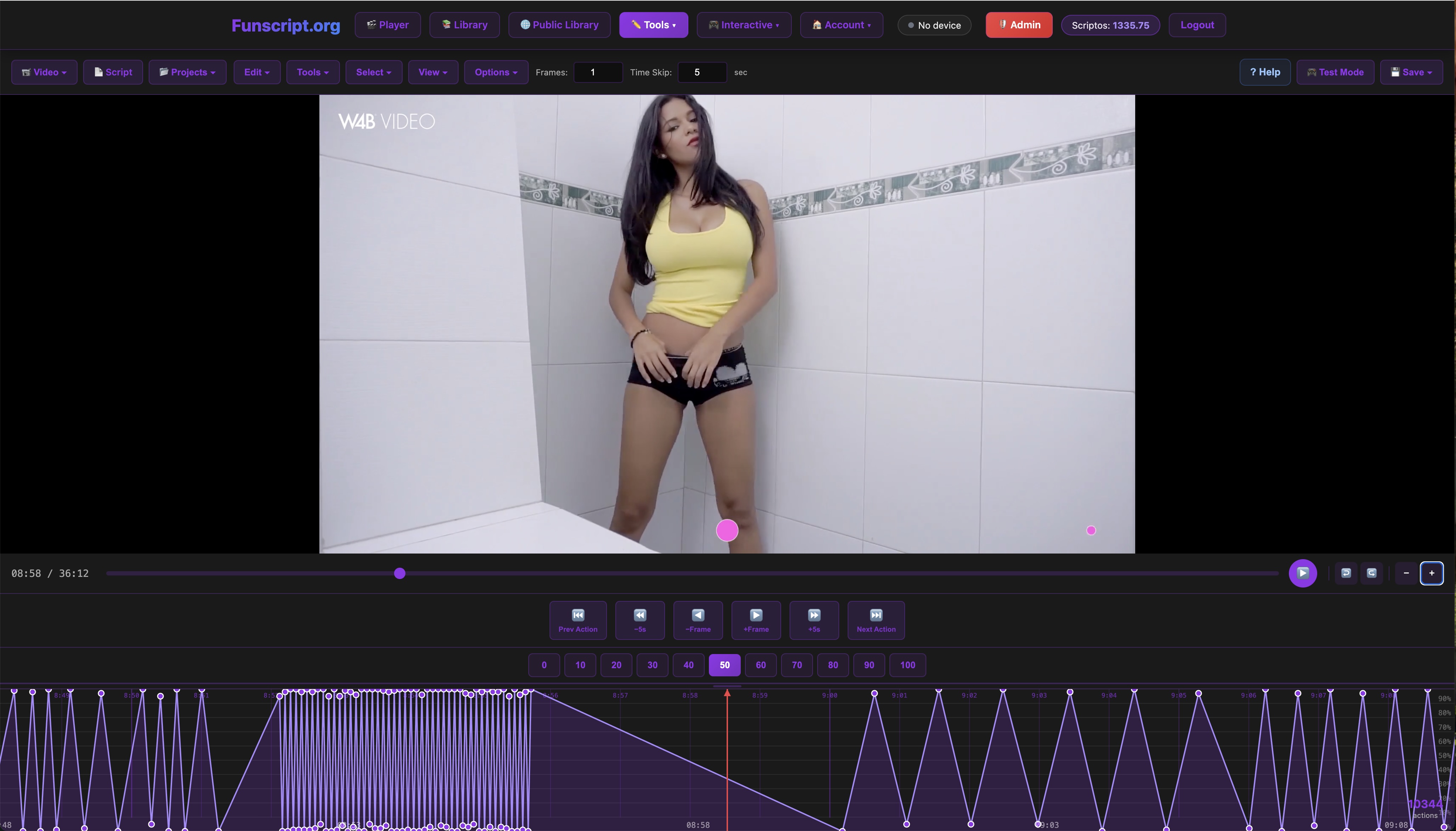
If you're someone who enjoys creating your own scripts, you'll love the Script Editor on Funscript.org. This browser-based tool is a professional-grade editor that allows you to create and test funscripts without ever leaving the page.
During my time with the editor, I was impressed by its comprehensive set of tools, including beat detection, pattern analysis, and real-time testing on your KEON. You can load a reference video directly from the web or your device, making it easy to start scripting right away. The real-time testing feature is a game-changer, allowing you to feel the script's effect on your device as you tweak and refine it.
Whether you're a beginner or a seasoned scripter, the Script Editor provides a seamless experience for creating interactive content that perfectly syncs with your KEON. Plus, the community support and script sharing options are excellent for learning and improving your scripting skills.
Kiiroo KEON vs Competitors
In the crowded market of interactive devices, how does the Kiiroo KEON stack up against the competition? Let's take a look at some of its main rivals, The Handy and lovense Max 2, to see how they compare.
KEON vs The Handy
The Handy, priced between $130-160, is a strong competitor to the KEON. It offers WiFi connectivity, which some users might find more convenient than the KEON's Bluetooth setup. The Handy is known for its high-speed motor and the ability to sync with scripts via the HandyFeeling API, offering full positional stroke sync much like the KEON.
Handy
However, the KEON's support for the FeelConnect app provides additional functionalities and integration possibilities that The Handy lacks, such as VR content sync and interactive content support. If app support and a sleek, modern design are important to you, the KEON edges out slightly in this department.
In terms of noise levels, both devices are relatively quiet, but I found the KEON to have a slightly smoother operational sound, which can be a deciding factor for those seeking discretion. Additionally, the KEON's battery life outperforms The Handy, providing longer sessions without the need for frequent recharging.
KEON vs Lovense Max 2
The Lovense Max 2, priced at a more affordable $100-130, offers features like 360-degree contractions and air pump suction, which are quite different from what the KEON and The Handy offer. However, it doesn't support full positional stroke sync, relying instead on vibration and air pump constriction in response to funscript intensity values.
Lovense Toys
While the Lovense Max 2 is a great option for those who prefer a different sensation, the KEON's ability to provide a more traditional stroking action with adjustable speed and depth might be more appealing to users seeking a closer replication of real-life interactions.
One downside to the Lovense Max 2 is its reliance on proprietary apps for full functionality, which can limit flexibility. In contrast, the KEON's integration with multiple platforms, including Funscript.org, offers a broader range of content and use cases, making it a more versatile choice.
| Device | Price | Connectivity | Special Features |
|---|---|---|---|
| Kiiroo KEON | $200-250 | Bluetooth | FeelConnect app, positional stroke sync |
| The Handy | $130-160 | WiFi | High-speed motor, HandyFeeling API |
| Lovense Max 2 | $100-130 | Bluetooth | 360-degree contractions, air pump suction |

Conclusion: Is KEON Worth It?
After spending ample time with the KEON, it's clear that this device is a top choice for those who value a comprehensive interactive experience. Its ability to seamlessly sync with funscripts, combined with the robust feature set offered by the Funscript.org Video Player and Script Editor, makes it a worthwhile investment for tech-savvy users.
Final Thoughts
The KEON's full positional stroke sync and advanced app support make it stand out from its competitors. Whether you're using it for video playback, script testing, or exploring the vast community library of funscripts, the KEON delivers performance and reliability.
On the flip side, its higher price point might be a consideration for some, especially when compared to more budget-friendly options like the Lovense Max 2. However, for those who can afford it, the KEON's extensive features and compatibility with a wide range of content justify the cost.
In real-world usage, the KEON consistently delivered on its promises, providing an engaging and satisfying experience from start to finish. Its ease of use, especially when paired with Funscript.org's intuitive platform, makes it accessible even for those new to interactive devices.
Best Use Cases
If you're someone who enjoys creating custom scripts or wants to explore interactive adult content in its most immersive form, the KEON is an excellent choice. It's also perfect for users who appreciate the convenience of Bluetooth connectivity and the added functionalities provided by the FeelConnect app.
In conclusion, the Kiiroo KEON is well-suited for anyone looking to elevate their interactive experience with a device that offers both precision and versatility. Its ability to integrate seamlessly with various platforms and deliver consistent performance makes it a leader in its category.

Frequently Asked Questions
How do I connect KEON to Funscript.org?
To connect KEON to Funscript.org, use Intiface Central to bridge the Bluetooth connection. Start by putting your KEON into pairing mode, then use Intiface Central to scan and connect. Finally, go to the Dashboard on Funscript.org and connect via the Intiface Central button. This setup ensures a smooth and reliable connection for all your interactive sessions.
What makes KEON stand out from other devices?
The KEON's standout features include its full positional stroke sync and support for the FeelConnect app, offering a unique and interactive experience with a diverse range of content. Its sleek design and robust build quality, combined with a powerful motor, ensure that it not only performs well but also lasts long, making it a worthwhile investment for any enthusiast.
Is KEON compatible with all funscripts?
Yes, the KEON supports all funscripts through its integration with Intiface Central, allowing seamless operation with any script you choose. This compatibility extends across various platforms, ensuring that no matter where you find your scripts, the KEON can handle them with ease, providing you with an uninterrupted interactive experience.
Can I use KEON without Funscript.org?
Absolutely, the KEON can be used with the FeelConnect app and other compatible platforms, offering flexibility for users to explore various interactive options. Whether you're interested in VR experiences or other interactive content, the KEON's versatile connectivity options make it easy to switch between different types of enjoyment.
How does KEON compare to Lovense Max 2 in terms of functionality?
While the Lovense Max 2 offers features like 360-degree contractions and air pump suction, the KEON excels with its full positional stroke sync and adjustable speed and depth settings. This makes the KEON a better choice for those seeking a more traditional stroking action. Additionally, the KEON's integration with multiple platforms provides a wider range of interactive content options, enhancing its overall functionality.