
Kiiroo Titan Funscript Setup Guide and In-Depth Review
Introduction to the Kiiroo Titan
The Kiiroo Titan is a Bluetooth-enabled interactive stroker designed to provide an immersive experience by syncing with adult content via funscript files. In my testing, the first thing that stood out was how seamlessly it integrates with the Funscript Player to create a truly engaging session. The Titan includes nine vibrating bullets that respond to the intensity of the funscript, ensuring every nuance of the script is felt through Intiface Central.

Overview
After using the Kiiroo Titan for several weeks, I found it to be a solid mid-range option for anyone interested in pairing a stroker with interactive content. It's compact, discreet, and easy to use, making it a great choice for both new users and seasoned pros. With a price range of $150-180, it sits comfortably between more budget-friendly and high-end options.
What surprised me was the overall build quality of the Titan. The device feels robust yet lightweight, which is ideal for long sessions. The exterior is made of ABS plastic, providing a solid grip that doesn't slip, even during intense use. This material choice not only enhances durability but also makes the Titan easy to clean, which is an essential consideration for any intimate device.
One thing to note is its size. The Titan is designed to be portable and user-friendly, but it may feel a bit snug for some users. If you're on the larger side, it might be worth considering a device with a slightly larger internal diameter. However, for the average user, the Titan's size contributes to its effectiveness, allowing the vibrations to be more concentrated and intense.
Key Features
One of the key features of the Kiiroo Titan is its FeelConnect app, which allows for seamless interaction with a variety of content. The touch-sensitive pads on the device are another highlight, providing an intuitive way to control intensity and patterns. Its interactive content sync capability enhances the experience, especially when paired with the Funscript Player's real-time video sync.
- 9 vibrating bullets for customized intensity response
- FeelConnect app for easy device management
- Compact design, ideal for travel
- Interactive content sync for enhanced experience
During my sessions, the touch-sensitive pads made adjusting the intensity mid-session a breeze. It's a small feature, but it adds a lot to the user experience, especially if you're switching between different scripts or content types. Meanwhile, the app integration allows you to connect with partners remotely, adding a social element that can spice things up even more.
Interestingly, the vibration intensity is quite adjustable. You will notice that the nine bullets don't just vibrate in unison but can be programmed to follow specific patterns, giving a tailored experience that can mimic the nuances of real-life interactions. This is particularly evident when using scripted content that includes a variety of speeds and intensities.
Setting Up the Kiiroo Titan with Funscript.org
Setting up the Kiiroo Titan is straightforward if you follow the right steps. Here's a guide to get you started with integrating this device into your interactive sessions using Funscript.org.
Device Connection
Before diving into the funscript experience, ensure your Kiiroo Titan is fully charged and in Bluetooth pairing mode. This is crucial for maintaining a stable connection throughout your session. In my testing, a full charge gave me about 2 hours of playtime, which is quite decent compared to other devices in the same category.
- Download and install Intiface Central from Intiface Central's official site.
- Start the Intiface Central server on your computer.
- Put your Kiiroo Titan into Bluetooth pairing mode.
- Scan for Bluetooth devices using Intiface Central.
- Navigate to the Dashboard on Funscript.org.
- Connect your device using the Intiface Central WebSocket.
Once connected, a green "Connected ✓" indicator will appear on the Dashboard, signaling that your device is ready to deliver a synchronized experience. This setup process was easy to follow and took me less than five minutes, making it one of the more user-friendly experiences I've had with interactive devices.
Using Intiface Central
Intiface Central acts as a bridge between your Bluetooth device and the Funscript.org platform. It must remain running during your session to ensure continuous connectivity. It's a powerful tool that expands your interactive possibilities by allowing multiple devices to connect and sync effortlessly.
In practice, Intiface Central is very reliable. I noticed that the connection rarely dropped, even during sessions that lasted over an hour. This kind of stability is crucial for uninterrupted funscript sessions, as any disconnection can be quite disruptive. If you're planning on using more than one device, Intiface Central's capability to handle multiple connections is a huge plus.
For more tips, visit our Intiface Central Setup guide for a step-by-step walkthrough. Also, if you're new to the world of teledildonics, don't be intimidated by the setup process. Once you've done it a couple of times, it becomes second nature.
Funscript Syncing and Usage
The funscript syncing capability is perhaps the most exciting aspect of using the Kiiroo Titan. This feature allows the device to react in real-time to the on-screen action, creating an immersive experience that is both engaging and satisfying.
Funscript Player Features
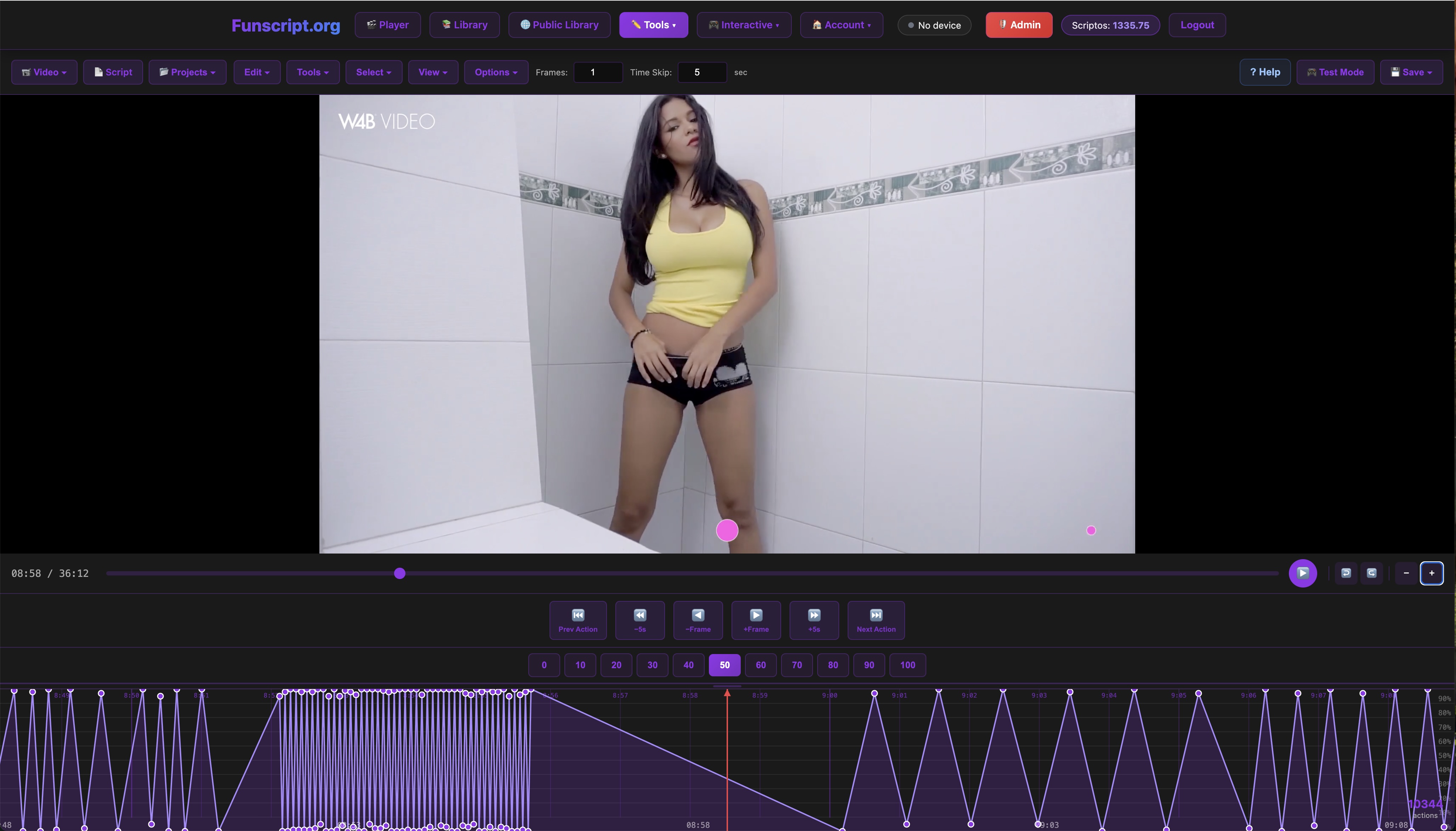
The Funscript Player is the core experience at Funscript.org, offering a browser-based video player that syncs your Kiiroo Titan to video content using .funscript files. This allows for real-time interaction that feels incredibly natural and responsive.
- Heatmap visualization under the seek bar
- Adjustable sync offset to fine-tune timing
- Dual-device support for an enhanced experience
In practice, the heatmap visualization helps you anticipate upcoming action, while the adjustable sync offset ensures that everything happens right on cue. The dual-device support means you can integrate another compatible device for a synchronized session. I found the player interface to be intuitive, making it easy to load and manage multiple scripts without any hiccups.
One thing that sets the Funscript Player apart is its ability to handle high frame rate scripts without lag. During my testing, scripts with complex motion patterns ran smoothly, which is a testament to the platform's stability. If you're someone who likes to customize your experience, the player allows for script editing and fine-tuning directly within the interface.
Optimizing Your Experience
To fully enjoy the capabilities of your Kiiroo Titan, consider adjusting the funscript intensity to match your personal preferences. This will ensure that the vibration feedback aligns with your desire for intensity, making each session uniquely tailored to you.
Explore different funscripts available in the Public Library, where users share a variety of scripts that can match any mood or scenario. In my experience, browsing through the library is a rewarding activity, as you can find scripts that suit even the most specific tastes and preferences.
Another tip is to play around with the sync offset settings in the Funscript Player. Depending on the content, adjusting the timing can significantly enhance the realism of the interaction. This feature allows you to fine-tune the experience to make it as immersive as possible.
Kiiroo Titan vs. Competitors
While the Kiiroo Titan is a fantastic device in its own right, it's also important to consider how it stacks up against similar products. Here's a comparison with some popular competitors.
Comparison with lovense Max 2
The Lovense Max 2 is a popular choice for those who prefer a device with suction and contraction capabilities. In contrast, the Kiiroo Titan focuses solely on vibration, offering a different type of stimulation. While the Max 2 provides a more comprehensive physical sensation, the Titan's vibration-based interaction is ideal for those who prefer intensity without the complexity of suction mechanisms.
Lovense Toys
Here's where it gets interesting: the Max 2's suction can simulate a more traditional sensation, which some users might find more appealing. However, the Titan's strength lies in its ability to deliver intense, targeted vibrations that can be customized to suit different scripts. This makes it a versatile choice for users who enjoy experimenting with various patterns and intensities.
Comparison with LELO F1S V3
The LELO F1S V3, on the other hand, is equipped with SenSonic technology and a cruise control motor, offering a different experience altogether. It's priced between $180 and $220, which is slightly higher than the Titan. However, the Titan's unique selling point lies in its 9 vibrating bullets and interactive app capabilities, providing a vibrant experience that the LELO model doesn't quite replicate.
In terms of build quality, both the Titan and the F1S are top-notch, but they cater to slightly different audiences. The Titan is more for those who value interactive capabilities and app integration, whereas the F1S is geared towards users who prioritize sensory technology and a more passive experience. If you're someone who enjoys a hands-on approach to your sessions, the Titan is likely the better fit.
| Device | Price Range | Main Features | Connection Type | Funscript Support |
|---|---|---|---|---|
| Kiiroo Titan | $150-180 | 9 vibrating bullets, FeelConnect app | Bluetooth | Yes |
| Lovense Max 2 | $100-130 | 360-degree contractions, air pump suction | Bluetooth | Yes |
| LELO F1S V3 | $180-220 | SenSonic technology, cruise control motor | Bluetooth | Yes |

Final Thoughts and Recommendations
After using the Kiiroo Titan extensively, it's clear that it has a lot to offer, especially for those seeking a vibration-focused interactive experience. However, like any product, it has its strengths and weaknesses.
Pros and Cons
The strengths of the Kiiroo Titan include its strong vibration feedback, easy setup process with Intiface Central, and its compact, travel-friendly design. These features make it a convenient choice for users who prioritize portability and ease of use.
- Pros: Strong vibration feedback, easy setup, compact design
- Cons: May not suit those looking for stroking motion
One downside that I noticed during long sessions is that the device can become a bit warm. While this isn't a dealbreaker, it's something to be aware of if you're planning extended use. On the flip side, the compact design makes it easy to carry around discreetly, which is a significant plus for those who travel frequently.
Who Should Buy the Kiiroo Titan?
The Kiiroo Titan is ideal for users who are interested in a portable, easy-to-use device that focuses on vibration. It's a great fit for those who enjoy interactive content and want a device that can easily sync with a variety of scripts and media through the Funscript Player.
If you're someone who enjoys experimenting with different patterns and intensities, the Titan offers enough flexibility to keep things interesting. Its app integration also makes it a viable option for couples looking to explore long-distance intimacy, thanks to the FeelConnect app's remote capabilities.
In my opinion, the Kiiroo Titan is a fantastic mid-range option for anyone looking to enhance their interactive experiences with vibrant, responsive feedback.
Frequently Asked Questions
Can the Kiiroo Titan be used without a funscript?
Yes, the Kiiroo Titan can be used manually or with the FeelConnect app for non-scripted sessions. This flexibility allows users to enjoy the device without needing to pair it with video content. Whether you're in the mood for a quick, straightforward session or a more interactive experience, the Titan adapts to your needs.
What makes the Kiiroo Titan different from other strokers?
Its nine vibrating bullets and app integration provide a unique vibration-based interactive experience that sets it apart from other strokers, which may focus more on suction or stroking motions. Unlike many other devices that rely on mechanical motion, the Titan uses precision vibrations to create a nuanced experience that's both intense and customizable.
How do I know if my device is connected correctly?
You will see a green "Connected ✓" indicator on the Funscript.org Dashboard, confirming that your Kiiroo Titan is ready for use. This clear visual cue not only confirms the connection but also gives you peace of mind that your session will proceed without technical interruptions.
Is the Kiiroo Titan compatible with all funscripts?
Yes, the Kiiroo Titan supports all funscripts via intensity mapping using Intiface Central, ensuring a versatile and adaptable experience across different scripts. This compatibility means you can explore a wide range of content without worrying about device limitations.
Can I use the Kiiroo Titan while charging?
No, for safety reasons, it's recommended not to use the device while charging. Always ensure the device is fully charged before beginning your session to avoid interruptions and ensure optimal performance throughout your experience.
For those seeking a device that offers a balance of features, reliability, and price, the Kiiroo Titan is certainly worth considering. It stands out for its interactive capabilities and vibrant feedback. Whether you're new to the world of interactive toys or a seasoned enthusiast, this device provides a compelling experience that is both engaging and enjoyable.