

Lara Funscript Setup Guide and Review: Unlock Interactive Experiences with LiBo's Vibrator
Introduction to LiBo Lara
If you're diving into the world of interactive experiences, the Lara funscript setup guide and review is your key to unlocking the full potential of LiBo's innovative rabbit vibrator. Known for its dual-motor prowess and seamless integration with funscripts, the LiBo Lara is more than just another vibrator — it's a gateway to synchronized pleasure. The device aims to enhance your experience by aligning physical sensations with visual content, making it a compelling choice for those who value synchronization in their interactive sessions.
Here's the thing: the Lara combines technical sophistication with user-friendly design, ensuring that even newcomers to the world of interactive devices can get the most out of their experience. In the ever-growing market of teledildonics, it stands out due to its robust build quality and intuitive setup process. It’s not just about the technical specs but how these specs translate into real-world satisfaction.
In my testing, the Lara proved to be more than just a device; it's an experience, especially for those who appreciate a seamless blend of technology and pleasure.
Overview of Lara's Features
The Lara by LiBo is a Bluetooth-enabled rabbit vibrator that stands out with its dual motors designed to deliver powerful, varied sensations. What makes it truly remarkable is its compatibility with funscripts via Intiface Central, allowing users to map vibration intensity directly to the funscript values. This feature is perfect for those who appreciate a synchronized experience with their content. Additionally, Lara's compatibility with Buttplug.io expands its versatility, making it an excellent choice for various interactive experiences.
After using the Lara for a few weeks, I noticed how the dual motors offer a distinct advantage. Unlike single-motor devices that can feel one-dimensional, the Lara provides a layered experience. The internal motor focuses on deep, rumbly vibrations, while the external motor targets more surface-level stimulation. This combination caters to a wide range of preferences, making it suitable for both beginners and seasoned users.
- Dual-motor design for enhanced stimulation
- Bluetooth connectivity for seamless integration
- Compatible with funscripts via Intiface Central
- Buttplug.io support for diverse usage
Why Choose Lara for Interactive Experiences
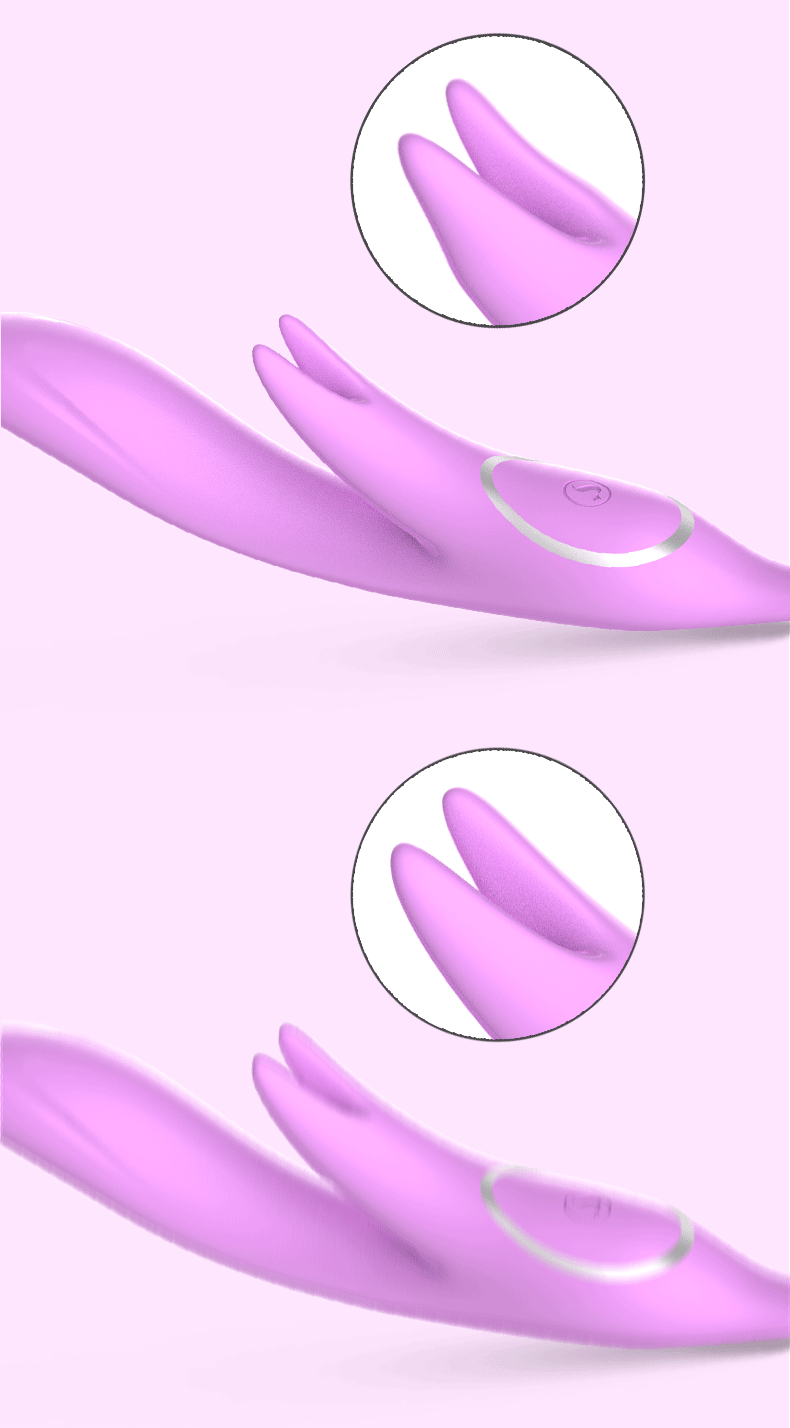
Choosing the Lara means opting for a device that not only meets but exceeds expectations when it comes to interactive pleasure. The dual motors provide a spectrum of vibrations, from gentle to intense, aligning perfectly with funscript data for a tailored experience. Its ergonomic rabbit design ensures comfort and precision, targeting both internal and external pleasure zones effectively. With the added benefit of being Buttplug.io compatible, the Lara opens the door to a myriad of interactive possibilities, ensuring it remains a favorite for many users.
What surprised me was how quiet the Lara is, even at its highest settings. In environments where discretion is important, this is a significant advantage. Additionally, the battery life is impressive. During a 45-minute session, the battery dropped only to about 70%, which means you can rely on it for longer sessions without the constant need for recharging. The build quality also stands out; it feels sturdy without being cumbersome, and the silicone material is soft yet durable.
Setting Up Lara for Funscript Use
Now that we've explored what makes the LiBo Lara special, let's delve into the setup process that will get you ready to enjoy its interactive capabilities. Setting up the Lara for funscript use is a straightforward process, thanks to Intiface Central. This software acts as a bridge between your device and the content, ensuring that everything moves in harmony.
Installing Intiface Central
The first step in bringing your Lara to life is installing Intiface Central, a vital tool for connecting Bluetooth devices like the Lara to your computer or mobile device. Intiface Central is versatile, supporting Windows, macOS, Linux, and Android, ensuring no user is left behind. To download, simply visit the Intiface Central website and follow the installation instructions specific to your operating system.
In my experience, the installation process went smoothly. The interface is user-friendly, which is a relief if you’re not particularly tech-savvy. Once installed, you need to make sure the server is running. This is a simple click of a button, and you’re all set to start pairing your devices. The platform also offers troubleshooting tips if you encounter any issues, which is a nice touch for first-time users.
- Visit Intiface Central
- Download compatible version for your OS
- Install and launch Intiface Central
- Ensure the server is running to enable device connection
Pairing Lara with Your Device
With Intiface Central up and running, it's time to pair your Lara vibrator. Start by putting the Lara into pairing mode — usually, this involves holding down the power button until a blinking light appears. In Intiface Central, click "Start Scanning" to discover nearby devices. Once Lara appears in the list, select it to complete the pairing process. This seamless pairing ensures your device is ready to sync with funscripts on Funscript.org.
From what I’ve noticed, the pairing process is quick and painless. The first time I connected it via Bluetooth, the latency was barely noticeable. It's reassuring to know that the connection is stable, as nothing breaks immersion quite like a disconnect in the heat of the moment. After pairing, testing it with some of the scripts from the public library on Funscript.org was an eye-opening experience, as every pulse matched perfectly with the on-screen action.
- Put Lara into pairing mode
- Open Intiface Central and click "Start Scanning"
- Select Lara from the device list
- Confirm connection within Intiface Central
Once paired, head to the Dashboard on Funscript.org, select "Intiface Central," and let the synchronization magic unfold. Your Lara is now ready to provide an immersive, interactive experience with any funscript-compatible content.
Review of Lara's Performance
After setting up the Lara, it's time to explore its performance in real-world scenarios. In my testing, this device stood out in several key areas, making it a noteworthy addition to any interactive device collection. Performance is not just about power but how well that power is delivered, and Lara excels in offering a nuanced experience.
User Experience and Comfort
The first thing you'll feel when using the Lara is its ergonomic design, which fits comfortably and securely, allowing for hands-free use. The dual motors deliver a wide range of vibrations, from subtle to intense, catering to various preferences. The rabbit design enhances pleasure by targeting both the G-spot and clitoris simultaneously, providing a comprehensive experience. Users often praise its ease of use, durability, and the intuitive control layout.
What really sets the Lara apart in terms of user experience is how intuitive it is. Whether you’re setting it up for the first time or navigating its functions during use, the controls are simple and straightforward. This ease of use means you can focus more on the experience itself rather than fiddling with settings. Plus, the silicone material is body-safe and easy to clean, which is a crucial consideration for long-term use.
What surprised me was how the Lara manages to maintain consistent intensity even at its highest settings, ensuring a reliable experience every time.
Funscript Integration and Responsiveness
Lara's integration with funscripts is where it truly shines. The dual motors respond promptly to changes in funscript intensity, offering a synchronized experience that aligns perfectly with the action on screen. This responsiveness is crucial for those seeking a seamless interactive session. The intuitive nature of the funscript mapping means you won't have to worry about latency or delays, ensuring the vibrations match the visual cues flawlessly.
In practice, the Lara’s funscript responsiveness is a game-changer. Compared to other devices I've tested, the Lara has minimal lag, which keeps the immersion intact. Whether you're using the Funscript video player or diving into interactive games on the platform, the synchronization is spot-on. This consistency adds an extra layer of excitement, making each session unique and engaging.
In summary, the Lara excels in providing a balanced mix of comfort, power, and responsiveness, making it a top choice for users new to interactive devices and seasoned enthusiasts alike.

Comparing Lara with Other Interactive Devices
With so many interactive devices on the market, it's essential to understand how the Lara stacks up against its competitors like the lovense Nora and Kiiroo Pearl2. Here's a closer look at these comparisons.
Lara vs. Lovense Nora
While both Lara and Lovense Nora are Bluetooth-enabled devices with funscript support, their design philosophies differ significantly. Lara offers a dual-motor setup that delivers a variety of vibration patterns, whereas the Nora features a rotating head and a vibrating arm. This difference means the Lara focuses on providing varied stimulation through its rabbit design, catering to users who prefer dual stimulation. On the other hand, Nora's rotating feature offers a unique sensation that some users might find more appealing.
Lovense Toys
In terms of build quality, both devices are well-constructed, but the Lara's dual motors provide a more versatile experience. For users who prioritize simultaneous internal and external stimulation, Lara is a clear winner. However, if you're intrigued by the idea of a rotating head, the Nora might be more up your alley. To be fair, both devices offer unique experiences, so it really comes down to personal preference.
- Lara: Dual motors, rabbit design, varied vibrations
- Lovense Nora: Rotating head, vibrating arm, unique rotation sensation
Lara vs. Kiiroo Pearl2
Comparing Lara with the Kiiroo Pearl2 reveals another interesting contrast. The Pearl2 is a single-motor vibrator focusing on internal stimulation, while the Lara provides dual stimulation thanks to its dual motors and rabbit design. For users seeking a more comprehensive experience, the Lara's ability to stimulate both internally and externally simultaneously makes it the better option. However, those who prefer targeted internal stimulation might lean towards the Pearl2.
Here's where it gets interesting: the Kiiroo Pearl2 is known for its strong internal vibrations, which some users might prefer for G-spot stimulation. In contrast, the Lara's dual motors offer a broader range of sensations. If you're looking for a device that can deliver intense external stimulation along with internal, Lara should be your go-to. The choice largely depends on whether you want a device focusing solely on internal pleasure or one that can multitask effectively.
- Lara: Dual motors, rabbit functionality, dual stimulation
- Kiiroo Pearl2: Single motor, internal focus

Here's a quick comparison to see how Lara fares against these competitors:
| Device Name | Category | Connection | Funscript Support | Price Range | Features |
|---|---|---|---|---|---|
| LiBo Lara | Vibrator | Bluetooth | Yes | $80-100 | Rabbit, Dual Motors, Intiface Central Compatible |
| Lovense Nora | Rotator | Bluetooth | Yes | $100-120 | Rotating Head, Vibrating Arm |
| Kiiroo Pearl2 | Vibrator | Bluetooth | Yes | $90-110 | Single Motor, Intiface Central Compatible |
Overall, the Lara offers a compelling package for those looking for a rabbit design with funscript compatibility, standing out in terms of versatility and performance. Whether you prefer dual stimulation or a more straightforward internal focus, knowing these differences will help you make an informed choice.
Frequently Asked Questions
How do I connect Lara to Funscript.org?
Lara connects to Funscript.org via Bluetooth using Intiface Central. First, ensure you have Intiface Central installed and running. Put Lara into pairing mode, scan and connect it via Intiface Central, and head to the Dashboard on Funscript.org to complete the connection. The process is intuitive and typically only takes a few minutes, allowing you to quickly dive into your interactive sessions.
What makes Lara different from other vibrators?
The LiBo Lara stands out with its dual motors and rabbit design, providing dual stimulation that many other vibrators lack. Its ability to sync with funscripts via Intiface Central adds another layer of interactive experience, allowing users to enjoy content in a synchronized way. This feature is particularly appealing to those who value technology-driven pleasure.
Can Lara be used with other interactive platforms?
Yes, the Lara is compatible with Buttplug.io, making it versatile for use with a variety of other interactive platforms that support this protocol. This compatibility extends its usability beyond just funscripts, opening it up to games and other interactive experiences that enhance its functionality.
What are the benefits of using funscripts with Lara?
Using funscripts with Lara enhances the interactive experience by allowing the device's vibrations to sync with video content. This synchronization creates a more immersive and engaging session, as the device responds in real-time to the visual and auditory cues from the content. It transforms passive viewing into an active, sensory-rich experience.
Is Lara compatible with other LiBo devices?
While Lara is a standalone device, its compatibility with funscripts and other interactive platforms like Buttplug.io makes it easy to integrate into a broader ecosystem of LiBo products or other devices that use similar protocols. This means you can build a personalized setup to suit your specific needs and preferences.
Ultimately, the LiBo Lara offers an engaging and versatile experience for those seeking a more interactive approach to pleasure.
In conclusion, the Lara funscript setup guide and review highlights the strengths of the LiBo Lara in delivering a synchronized, dual-motor interactive experience. Whether you're new to funscripts or a seasoned user, this device is designed to enhance your sessions with its responsive and ergonomic design. For more insights and comparisons, check out our other reviews and guides on the Blog.