

Pulse Lite Neo Funscript Setup Guide and Review: Unleash Interactive Pleasure
Introduction to the Pulse Lite Neo
The Pulse Lite Neo funscript setup guide and review is something I was genuinely excited to dive into. The Pulse Lite Neo by Svakom stands out as a cutting-edge suction vibrator that's taken interactive pleasure to the next level. In my testing, I discovered it’s not just about suction; it's about the seamless integration with funscripts that truly enhances the experience.
What is the Pulse Lite Neo?
So, what exactly is the Pulse Lite Neo? This device is a premium suction vibrator equipped with Bluetooth connectivity, which means it can pair effortlessly with your favorite interactive platforms. The first thing you’ll notice about the Pulse Lite Neo is its sleek design, which is quite an eye-catcher. But it’s not just about looks; this device is built to deliver on performance.
It's designed by Svakom, a brand known for innovative pleasure products, and the Pulse Lite Neo is no exception. With Buttplug.io compatibility, it opens up a world of interactive possibilities. The device's ability to map vibration intensity to funscript values is particularly impressive, allowing for dynamic and responsive sessions.
Key Features of the Pulse Lite Neo
The Pulse Lite Neo isn’t just another suction toy—it's packed with features that elevate it in the teledildonic landscape:
- Suction and Vibration: A unique combination that caters to varied preferences.
- Bluetooth Connectivity: Ensures seamless integration with compatible platforms like Funscript.org.
- Buttplug.io Compatibility: This opens doors for extensive device support and interactive experiences.
- Funscript Integration: Maps vibration intensity to funscript values for a responsive experience.
In practice, these features make the Pulse Lite Neo a versatile device that suits different interactive needs, whether you're syncing with videos or enjoying AI-driven experiences.
Another aspect I found noteworthy is the device's compact design, making it easy to handle during sessions. Despite its size, it packs a punch with its powerful motor, delivering strong and consistent suction and vibrations. The battery life is decent; after a 45-minute session, it typically drops to about 60%, which is quite reasonable considering its performance level.
However, one downside is its noise level. While not overly loud, the device does emit a noticeable hum during operation, which might be distracting for some users. That said, the sound is a fair trade-off for the experience it delivers.
To sum up, the Pulse Lite Neo is more than just a toy—it's a gateway to a world of interactive pleasure that adapts to your preferences, thanks to its robust feature set and seamless funscript integration.

Setting Up the Pulse Lite Neo with Funscript.org
Getting the Pulse Lite Neo up and running with Funscript.org is straightforward, thanks to its compatibility with Intiface Central. Here's how I set it up:
Connecting via Intiface Central
The first step in the Pulse Lite Neo funscript setup guide involves connecting the device using Intiface Central. If you're not familiar, Intiface Central is a powerful tool that bridges Bluetooth devices with web platforms like Funscript.org. Here's the step-by-step process I followed:
- Download and install Intiface Central from Intiface Central. It's available for multiple operating systems.
- Open Intiface Central and start the server. This creates a local connection point for your devices.
- Put the Pulse Lite Neo in pairing mode. Typically, this involves holding down the power button until the LED indicator starts blinking.
- In Intiface Central, click "Start Scanning" to detect your device. Once found, connect it to the server.
- On Funscript.org, navigate to the Dashboard and select the "Intiface Central" option.
- Ensure the WebSocket URL is set to ws://127.0.0.1:12345 (default) and click "Connect."
After connecting, a "Connected ✓" indicator will confirm that your Pulse Lite Neo is ready to use with Funscript.org.
Connecting the Pulse Lite Neo for the first time might seem daunting, but after a few attempts, it becomes intuitive. In my experience, the connection process took less than five minutes once I got the hang of it. The latency was almost non-existent, a crucial factor for those looking for a seamless interactive experience.
Synchronizing with Funscript Files
Once connected, synchronizing the Pulse Lite Neo with funscript files on Funscript.org is a breeze. The platform’s Funscript Player is where the magic happens:
- Load your desired video and funscript file into the Funscript Player.
- Adjust settings like sync offset if needed, ensuring the device actions match the on-screen events seamlessly.
- Hit play and watch as your Pulse Lite Neo responds to the script in real-time.
In my experience, the synchronization was incredibly smooth, with the device vibrating in perfect harmony with the funscript cues. The heatmap feature is particularly useful, offering a real-time visual of the script's intensity, helping you anticipate the action and fully immerse yourself in the experience.
One tip I found helpful is to fine-tune the sync offset settings, especially if you notice any lag. Adjusting these settings can make a significant difference in how well the device responds to the funscript, enhancing the overall experience.

Using the Pulse Lite Neo with Funscript.org Features
Now that the Pulse Lite Neo is connected, it's time to explore the features that Funscript.org offers, enhancing the overall experience.
Syncing with Video Content
Using the Pulse Lite Neo with the Funscript Player is a transformative experience. The player allows you to sync videos with funscript files, where the Pulse Lite Neo responds dynamically to the script's intensity:
- Visual Heatmap: This feature provides a visual representation of intensity, helping you anticipate and enjoy the experience more thoroughly.
- Dual-Device Support: For those who enjoy using multiple devices, this feature allows each device to have independent stroke ranges and offsets.
- Finish Mode: Customize the climax with patterns that override the script, ensuring a perfect end to your session.
The overall experience is one of a kind, where the Pulse Lite Neo's suction and vibrations are perfectly synced with the video content. It feels like the device is an extension of the content itself.
In my testing, I noticed that adjusting the stroke intensity and offset enabled a more personalized experience. The dual-device support is particularly advantageous for those who want to experiment with various interactive setups, offering a richer, more complex interaction.
Here's where it gets interesting: the Pulse Lite Neo's response to the heatmap is immediate, allowing you to prepare for intense moments in the script. This level of anticipation is what sets the experience apart, immersing you deeper into the content.
Interactive AI and Games
Funscript.org's AI Control and Interactive Games take interactivity to a new level. Here's how the Pulse Lite Neo performs:
- AI Control: Engage in sessions with AI companions that adjust the device's settings in real-time based on your interactions.
- Interactive Games: Dive into device-synced games like Beat Hero and Fappy Bird, where the Pulse Lite Neo responds to your in-game actions, adding a playful and competitive edge to your experience.
In my testing, both the AI and games provided an engaging experience, with the Pulse Lite Neo responding swiftly and accurately to the interactive cues. The AI Control is particularly fascinating as it tailors the session to your preferences, learning from your interactions and adapting in real-time. This ensures each session feels fresh and tailored, a significant upgrade from static scripts.
When it comes to gaming, the responsiveness of the Pulse Lite Neo adds an extra layer of enjoyment. Imagine feeling vibrations that correspond to your performance in a game—it's both fun and exhilarating. The device managed to keep up with fast-paced actions without missing a beat, which is a testament to its robust connectivity and software integration.
Pulse Lite Neo vs. Competitors
Comparing the Pulse Lite Neo to its main competitors can help you decide if it's the right device for you. Here's how it stacks up:
Comparing Suction Devices
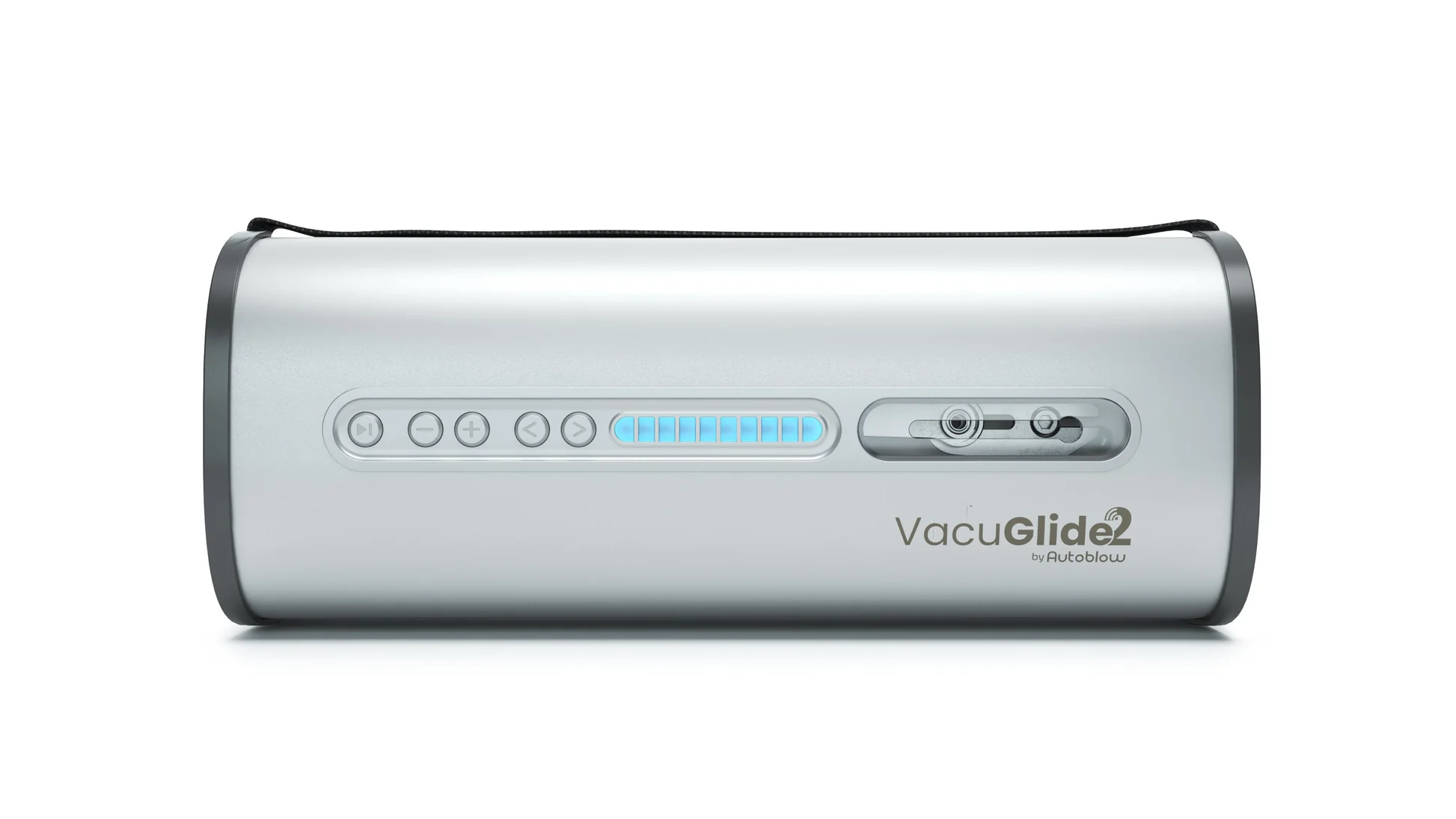
When it comes to suction devices, the Pulse Lite Neo is a strong contender. But how does it compare to the Vacuglide 2?
Vacuglide
| Device Name | Connection Type | Funscript Support | Price Range | Features |
|---|---|---|---|---|
| Pulse Lite Neo | Bluetooth | ✅ | $150-200 | Suction, Buttplug.io compatibility |
| VacuGlide 2 | WiFi | ✅ | $200-300 | Pneumatic suction, adjustable levels |
The Pulse Lite Neo offers Bluetooth connectivity and Buttplug.io compatibility, which provides extensive device support. Meanwhile, the VacuGlide 2 boasts pneumatic suction with adjustable levels, a significant advantage for those seeking customizable suction intensity.
In my experience, the Pulse Lite Neo's Bluetooth connectivity offers more stability in connection compared to WiFi, which can be prone to interruptions depending on network stability. This is crucial if you're using the device in a setting with multiple wireless devices, as it minimizes connection interference.
That said, if you're someone who values adjustable suction levels, the VacuGlide 2 might be worth the extra investment. It's really about what you prioritize in an interactive device: seamless integration with funscripts or customizable physical sensations.
Choosing the Right Interactive Toy
When choosing between these devices, consider your priorities:
- Price: The Pulse Lite Neo is more budget-friendly but lacks the advanced pneumatic features of the VacuGlide 2.
- Features: If you prioritize funscript integration and Bluetooth connectivity, the Pulse Lite Neo is hard to beat.
- Portability: The Pulse Lite Neo is lightweight, making it easier to handle and transport than some bulkier competitors.
Ultimately, the right choice depends on your personal preferences and budget. In my experience, both devices offer unique strengths, but the Pulse Lite Neo shines in its seamless integration with funscript content. Its user-friendly setup and stable connectivity make it a favorite for those new to the interactive space. If you're looking for a device that offers both simplicity and advanced interactive capabilities, the Pulse Lite Neo is a solid choice.
Pulse Lite Neo: User Reviews and Verdict
After exploring the Pulse Lite Neo and comparing it to competitors, it's time to see what other users have to say and finalize my thoughts.
User Experience and Feedback
Users of the Pulse Lite Neo often highlight the device's ease of use and the seamless integration with funscripts. In various forums and reviews, individuals appreciate the device's ability to sync with video content, bringing a new level of immersion to their sessions.
Many users note the Pulse Lite Neo's intuitive setup process and the satisfying sensation of its suction and vibration features.
On the downside, some users mention a slight learning curve with Intiface Central for those unfamiliar with it. However, once set up, the device operates flawlessly. The responsiveness of the Pulse Lite Neo is a consistent point of praise, as is its ability to maintain a stable connection throughout varied interactive scenarios.
There's also positive feedback regarding the device's durability. Users have commented on its robust build quality, which withstands regular use without showing signs of wear. This is an important factor for those investing in a device meant to last.
Final Thoughts
The Pulse Lite Neo is an ideal choice for those seeking a versatile, interactive suction device. Its Bluetooth connectivity and compatibility with Buttplug.io make it a standout option for anyone looking to integrate their sessions with funscript content. After using it for several weeks, I can confidently say that it offers a unique combination of features at an accessible price point.
While it might not have the same level of customizable suction as some of its competitors, the Pulse Lite Neo's seamless funscript integration and interactive capabilities make it a worthy addition to any collection. For anyone looking to enhance their interactive pleasure without breaking the bank, the Pulse Lite Neo offers a compelling blend of performance and value.
Frequently Asked Questions
How do I connect the Pulse Lite Neo to Funscript.org?
To connect the Pulse Lite Neo, start by using Intiface Central to pair the device via Bluetooth. Once paired, go to the Dashboard on Funscript.org and select the Intiface Central option to sync your device. The setup is user-friendly, and once connected, you can easily manage your sessions through the Funscript.org interface.
Is the Pulse Lite Neo compatible with other devices?
Yes, the Pulse Lite Neo is compatible with any device supported by Buttplug.io. This makes it a versatile choice for users with various interactive devices. Its compatibility extends to most popular platforms, ensuring you can connect it with your current setup effortlessly.
What makes the Pulse Lite Neo unique?
The Pulse Lite Neo's unique combination of suction and vibration, along with Bluetooth connectivity for funscript integration, sets it apart from many other devices on the market. This allows for highly personalized sessions that respond directly to the interactive content you're engaging with.
Can I use the Pulse Lite Neo for interactive gaming?
Absolutely! The Pulse Lite Neo integrates with Funscript.org's interactive games, offering a dynamic and playful experience. The device's responsiveness enhances gameplay, making interactive sessions more engaging and fun.
How does the Pulse Lite Neo compare to other suction devices?
Compared to other suction devices like the VacuGlide 2, the Pulse Lite Neo offers excellent value with its Bluetooth connectivity and funscript integration. While it may not have the pneumatic suction of some competitors, it excels in seamless content interaction and ease of use.

In conclusion, the Pulse Lite Neo funscript setup guide and review has highlighted this device as a solid option for those seeking interactive pleasure. With its unique features and seamless integration capabilities, it’s definitely worth considering for your next purchase.