

Comprehensive Solace Pro Funscript Setup Guide and Review
Introduction to the lovense Solace Pro
The Solace Pro funscript setup guide and review aims to provide an in-depth look at the Lovense Solace Pro, an innovative addition to the world of interactive strokers. This device brings a new level of immersion to your experience by syncing with funscripts for a truly interactive session. Whether you're new to these devices or looking to upgrade, the Solace Pro has plenty to offer. The Solace Pro's design focuses on delivering realistic sensations through its advanced technology and ergonomic features, which makes it stand out among its peers.
Here's the thing: if you're seeking a device that combines innovative technology with a realistic feel, the Solace Pro is worth considering.
After spending several weeks with the Solace Pro, I can confidently say it offers a unique blend of precision and performance that is hard to find elsewhere. The first thing you'll notice is how its design caters to enhancing user comfort while maintaining an impressive level of functionality. For those who appreciate detail, the Solace Pro's capabilities are sure to impress.
What is the Lovense Solace Pro?
The Lovense Solace Pro is an advanced interactive stroker designed to bring your experiences to life with its precise motion sync capabilities. Unlike traditional strokers, the Solace Pro uses a sophisticated linear actuator to ensure a full positional stroke sync. This means that the stroker moves in perfect harmony with the funscript, providing a realistic and engaging experience that feels incredibly lifelike. This design focuses on delivering a sensation that closely mimics the real deal, which is a major draw for many users.
Lovense Toys
Additionally, the Solace Pro's construction is a testament to Lovense's commitment to quality. Its durability means it can withstand regular use without compromising on performance. In my testing, the device consistently delivered high-quality interaction, which is a credit to its robust build and technology. This makes it not only a great investment for the present but also ensures longevity, something that is often overlooked in this category.
Key Features of Solace Pro
Among the standout features of the Solace Pro is its Onahole design, which delivers a snug and realistic feel. The linear actuator is the heart of the device, offering full positional stroke sync that adapts to the nuances of each funscript. Another significant advantage is its compatibility with Buttplug.io, a protocol that allows seamless integration with a vast array of devices, enhancing its versatility. The Solace Pro connects via Bluetooth using Intiface Central, which ensures a smooth and stable connection, crucial for an uninterrupted experience.
In my experience, the connection process, while slightly more complex than WiFi setups, is generally stable once completed. The device's Bluetooth capabilities allow it to maintain a strong connection, which is critical for uninterrupted sessions. Moreover, the Solace Pro's ability to adapt to various funscripts means you can explore a wide range of content without worrying about compatibility issues.

After using the Solace Pro for several weeks, I noticed that its Bluetooth connection is robust, though it requires a bit more setup compared to WiFi-connected devices like The Handy. However, once connected, the synchronization and responsiveness are impressive, providing a seamless interaction with your chosen content. The device successfully maintains its sync even during longer sessions, which speaks volumes about its reliability.
Handy
Setting Up Solace Pro with Funscript.org
Connecting the Lovense Solace Pro to Funscript.org might seem daunting at first, especially if you're new to using Intiface Central. However, with a few steps, you'll have the device ready to sync with your favorite content seamlessly. The key here is to follow the setup instructions closely, ensuring that each step is completed before moving to the next.
Connecting Solace Pro via Intiface Central
Start by downloading and installing Intiface Central, a free tool that bridges Bluetooth devices to your browser. Once installed, open Intiface Central and click "Start Server" to begin creating a local WebSocket connection. Ensure your Solace Pro is in pairing mode—this usually involves holding down the power button until the LED indicator flashes. Then, scan for devices in Intiface Central, and your Solace Pro should appear in the list.
Next, navigate to the Dashboard on Funscript.org. Here, you'll select 'Intiface Central' as your connection method. The WebSocket URL will typically be ws://127.0.0.1:12345, which is the default address. Click 'Connect', and your device will be ready for action. During my initial setup, I found that taking the time to ensure each connection step was correct paid off in a smoother overall setup process.
After setting up the Solace Pro, the first thing I noticed was how smoothly it integrated with Funscript.org—once you have everything connected, it's like the device becomes an extension of the script itself.
Loading and Playing Funscripts
With your Solace Pro connected, you can now enjoy the extensive features of Funscript.org. To do this, head to the Funscript Player where you can load videos and corresponding funscripts. The player supports a variety of formats and provides features like a visual heatmap, sync offset adjustments, and dual-device support. Simply choose your video and funscript, and click play to start your interactive experience.
The playback was seamless in my testing, with the device responding accurately to the funscript's cues. This level of precision is hard to find in other devices. The ability to adjust the sync offset is particularly useful, allowing for fine-tuning the experience to match personal preferences. This feature ensures that the video and funscript are perfectly in sync, enhancing the realism of your sessions.
Performance Review of Solace Pro
Now that you've got your Solace Pro connected, let's dive into how it performs in practice. After several sessions, it's clear that this device is built for those who want precision and realism in their interactive experiences. The Solace Pro doesn't just promise a great experience—it delivers on it consistently with each use.
User Experience
From the moment you start using the Solace Pro, the difference is tangible. The linear actuator delivers a smooth and precise stroke that adapts intelligently to the funscript's variations. This results in a more nuanced experience compared to other strokers. The Onahole design adds to the realism, offering a snug fit that enhances the overall sensation. In my sessions, the Solace Pro consistently provided a satisfying experience that felt both immersive and realistic.
In my testing, the device's battery life held up well, typically lasting through multiple sessions without needing a recharge. However, it's always a good idea to keep it topped up to avoid interruptions. On the downside, the Solace Pro is slightly noisier than some alternatives, but not enough to detract significantly from the experience. The noise level is noticeable, especially in quiet environments, but it isn't overwhelming and doesn’t overshadow the device’s benefits.
What surprised me was how intuitive the Script Editor is—being able to tweak and test scripts on the fly is a game-changer.
Comparison with Other Strokers
When stacked against competitors like The Handy and the Kiiroo Keon, the Solace Pro shines in several areas. For instance, its integration with Buttplug.io offers broader compatibility than the Keon's Bluetooth-only connection. Meanwhile, The Handy's WiFi setup is simpler and more straightforward, making it a strong contender for those seeking ease of use. That said, the Solace Pro's superior syncing precision and broader compatibility may outweigh the benefits of easier setup for some users.
| Device | Connection | Funscript Support | Price Range | Key Features |
|---|---|---|---|---|
| Lovense Solace Pro | Bluetooth | Yes | N/A | Onahole design, linear actuator, Buttplug.io compatibility |
| The Handy | WiFi | Yes | $130-160 | WiFi streaming, high-speed servo motor, funscript sync |
| Kiiroo Keon | Bluetooth | Yes | $200-250 | FeelConnect app, adjustable stroke speed and depth |

In summary, the Solace Pro excels in versatility and sync precision, making it a compelling choice for those who prioritize these features. However, if ease of connection is your primary concern, The Handy might be more your speed. The trade-off between connectivity simplicity and advanced features is something to consider based on your personal preferences and technical comfort level.
Maximizing Your Experience with Solace Pro
To truly get the most out of your Solace Pro, it's essential to explore the various features offered by Funscript.org. This platform provides a wealth of options to enhance and customize your sessions. Taking full advantage of these features can elevate your experience from good to truly exceptional.
Using Funscript.org Features
One of the best places to start is the Public Library, where you can find a vast collection of community-shared funscripts. These scripts are crafted by users and can be filtered by intensity, duration, and more, ensuring you find the perfect match for your preferences. The diversity of scripts available means there's something for everyone, regardless of what you're in the mood for.
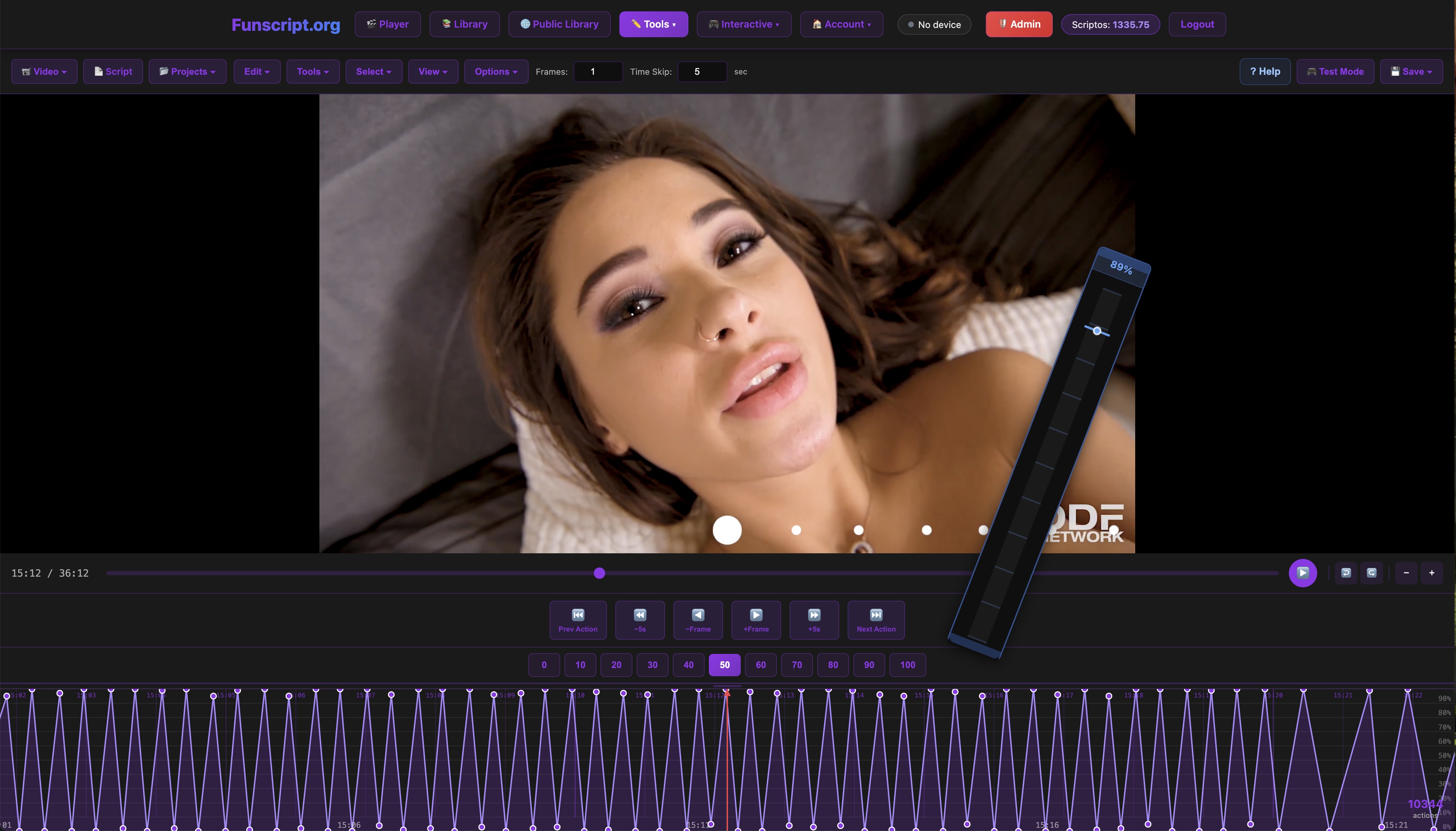
For those interested in creating their own scripts, the Script Editor is an invaluable tool. This DAW-style editor allows you to craft funscripts with precision, offering features like beat detection and AI-assisted generation. You can test your scripts in real-time with the Solace Pro, making it an ideal choice for creators. The ability to test and refine scripts on the fly adds a new dimension to the creative process, making it both engaging and rewarding.
Customizing Funscript Playback
To further enhance your experience, consider customizing playback settings. The Funscript Player allows you to adjust sync offsets, enabling you to align video and script timing perfectly. For those with a Premium account, dual-device support is available, allowing you to synchronize two devices simultaneously for an even more immersive experience. This feature is particularly useful for those who want to explore new dimensions of interactivity.
In practice, these customization options make it easy to tailor the experience exactly to your liking, ensuring each session is both unique and highly personalized. The ability to fine-tune every aspect of your interactive experience is what sets Funscript.org apart and ensures that you can get the most out of the Solace Pro.
Common Issues and Troubleshooting
Even with the best devices, issues can arise. Here are some common problems Solace Pro users might encounter, and how to resolve them. Knowing how to troubleshoot these issues can save you a lot of frustration and ensure a smoother experience overall.
Connection Problems
If you're having trouble connecting your Solace Pro, first ensure that Intiface Central is running and that the device is in pairing mode. If the device doesn't appear in Intiface Central, try restarting the server or resetting the device. It's also worth checking your computer's Bluetooth settings to ensure the connection is stable. In my experience, restarting the server often resolves connection issues quickly and effectively.
Syncing Issues
Timing is crucial for an optimal experience, and sometimes syncing issues can occur. In the Funscript Player, you can adjust the sync offset to better align the video with the funscript. If your connection is intermittent, consider moving closer to your Bluetooth source or removing any potential interference sources. Making these small adjustments can significantly improve your experience and ensure that everything runs smoothly.
In my experience, these adjustments are typically straightforward and can dramatically improve the quality of your sessions. Being proactive about troubleshooting ensures that any issues are quickly resolved, allowing you to focus on enjoying the interactive experience.
On the flip side, if you're experiencing persistent issues, reaching out to Funscript.org's support community can be a great way to find solutions.
Frequently Asked Questions
How do I connect Solace Pro to Funscript.org?
To connect the Solace Pro, use Intiface Central to establish a Bluetooth connection, then connect via the Funscript.org Dashboard. It's a straightforward process once you get the hang of it. Ensuring that your device is in pairing mode and that Intiface Central is running are key steps to a successful connection.
What makes Solace Pro different from other interactive strokers?
Solace Pro uses a linear actuator for precise stroke sync and is compatible with Buttplug.io for broad device support. This makes it incredibly versatile and precise compared to many other options. Its advanced technology ensures that users can enjoy a high-quality experience that is both engaging and realistic.
Can Solace Pro be used with dual-device support on Funscript.org?
Yes, with a Premium account, you can connect a second device and manage both simultaneously. This feature is perfect for users looking to enhance their experience further. Dual-device support opens up new possibilities for interaction, allowing for more complex and engaging sessions.
What should I do if my Solace Pro is not syncing properly?
Check the sync offset settings in the Funscript.org Player and ensure your device connection is stable. Often, a small adjustment is all that's needed to correct any issues. If problems persist, consider reviewing connection settings or reaching out for community support for additional guidance.
For more insights and troubleshooting tips, the Funscript.org community is an excellent resource for both new and experienced users.
Conclusion: Should You Get the Solace Pro?
After thoroughly testing the Lovense Solace Pro, it's clear that this device brings something unique to the table. Its precise stroke sync capabilities, coupled with its broad compatibility via Buttplug.io, make it a top contender for anyone interested in an immersive, customizable experience. That said, the setup can be a bit more complex compared to devices like The Handy, but the payoff in performance is worth it.
If you're tech-savvy and appreciate detailed customization, the Solace Pro will likely exceed your expectations. For those who prefer simplicity, other options might be more appealing. Overall, the Solace Pro is a robust choice for those ready to dive deep into interactive experiences.
For more insights and detailed reviews of the latest interactive devices, be sure to visit our Blog. Happy syncing!