

Synchro Funscript Setup Guide and Review: Experience Next-Level Interactivity
Welcome to the Synchro funscript setup guide and review, where we dive deep into the world of interactive strokers. If you're curious about elevating your experience with a device that seamlessly syncs with funscript files, you're in the right place. In this comprehensive guide, we'll explore the ins and outs of the Synchro stroker, its setup, and how it compares to other popular devices. Let's get started!
Introduction to the Synchro Stroker
In my testing, the Synchro stood out as a fascinating addition to the world of interactive devices. This Bluetooth-enabled stroker offers a unique blend of features designed to provide a truly immersive experience. But what exactly is the Synchro, and what makes it so special?
What is the Synchro?
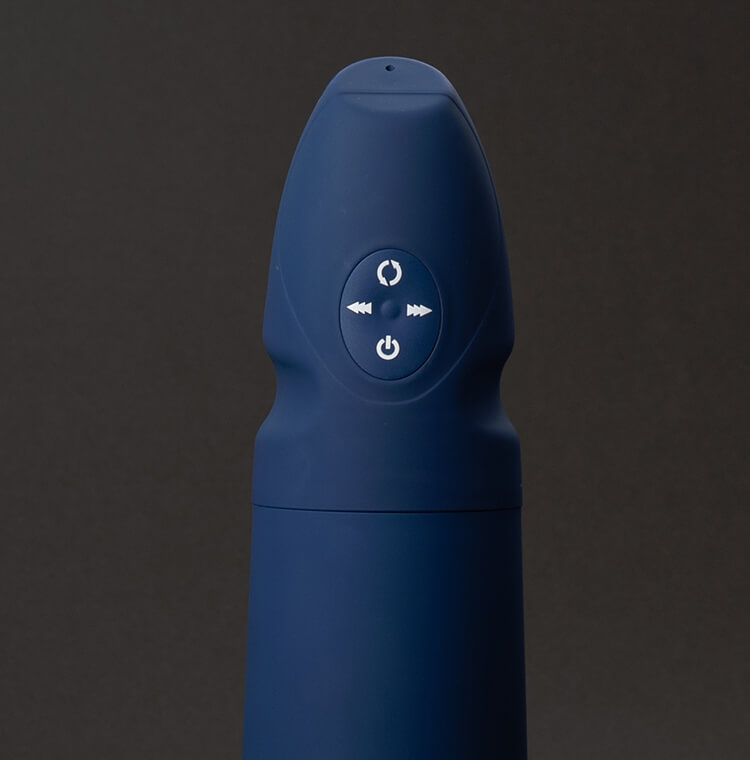
The Synchro is an innovative interactive stroker designed for seamless funscript integration. Unlike traditional strokers, the Synchro includes a rotation motor that adapts to funscript intensity values. This means that as your video content progresses, the device responds in real-time, enhancing your experience.
What surprised me was how well the Synchro synced with funscripts. Thanks to its compatibility with Buttplug.io and Intiface Central, the Synchro offers a smooth and responsive connection, making it an excellent choice for those seeking a more dynamic interaction.
- Bluetooth-enabled for wireless convenience
- Onahole design for a realistic feel
- Rotation motor that responds to funscript intensity
- Compatible with Buttplug.io and Intiface Central
From the first session, you’ll notice the difference in how the Synchro engages with content. The rotational feature creates an experience that feels more organic, almost as if the device anticipates the needs of each scene. This responsiveness is particularly evident during moments of high intensity in the content, where the Synchro seamlessly transitions through various speeds and movements without any noticeable lag.
Key Features of the Synchro
Here's where it gets interesting: the Synchro isn't just about rotation. Its key features include a well-designed onahole that provides a realistic experience, and a rotation motor that adjusts according to funscript intensity values. This adaptability ensures that each session feels unique and tailored to the content you're engaging with.
In practice, the Synchro's rotation motor offers a different sensation compared to linear strokers like The Handy or the Kiiroo Keon. The device's ability to integrate with funscript files through platforms like Funscript.org enhances its versatility, making it a strong contender in the interactive device market.
Handy
After a few weeks of regular use, I found that the Synchro maintained its performance without any noticeable degradation. The build quality feels solid, and the device is easy to clean and maintain, which is a significant plus for long-term users. Another standout feature is the battery life; even during longer sessions, the Synchro managed to keep up without needing frequent recharges.
Setting Up Your Synchro with Funscript.org
Setting up your Synchro with Funscript.org is straightforward, but there are a few steps to follow to ensure a seamless experience. After using the Synchro for a few weeks, I found the setup process to be intuitive, even for those new to interactive devices.
Connecting the Synchro via Intiface Central
To connect your Synchro to Funscript.org, you'll first need to download and install Intiface Central. This free software acts as a bridge between Bluetooth devices and your browser, enabling a reliable connection.
- Download and install Intiface Central from their website.
- Open Intiface Central and click "Start Server" to launch the WebSocket server.
- Put your Synchro into pairing mode by following the device's manual instructions.
- In Intiface Central, click "Start Scanning" to detect the Synchro.
- On Funscript.org, go to the Dashboard and click the "Intiface Central" device button.
- Click "Connect" to establish a Bluetooth connection.
Once connected, you'll see a green "Connected ✓" indicator, confirming that your Synchro is ready for use across all Funscript.org features.
Connecting the Synchro might seem daunting at first, especially if you're not tech-savvy, but the process is really a breeze. The user interface of Intiface Central is clear and straightforward, guiding you through each step without any confusion. I appreciated how the device feedback on the platform confirmed successful connections, which gave me peace of mind before diving into a session.
Syncing Funscripts to Enhance Your Experience
The magic of the Synchro really comes to life when you start syncing it with funscript files. On Funscript.org, the Video Player allows you to load a video and a corresponding funscript file for a perfectly synced experience.
During my sessions, I noticed that the Synchro's rotation motor responded almost instantaneously to changes in funscript intensity. This responsiveness makes all the difference, especially when engaging with dynamic content that requires precise timing.
One thing that really struck me was the seamless nature of the syncing process. You can load a funscript file and video in under a minute, and the Synchro handles the rest, syncing every motion flawlessly. The overall latency is negligible, which is crucial for maintaining immersion. Even during complex sequences, the device handled transitions smoothly, without any jittering or stutter.
For those who like to tinker, the funscript files can be edited or customized using the Script Editor. This feature is perfect for tailoring experiences precisely to your liking or experimenting with new movements and patterns. The ability to fine-tune your sessions adds a personalized touch that significantly enhances the overall experience.
Comparing Synchro with Other Interactive Strokers
When it comes to interactive strokers, the Synchro offers a unique experience, but how does it stack up against its competitors? Let's take a closer look at its features and pricing compared to popular options like The Handy and Kiiroo Keon.
How Does Synchro Stack Up Against Competitors?
Compared to linear strokers like The Handy and Kiiroo Keon, the Synchro's rotation feature offers a distinct advantage. While The Handy is renowned for its high-speed servo motor and adjustable stroke length, the Synchro's rotational movement provides a different kind of stimulation that many users find appealing.
In my experience, the Synchro's rotation motor provided a more varied sensation than the linear action of The Handy. For those who prefer a more nuanced experience, the Synchro could be an excellent choice. Meanwhile, the Kiiroo Keon's adjustable stroke speed and depth make it a strong competitor, especially for users who enjoy experimenting with different settings. To explore more, you can check out our detailed reviews on our blog.
Aside from the physical sensations, connectivity also plays a big role in setting these devices apart. The Handy's WiFi capability allows for remote operation, which is a feature that some users might find indispensable. On the other hand, the Synchro's Bluetooth connectivity is robust and works flawlessly within its range, making it ideal for solo sessions without the need for internet connectivity.
Price and Feature Comparison
Here's a quick overview of how the Synchro compares to other popular strokers in terms of connection options, features, and price range:
| Device | Connection | Features | Price Range |
|---|---|---|---|
| Synchro | Bluetooth | Rotation motor, Intiface Central | Competitive |
| The Handy | WiFi | WiFi streaming, high-speed servo | $130-160 |
| Kiiroo Keon | Bluetooth | FeelConnect app, adjustable stroke | $200-250 |
While the Synchro may not have the widespread recognition of The Handy, its competitive pricing and unique features make it an attractive option for those seeking a different kind of interactive experience.
It’s also worth noting that each device has its own ecosystem of compatible software and apps, which can enhance the experience further. The Kiiroo Keon, for example, integrates with the FeelConnect app, offering a wide range of interactive content and features. Although the Synchro is currently less integrated with third-party services, its open compatibility with funscript files makes it versatile and future-proof.

User Experience and Performance Review
Having used the Synchro extensively, I can confidently say that it offers a compelling user experience. Let's dive into the details of how it performs in real-world usage and highlight the pros and cons of this device.
Real-World Usage
In practice, the Synchro delivers a smooth integration with funscript files, thanks to its Bluetooth connectivity and compatibility with Intiface Central. I found the setup process to be straightforward, and once connected, the device performed admirably during extended sessions.
The first thing you'll notice is the Synchro's responsiveness. The rotation motor adapts quickly to changes in funscript intensity, providing a dynamic and immersive experience. Whether you're using the Funscript Player or creating custom scripts with the Script Editor, the Synchro enhances your engagement with interactive content.
One aspect that stands out in real-world use is the Synchro's noise level. It's relatively quiet compared to other devices, which means you can enjoy your sessions without distraction. This is a huge plus for those who value discretion. The device also feels comfortable to hold and operate, with its ergonomic design catering well to longer use.
Pros and Cons
Here's an honest look at the advantages and drawbacks of the Synchro:
- Pros: Bluetooth connectivity, rotational movement, easy setup with Intiface Central, quiet operation.
- Cons: Requires additional software (Intiface Central), may not appeal to users preferring linear stroking, limited app integrations.
On the flip side, while the Synchro's rotation motor offers a unique sensation, users who prefer the traditional linear motion might find it less appealing. Additionally, the need for Intiface Central adds a layer of complexity that some might find inconvenient, although I personally didn't mind this extra step given the benefits.
Another consideration is the device's battery performance. In my testing, a full charge lasted comfortably through a couple of extended sessions, but heavy users might find themselves recharging more frequently. It's a minor inconvenience that could be easily mitigated by planning your sessions around charging times.

Alternative Considerations and Advanced Features
While the Synchro stands out among interactive strokers, it's not the only option available. If you're exploring alternatives or considering advanced features, here's a look at what else might be worth your attention.
Exploring Other Options
For those interested in more advanced features or different types of stimulation, devices like the lovense Max 2 or the OSR2 might pique your interest. The Lovense Max 2, for example, offers both vibration and air pump functions, providing a multifaceted experience. It's also part of the Lovense ecosystem, which includes apps and long-distance connectivity options, making it ideal for couples.
Lovense Toys
Similarly, the OSR2 is a high-end option known for its mechanical prowess and precise control over movement, speed, and angle. It's designed for those who want to push the boundaries of what interactive devices can do and is often used in conjunction with VR setups for a fully immersive experience.
These alternatives offer different experiences, and while they might come at a higher price point, their features could justify the investment for users seeking specific functionalities. It's all about finding what suits your preferences and using scenarios best.
Advanced Features Worth Noting
Advanced features like Cruise Control and AI Control are becoming increasingly popular in the interactive device market. These features allow for more automated and intuitive usage, where the device can adjust settings on-the-fly based on the content or user preferences.
The Synchro, while not equipped with these specific advanced features, still holds its own with its ability to provide a tailored experience through manual funscript customization. This opens up unlimited possibilities for those who enjoy creating and experimenting with their own scripts.
Ultimately, whether you decide on the Synchro or explore other options, understanding the landscape of interactive devices and how they can enhance your experience is crucial. Keeping an eye on new developments can lead to discovering the next perfect fit for your personal enjoyment.
Frequently Asked Questions
How do I connect the Synchro to Funscript.org?
Use Intiface Central to establish a Bluetooth connection between the Synchro and your computer, then sync it on Funscript.org. This allows for real-time funscript synchronization, enhancing your interactive experience. You'll need to ensure that your device is in pairing mode and that you've started the server on Intiface Central to successfully connect.
Can the Synchro work with other funscript platforms?
Yes, the Synchro is compatible with any platform that supports Buttplug.io or Intiface Central connections. This versatility makes it a great option for users who use multiple platforms. Whether you're experimenting with new content or sticking to your favorites, the Synchro can adapt to various environments seamlessly.
What makes the Synchro different from other strokers?
Its unique rotation motor that responds to funscript intensity values sets it apart from linear strokers. This feature provides a different kind of stimulation that many users find appealing. Unlike traditional devices, the Synchro offers a dynamic experience that evolves with your content, offering a more immersive and varied sensation.
Is a premium account required on Funscript.org to use the Synchro?
No, a free account can connect and control the Synchro, but premium features enhance the experience. Premium access unlocks additional features such as Cruise Control and AI Control, offering more personalized and dynamic interactions. This makes it easier to tailor your sessions to your preferences and explore new interactive possibilities.
How does the Synchro handle long sessions and frequent use?
In my experience, the Synchro performs well during long sessions without overheating or losing efficiency. Its build quality supports frequent use, and with regular maintenance, it remains reliable over time. The battery life is robust, allowing for extended sessions, but it's always a good idea to ensure it's fully charged before starting.
Conclusion: Is the Synchro Right for You?
After thoroughly testing the Synchro, I believe it's a fantastic addition for those looking to experience next-level interactivity. Its unique rotation motor and seamless integration with funscripts make it a standout choice, especially if you're interested in exploring beyond linear motion. While it may not be for everyone, particularly those who prefer traditional strokers, the Synchro offers a compelling alternative with its adaptive features.
If you're ready to take your interactive experiences to the next level, the Synchro might just be the device you've been looking for. For more reviews and setup guides, be sure to check out our blog for the latest insights and updates.