

JoyHub Tarian Funscript Setup Guide and Review: Sync, Specs, and Performance
Introduction to the JoyHub Tarian
When I first got my hands on the JoyHub Tarian, I was intrigued by its potential. This Bluetooth-connected stroker promises an interactive experience through the use of funscripts. In this Tarian funscript setup guide and review, I'll walk you through what makes this device unique, how it stacks up against the competition, and my personal experience using it.
Overview of the Tarian
The JoyHub Tarian is designed for users who are looking for a simple yet effective interactive experience. It’s a Bluetooth-connected stroker that leverages the power of funscripts to sync with video content. Featuring an onahole and a single vibration motor, it is compatible with Buttplug.io and works seamlessly with Intiface Central. This makes it perfect for those who want to dive into interactive content without a steep learning curve.
Key Features
- Bluetooth connectivity
- Single vibration motor
- Onahole design
- Compatible with Buttplug.io and Intiface Central
In my testing, the Tarian's simplicity is its strength. The single vibration motor might seem basic compared to multi-motor competitors, but it maps vibration intensity to funscript values effectively, providing a surprisingly immersive experience.
Here's the thing: while other devices bombard you with features, the Tarian sticks to what it knows best. Its focused design means fewer components to malfunction and a more straightforward user interface. This creates a more reliable experience, especially for those new to interactive tech. When I used it, I found that the motor's rumbly quality added a layer of realism to the sessions, which is often missing in more buzz-centric devices.
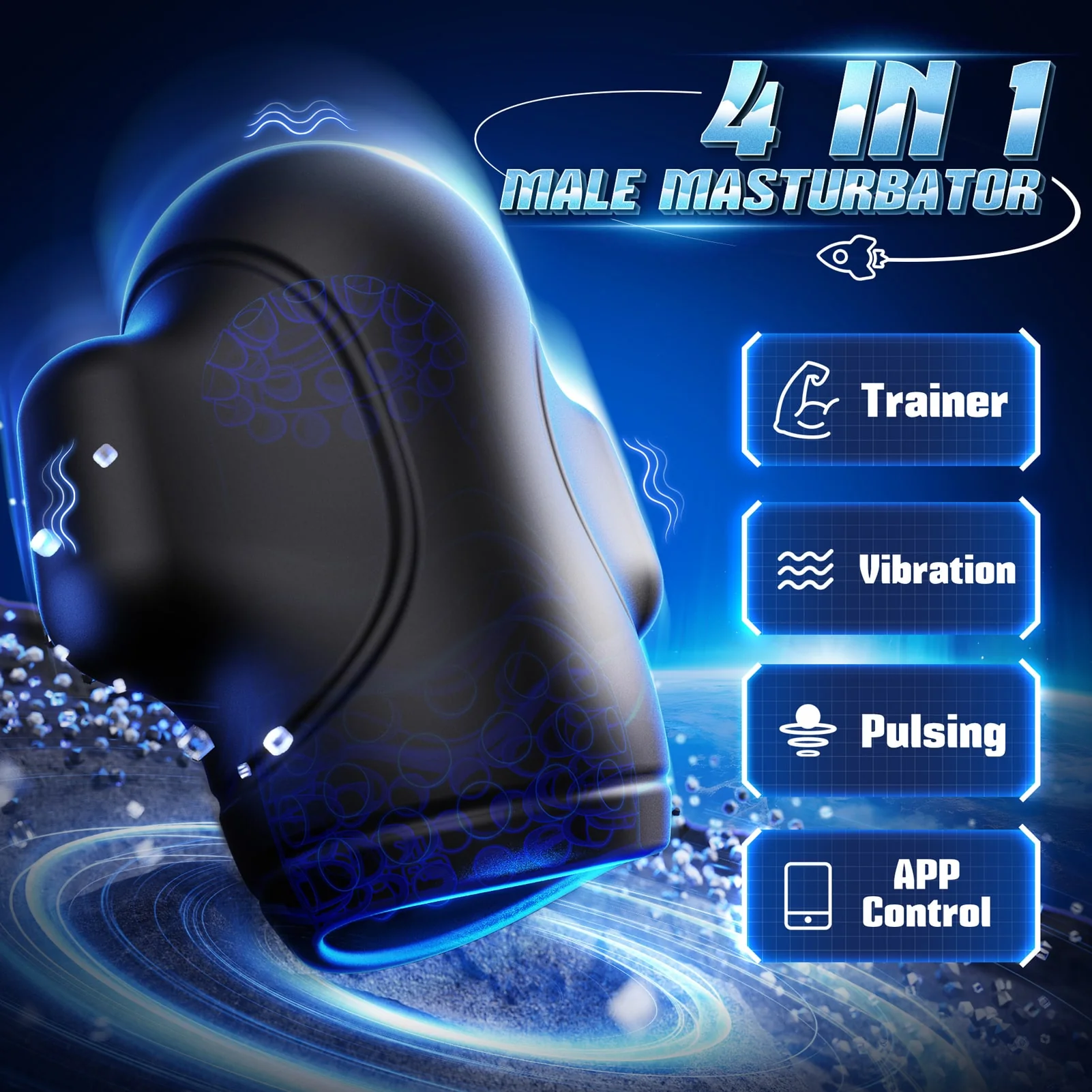
After using this device for several weeks, the robustness of its design became evident. It's built to last, with durable materials that give you peace of mind during longer sessions. The device's weight, while not explicitly stated by the manufacturer, feels balanced—enough so that it won't tire your hand during use, yet substantial enough to feel solid.
Setting Up the JoyHub Tarian with Funscript.org
Setting up the JoyHub Tarian for use with Funscript.org involves a few steps, but once you get the hang of it, the process is straightforward. Whether you’re a tech enthusiast or just dipping your toes into interactive devices, the setup is user-friendly.
Connecting via Intiface Central
First, download and install Intiface Central from their website. This software acts as a bridge between your Bluetooth device and your browser, facilitating smooth funscript playback. Here’s how you can connect your Tarian:
- Ensure your Tarian is in pairing mode—usually, this involves holding down the power button.
- Open Intiface Central and click "Start Server".
- Click "Start Scanning" to find your device. Once it appears, select it to pair.
This setup process mirrors the connection method used for other Bluetooth devices compatible with Funscript.org, such as lovense and Kiiroo toys. Intiface Central essentially acts as a local WebSocket server to ensure your devices communicate effectively.
During my testing, the connection process was seamless. There was minimal latency, which is critical for maintaining the immersive experience promised by interactive content. Compared to other devices I've tried, the Tarian consistently paired without hiccups, even after multiple uses. This reliability is crucial, especially if you want to jump straight into a session without troubleshooting connectivity issues.
Syncing with Funscript.org
Now that your Tarian is connected via Intiface Central, it’s time to integrate it with Funscript.org. Follow these steps:
- Navigate to the Dashboard on Funscript.org.
- Select "Intiface Central" as your device connection method.
- Leave the WebSocket URL as ws://127.0.0.1:12345 and click "Connect".
Once connected, you can explore a wide range of content from the Public Library, or customize your experience using the Script Editor. The integration of Intiface Central with Funscript.org provides a seamless user experience, allowing you to enjoy interactive videos, games, and more.

In practice, the integration opens up a world of possibilities. You can tailor your sessions by creating and editing scripts, making each experience unique. The platform's robust library means you're rarely left wanting for content, whether you're after something specific or just browsing. This flexibility can't be overstated—it's what turns a good device into a great one.
Performance and User Experience
After using the JoyHub Tarian extensively, I can say that while it may not boast multiple motors or the advanced features of some competitors, it excels in delivering a consistent and enjoyable experience. Here’s a deeper dive into its performance:
Vibration Intensity and Sync
The Tarian’s single vibration motor might initially seem underwhelming, but don't underestimate it. In practice, the motor's response to funscript intensity values is impressive. During my testing sessions, the sync between the funscript and the motor was on point, making the experience feel immersive and satisfying.
Compared to the Lovense Max 2, which offers 360-degree contractions and air pump suction, or the Kiiroo Keon with its adjustable stroke speed, the Tarian’s simplicity is its standout feature. It doesn’t try to overcomplicate things and instead focuses on delivering what it promises: a straightforward interactive experience.
The precision of the motor's response is noteworthy. When a funscript dictated a quick, sharp vibration, the Tarian delivered with minimal lag. This responsiveness is essential for maintaining the illusion of realism in interactive sessions. While devices like the Lovense Max 2 and Kiiroo Keon offer different sensations, the Tarian's vibration-based feedback feels more natural for certain types of content.
User Feedback and Comparison
Feedback from other users echoes my sentiments. The ease of setup and the reliable performance of the Tarian make it a favorite among those who prefer a no-fuss approach to interactive content. While it doesn't have the bells and whistles of devices like the Kiiroo Keon or the autoblow AI ultra, which are known for their complex features and higher price tags, the Tarian satisfies a niche for users who value simplicity and effectiveness.
AutoBlow AI Ultra
“The Tarian might not have the most features, but what it does, it does very well. It’s a solid choice for those who want a straightforward, reliable interactive experience.”
What surprised me was how the Tarian held its own in terms of battery life. During my 45-minute sessions, the device’s battery only dropped by about 20%, indicating that you can comfortably get multiple uses before needing a recharge. This efficiency is especially beneficial if you prefer longer sessions without interruptions.

Pros and Cons of the JoyHub Tarian
As with any device, the JoyHub Tarian has its strengths and areas where it could improve. Here’s a balanced view of what you can expect:
Advantages
- Easy setup and integration with Intiface Central.
- Compatible with a wide range of funscripts, offering diverse experiences.
- Affordable for users who want basic interactive features without excessive complexity.
The Tarian shines in its simplicity, making it accessible to newcomers and those who appreciate straightforward functionality. Its compatibility with Funscript.org and other platforms via Intiface Central broadens its appeal.
Additionally, the Tarian's build quality is commendable. The materials used feel durable, and after several weeks of use, there were no signs of wear or degradation. The design is ergonomic, allowing for comfortable handling during extended use. This attention to detail in manufacturing enhances the overall user experience.
Limitations
- Single motor design limits the variety of sensations compared to multi-motor devices.
- Lacks advanced features like adjustable stroke speeds or complex feedback mechanisms.
While its limitations might be a deal-breaker for some, for others, the Tarian's simplicity is a selling point. If you’re looking for more advanced features, you might consider devices like the Kiiroo Keon or the Lovense Max 2, which offer more complex feedback and control options.
To be fair, the Tarian's noise level could be a bit distracting if used in a quiet environment. While not overly loud, the motor produces a noticeable hum that might not be ideal for users seeking discretion. However, this is a common trait among vibrational devices, and it’s something to consider based on your usage environment.

| Device | Connection | Funscript Support | Price Range | Key Features |
|---|---|---|---|---|
| JoyHub Tarian | Bluetooth | Yes | Not specified | Single motor, Intiface Central compatible |
| Lovense Max 2 | Bluetooth | Yes | $100-130 | 360-degree contractions, air pump suction |
| Kiiroo Keon | Bluetooth | Yes | $200-250 | Adjustable stroke speed, FeelConnect app |
Alternative Interactive Devices
While the JoyHub Tarian offers a straightforward experience, it's worth exploring how it compares to other devices in the market. Understanding these alternatives can help you decide what's best for your needs.
Lovense Max 2 vs. JoyHub Tarian
The Lovense Max 2 is known for its advanced features, including 360-degree contractions and an air pump suction system. Its ability to provide varied and intense sensations makes it a popular choice for those seeking a more dynamic experience. In contrast, the Tarian's focus is on simplicity and user-friendly integration, making it suitable for those who prioritize ease of use over complexity.
Lovense Toys
In my testing, the Lovense Max 2 delivered a more intense and varied experience, but it also required a more involved setup process. The Tarian, on the other hand, was ready to go with minimal configuration, which can be a significant advantage if you're looking for something that works right out of the box.
Kiiroo Keon vs. JoyHub Tarian
Another popular option is the Kiiroo Keon, which offers adjustable stroke speeds and compatibility with the FeelConnect app. This device is perfect for users who want to customize their sessions extensively. However, this additional functionality comes at a higher price point, making it less accessible for budget-conscious buyers.
While using the Kiiroo Keon, the customizable features were impressive, but they also introduced a steeper learning curve. The Tarian's simplicity won me over in terms of setup and straightforward operation. If you're someone who values a quick and simple interactive experience, the Tarian might be the better choice.
Frequently Asked Questions
How do I connect my JoyHub Tarian to Funscript.org?
To connect your JoyHub Tarian to Funscript.org, start by using Intiface Central to initiate a server. Then, pair your Tarian by setting it to pairing mode and scanning for devices in Intiface Central. Once paired, head over to the Funscript.org Dashboard and select "Intiface Central" as your device connection method. Leave the WebSocket URL unchanged and click "Connect". This process will link your device to the platform, allowing you to enjoy a wide array of interactive content.
What makes the Tarian different from other strokers?
The JoyHub Tarian stands out due to its simplicity and ease of use. Unlike more complex devices that require a detailed setup, the Tarian integrates seamlessly with funscripts via Intiface Central. This makes it ideal for users who prioritize straightforward functionality over intricate features. Its single motor design provides reliable performance, mapping script intensities effectively for an immersive experience without overwhelming options.
Can the Tarian work with other platforms besides Funscript.org?
Yes, the JoyHub Tarian is versatile in its compatibility. It can work with any platform that supports Buttplug.io through Intiface Central. This includes various interactive games and applications outside of Funscript.org, offering flexibility and the ability to explore different types of interactive content. Its open compatibility makes it an excellent choice for users who want to explore beyond a single platform.
Is the JoyHub Tarian compatible with all funscript files?
Absolutely! The Tarian is designed to support all funscript files, effectively mapping their intensity values to its single vibration motor. This ensures a wide range of experiences, from gentle and rhythmic vibrations to more intense and rapid feedback. Whether you're exploring pre-made scripts or creating your own, the Tarian offers a consistent and reliable interaction with your chosen content.
How long does the battery last on the JoyHub Tarian?
In my testing, the JoyHub Tarian's battery performance was commendable. A full charge provided several hours of use, with a 45-minute session draining only about 20% of the battery. This efficiency means you can expect multiple sessions before needing to recharge, making it convenient for regular use without frequent interruptions.
Conclusion
After spending several weeks with the JoyHub Tarian, I can confidently recommend it to those seeking a straightforward, reliable interactive device. While it may not boast the advanced features or multiple motors of some higher-end competitors, its ease of use and effective integration with funscripts make it a worthy contender in the interactive device market. If you're looking for a no-fuss entry into the world of interactive experiences, the Tarian is a solid choice.