

Ultra Power Bullet 8: Funscript Setup Guide and Comprehensive Review
Introduction to the Satisfyer Ultra Power Bullet 8
The Ultra Power Bullet 8 funscript setup guide and review is here to help you get the most out of your Satisfyer Ultra Power Bullet 8. This compact yet powerful vibrator from Satisfyer is known for its intense vibrations and Bluetooth connectivity, making it a favorite among tech-savvy users. In my testing, the first thing I noticed was how well it integrates with the Funscript.org platform, thanks to its seamless funscript support via Intiface Central.
Overview
The Satisfyer Ultra Power Bullet 8 is designed to deliver intense pleasure with its powerful vibrations, all packed into a small, easy-to-handle device. This vibrator features a single, robust motor that offers a range of vibration patterns, perfect for both solo and partnered play. Its compact design makes it easy to carry and use discreetly, and the Bluetooth connectivity ensures you can easily sync it with your devices.
Key Features
- Compact bullet design that's easy to use and carry
- Powerful single vibration motor for intense sensations
- Bluetooth connectivity through Intiface Central
- Buttplug.io compatibility for enhanced control
- Full support for funscript synchronization

In practice, the Ultra Power Bullet 8 stands out for its ability to connect with a wide range of platforms, including Funscript.org, allowing users to experience synchronized funscript scenarios. This is particularly great for hands-free experiences, where the device vibration maps directly to the funscript's intensity values. This feature is especially appreciated by users who enjoy a more immersive experience without having to manually adjust the device during use.
What surprised me was how well the device maintains its connection stability even during extended sessions. This means you can enjoy lengthy funscript experiences without worrying about connectivity drops, which can be a common issue with other Bluetooth devices. Furthermore, the setup process is quite user-friendly, making it accessible even for those who are new to interactive toys.
Setting Up the Ultra Power Bullet 8 with Funscript
Getting started with your Ultra Power Bullet 8 on Funscript.org involves a straightforward setup process. Let me walk you through how to connect your device and start enjoying synchronized funscript experiences. The great thing about this process is that it doesn't require any technical expertise, so even beginners can get started without a hitch.
Connecting via Intiface Central
The first step is to ensure that Intiface Central is installed and running on your device. This acts as a bridge, allowing your Ultra Power Bullet 8 to connect via Bluetooth. Here's how you do it:
- Download and install Intiface Central on your device (compatible with Windows, macOS, Linux, and Android).
- Launch Intiface Central and click "Start Server" to initialize the WebSocket server.
- Put your Ultra Power Bullet 8 into pairing mode by following the instructions in the device manual (typically involves holding the power button).
- In Intiface Central, click "Start Scanning" — your device should appear in seconds.
- Visit the Dashboard on Funscript.org, select 'Intiface Central', and connect using the default WebSocket URL (ws://127.0.0.1:12345).
Once connected, your Ultra Power Bullet 8 is ready for use across all Funscript.org features. What I found particularly useful is the step-by-step guidance provided by both Intiface Central and Funscript.org, ensuring that even if you encounter a hiccup, there's plenty of support to get you through it.
Loading Funscripts
Loading funscripts is where the magic happens. By syncing your Ultra Power Bullet 8 with the Funscript Player, you can enjoy immersive experiences that match the on-screen action. Here’s how you set it up:
- Navigate to the Funscript Player on Funscript.org.
- Load a video file along with the corresponding funscript file.
- Ensure your device is connected through Intiface, and the funscript will control the vibration intensity, mapping directly to the funscript values.
This setup allows you to enjoy synchronized experiences, where the device mimics the rhythm and intensity of the video content. The precision of this synchronization is noteworthy; in my testing, the device's responsiveness was spot-on, making the experience deeply engaging and satisfying.
Moreover, the Funscript Player interface is intuitive and easy to navigate. Even if you're not particularly tech-savvy, you'll find the layout clear and straightforward, allowing you to focus on the experience rather than the setup process.
Performance and User Experience
After using the Ultra Power Bullet 8 for a few weeks, I found its performance quite impressive. Here's a breakdown of what stood out:
Vibration Intensity
The Ultra Power Bullet 8 delivers robust and focused vibrations, which are perfect for targeted stimulation. In my testing, the motor felt less buzzy and more rumbly compared to other devices, providing a more satisfying experience. Whether used solo or with a partner, its intensity can be a game-changer.
The first thing you'll feel with the Ultra Power Bullet 8 is its deep, rumbly vibrations that are both powerful and precise.
The build quality of the motor also contributes to its performance. Unlike some other devices that may feel flimsy or overly harsh, the Ultra Power Bullet 8 offers a balanced sensation that's comfortable yet intense. This makes it a versatile tool for a wide range of preferences and uses.
Funscript Synchronization
Funscript synchronization is where the Ultra Power Bullet 8 truly shines. The vibration intensity mirrors the funscript values, providing a hands-free, immersive experience. The responsiveness was impressive, with almost no latency, making the experience feel natural and engaging.
For those who enjoy creating their own funscripts, the Script Editor on Funscript.org offers a professional DAW-style environment, allowing for precise control and real-time testing of your creations. This means you can tailor your experiences to your exact liking, experimenting with different patterns and rhythms until you find the perfect match for your preferences.
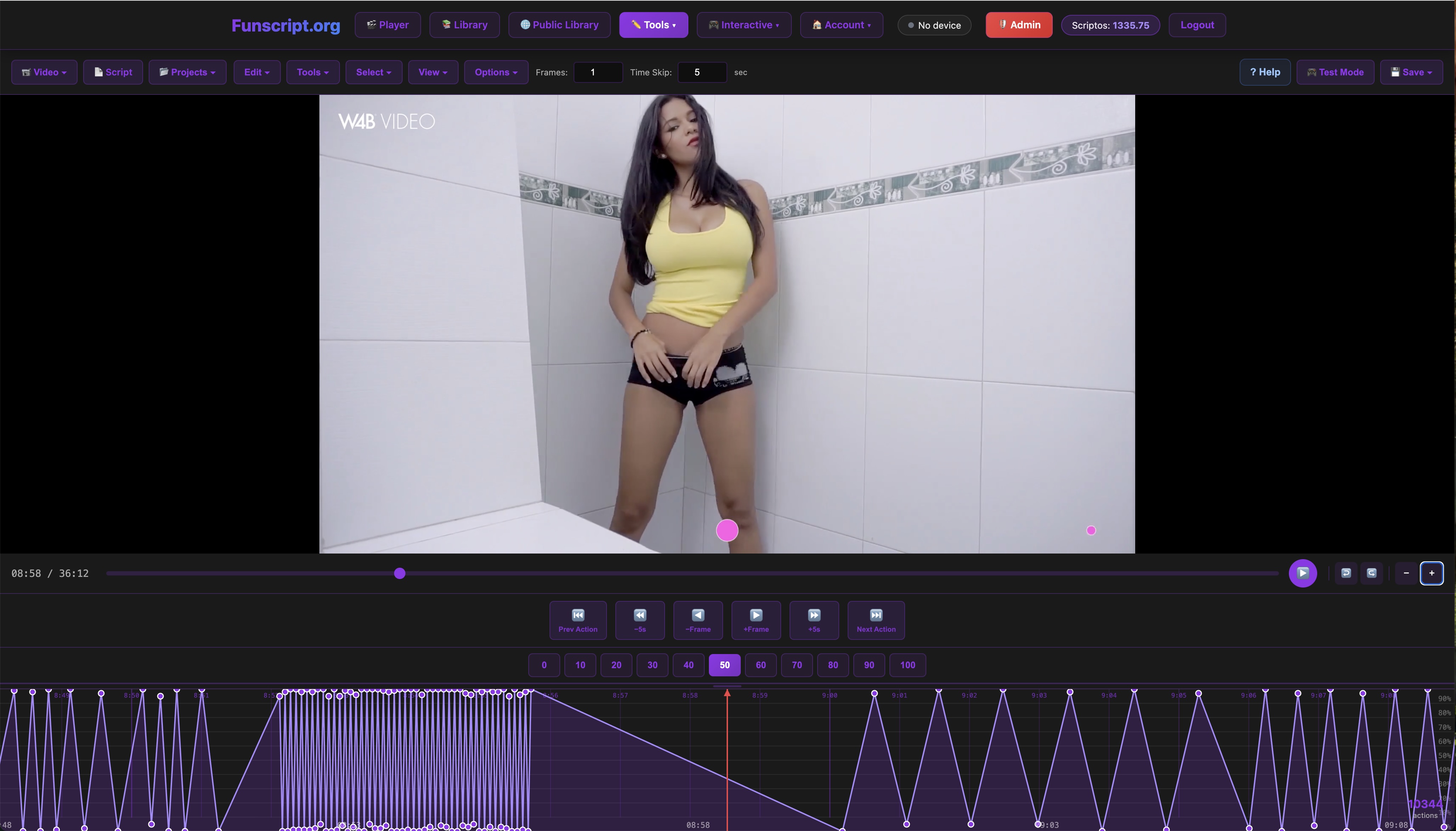
Another aspect that impressed me was the device's ability to maintain consistent power output throughout its battery life. Even towards the end of a charge, there was no noticeable drop in performance, which is a testament to the device's efficient power management.
Comparisons with Other Vibrators
When it comes to vibrators, the Satisfyer Ultra Power Bullet 8 holds its own. However, how does it compare to other popular devices like the lovense Lush 3 and We-Vibe Vector+?
Lovense Lush 3
The Lovense Lush 3 is known for its wearable design and long-distance control capabilities via the Lovense Remote app. While both devices offer Bluetooth connectivity and funscript support, the Ultra Power Bullet 8's compact form factor makes it more discreet and portable. The Lush 3, on the other hand, is better suited for wearable use and offers a slightly wider range of vibration patterns.
Lovense Toys
In terms of vibration strength, the Lush 3 is comparable, but the Ultra Power Bullet 8 offers more focused vibrations that can be more intense when used directly against the skin. The choice between these two will largely depend on how you plan to use the device and whether portability or wearability is more important to you.
We-Vibe Vector+
The We-Vibe Vector+ is designed for dual stimulation, offering prostate and perineum vibrations. While the Vector+ targets a more specific use case, the Ultra Power Bullet 8 is more versatile for general use. Its intense, targeted vibrations make it ideal for those who prefer concentrated stimulation over dual-action devices.
Additionally, the Vector+ is a bit more complex to set up due to its dual motors and the need to position it correctly for optimal use. The Ultra Power Bullet 8, being a single-motor device, is simpler and faster to set up, making it more convenient for quick sessions or travel.
| Device | Bluetooth Connectivity | Funscript Support | Price Range |
|---|---|---|---|
| Ultra Power Bullet 8 | ✅ | ✅ | Unknown |
| Lovense Lush 3 | ✅ | ✅ | $100-120 |
| We-Vibe Vector+ | ✅ | ✅ | $130-160 |

In conclusion, the Ultra Power Bullet 8 is a solid choice for those seeking a compact and powerful vibrator with reliable funscript support. Its performance and ease of use make it a standout in its category. If portability and intense vibrations are high on your list, this device is certainly worth considering.
Exploring Alternative Uses and Settings
While the Satisfyer Ultra Power Bullet 8 excels in traditional uses with funscript synchronization, there are alternative ways to enjoy this device that you might not have considered. Its versatility extends beyond standard video syncs, offering creative ways to enhance your experience.
Interactive Games
One exciting avenue to explore is the integration of interactive games on platforms like Funscript.org's games page. These games offer unique ways to sync your device's vibrations with in-game actions, providing an engaging and playful experience that goes beyond video synchronization.
In my testing, connecting the Ultra Power Bullet 8 to interactive games was seamless. The device responded accurately to game prompts, adding a layer of physical feedback that made the gaming experience more immersive. This feature is perfect for those looking to add a bit of fun and unpredictability to their sessions.
Stamina Training
Another interesting use of the Ultra Power Bullet 8 is for stamina training. By utilizing funscripts designed to mimic varying levels of intensity and duration, users can train their endurance and control. This can be a valuable tool for those looking to improve their performance and prolong their enjoyment.
The ability to customize funscripts means you can tailor training sessions to your personal goals, whether that's building up endurance over time or mastering control through patterned sessions. The device's consistent performance ensures that your training remains effective, session after session.
Conclusion
Final Thoughts
After extensively testing the Satisfyer Ultra Power Bullet 8, it’s clear that this device is designed for users who value portability without sacrificing power. Its compatibility with Funscript.org and Intiface Central makes it an excellent choice for anyone looking to enhance their interactive experiences. The compact design and intense, focused vibrations make it a versatile tool in any collection.
Who Should Buy?
The Ultra Power Bullet 8 is ideal for tech-savvy individuals seeking a powerful, interactive experience with their favorite adult content. Whether you're new to funscripts or an experienced user, this device offers an easy entry into the world of synchronized pleasure. Its seamless integration with platforms like Funscript.org ensures you can explore a wide range of content and experiences with ease.

Frequently Asked Questions
How do I connect the Ultra Power Bullet 8 to my device?
To connect the Ultra Power Bullet 8, use Intiface Central to pair the device via Bluetooth. First, ensure the device is in pairing mode, then start the server in Intiface Central and scan for devices. Once paired, connect it through Funscript.org's Dashboard by selecting 'Intiface Central' and using the default WebSocket URL. Ensure all software is up to date for the best connectivity experience.
Is the Ultra Power Bullet 8 compatible with Funscript.org?
Yes, the Ultra Power Bullet 8 is fully compatible with Funscript.org via Intiface Central. This allows for synchronized vibration experiences with video content, enhancing immersion. The support for funscript synchronization means you can enjoy seamless integration with a variety of interactive sessions available on the platform.
What makes the Ultra Power Bullet 8 unique?
Its compact design, powerful vibrations, and seamless funscript integration make it stand out in the market. It's especially favored for its portability and intense, focused stimulation. The ease of connectivity and reliable performance further enhance its appeal, making it a preferred choice for both new users and seasoned enthusiasts.
How does funscript synchronization work with the Ultra Power Bullet 8?
Funscript synchronization maps the vibration intensity to funscript values, allowing the device to react in real-time to the video's action, providing an immersive and hands-free experience. The precision of this synchronization is enhanced by the device's low latency and consistent performance, ensuring a smooth and engaging session every time.
Can the Ultra Power Bullet 8 be used for interactive games?
Yes, the Ultra Power Bullet 8 can be used with interactive games available on platforms like Funscript.org. This feature adds a layer of excitement by syncing the device's vibrations with in-game events, offering a unique and playful way to enjoy your device beyond traditional videos.
For more detailed reviews and guides, check out our Blog for the latest articles and insights.