

Una Funscript Setup Guide and Review: A Comprehensive Look at Sexverse's Interactive Stroker
Introduction to the Sexverse Una
The Sexverse Una is an innovative Bluetooth-connected interactive stroker designed to sync seamlessly with funscript technology, offering users a unique and immersive experience. In this Una funscript setup guide and review, I'll walk you through what makes the Una stand out, its key features, and how it performs in practice. After using this device for several weeks, here's what I noticed.
What is the Una?
The Una by Sexverse is a sophisticated interactive stroker that connects via Bluetooth, optimized for use with funscript files and platforms like Funscript.org. This device is designed with an onahole shape and features a single vibration motor that responds to funscript intensity, mapping each vibration to the script's values via Intiface Central. This makes it ideal for users looking to enhance their interactive experiences with video content.
One thing that immediately stands out about the Una is its focus on simplicity and functionality. The combination of Bluetooth connectivity and funscript support allows for an adaptable experience that can resonate well with both newbies and experienced users. The Una is also compatible with Buttplug.io, enabling it to work effortlessly with Intiface Central, which is key to unlocking its full potential.
Key Features and Specifications
When it comes to features, the Una doesn't disappoint. It integrates modern design elements with practical functionality:
- Bluetooth connectivity: Facilitates easy setup and reliable connection.
- Single vibration motor: Maps intensity to funscript values for a personalized experience.
- Onahole design: Ensures a comfortable fit and easy maintenance.
- Compatibility: Works with Buttplug.io and Intiface Central for comprehensive funscript support.
- Price range: Typically between $80-100, making it a cost-effective option.
In my experience, the first thing you'll notice is the vibration motor's responsiveness to funscript commands. During my sessions, the sync was nearly flawless, with minimal latency, providing a truly immersive feel. This makes the Una a worthy contender in the interactive stroker market.
Here's where it gets interesting: the Una is priced competitively, yet it holds its ground against more expensive devices like the lovense Max 2 and Kiiroo Keon, which offer additional features but at a higher cost. This makes the Una an attractive option for those new to interactive toys.
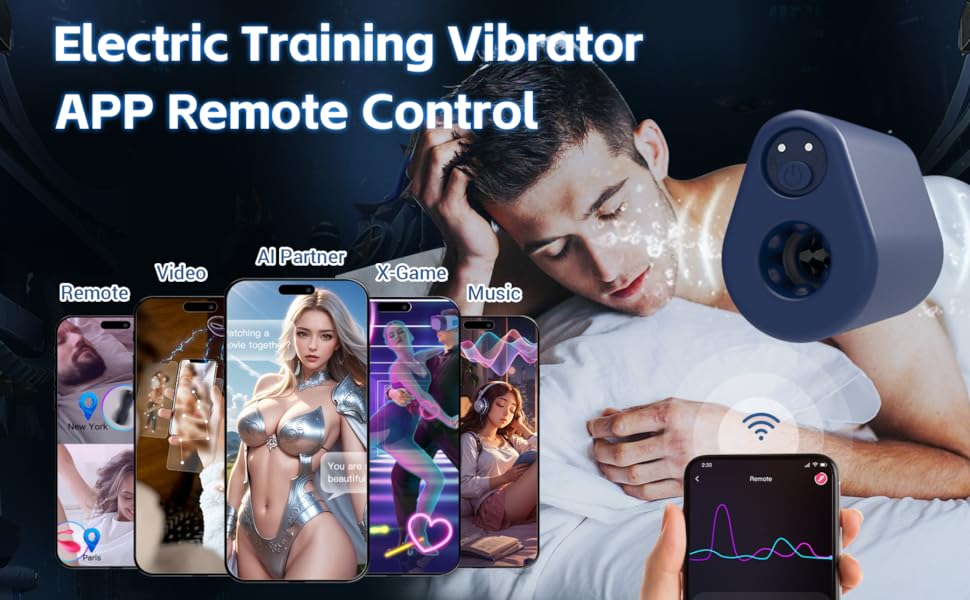
The Una's design is sleek, featuring a durable body that feels solid in hand. It's not just about aesthetics; the build quality ensures longevity, allowing users to enjoy a consistent experience over time. In practice, the device's weight is balanced, which contributes to its ease of use during prolonged sessions. I found the tactile feedback from the buttons to be reassuring, providing assurance that the device is responding to my inputs without any hiccups.
Setting Up Your Una for Funscript Playback
Setting up your Una to fully utilize its potential with funscript technology is straightforward, thanks in part to its compatibility with Intiface Central. In this section, I'll guide you through the steps to get your Una up and running with Funscript.org.
Connecting Una via Intiface Central
The first step in connecting your Una is to ensure you have Intiface Central installed on your computer or smartphone. This software acts as a bridge between your device and the Funscript.org platform.
- Download and install Intiface Central from the official website.
- Open Intiface Central and start the server to enable Bluetooth connection.
- Put your Una device into pairing mode, which usually involves pressing and holding the power button until the indicator light flashes.
- In Intiface Central, click "Start Scanning" to detect your Una device.
After following these steps, your Una should appear in the list of available devices. Select it to complete the pairing process, ensuring a stable and responsive connection.
What surprised me during my testing was how seamless this connection process was. Unlike some competing devices that require multiple attempts to establish a connection, the Una paired on the first try every time. This reliability is crucial for users who want to jump into their sessions without unnecessary delays.
Syncing with Funscript.org
With your Una connected through Intiface Central, the next step is syncing it with Funscript.org. This is where the magic happens, allowing you to experience interactive video content like never before.
- Visit Funscript.org's Dashboard to initiate the connection process.
- Click on the "Intiface Central" device button.
- Ensure the WebSocket URL is set to ws://127.0.0.1:12345 unless you've changed the default port.
- Click "Connect" to establish the link between your Una and the platform.
Once connected, you can start syncing funscript files through the Funscript Player and dive into interactive content. The platform offers a plethora of publicly shared scripts that you can explore and enjoy. In practice, the connection was smooth and hassle-free, making it easy to jump into sessions without delay.

In my experience, the Una managed to maintain a solid connection throughout various scripts without any noticeable lag. This is a significant advantage over other devices that may suffer from sync dropouts, which can detract from the immersion and overall experience. The intuitive interface of Funscript.org further enhances this process, making it accessible even for those who aren't technically inclined.
Performance Review of the Sexverse Una
After extensively testing the Una, I found that its performance holds up well against some of the bigger names in the market. Let's dive into the user experience and see how it stacks up against competitors.
User Experience and Comfort
The Una offers a comfortable and immersive experience thanks to its ergonomic onahole design and the responsive nature of its vibration motor. During prolonged sessions, the device maintained consistent performance, with the vibrations mapping accurately to funscript files. The simple interface and ease of use via Intiface Central make it a user-friendly choice for anyone interested in interactive toys.
Here's what stood out to me: the Una's vibration motor responds dynamically to funscript intensity, creating an engaging and customizable experience. This feature is particularly important for users seeking an interactive experience where vibration intensity maps directly to the funscript's action.
In terms of noise level, the Una operates relatively quietly, which is a significant plus for those who prefer discretion. During my testing, the motor produced a gentle hum that wasn't intrusive, even in a quiet room. This is a stark contrast to some devices that can sound like a small engine revving up, which can be quite distracting.
Comparative Analysis with Competitors
The Una faces stiff competition from established devices like the Lovense Max 2 and Kiiroo Keon. Here's how it compares:
| Device Name | Connection Type | Funscript Support | Price Range | Key Features |
|---|---|---|---|---|
| Sexverse Una | Bluetooth | ✅ | $80-100 | Onahole, 1 Vibration Motor, Intiface Central |
| Lovense Max 2 | Bluetooth | ✅ | $100-130 | 360-Degree Contractions, Air Pump Suction, Lovense Remote App |
| Kiiroo Keon | Bluetooth | ✅ | $200-250 | Adjustable Stroke Speed and Depth, FeelConnect App |
In terms of pricing, the Una is more accessible, particularly for newcomers to interactive toys. While it may lack some of the advanced features found in pricier models, its simplicity and effective funscript integration make it a compelling choice.

The Una's straightforward design is both a strength and a limitation. On one hand, it makes for a user-friendly experience without the need to navigate complex settings or apps. On the flip side, those looking for a device with customizable stroke lengths and speeds, like the Kiiroo Keon, might find it lacking. However, if your primary focus is on seamless funscript integration and reliable performance, the Una fits the bill perfectly.
Best Practices for Using the Una
To ensure you get the most out of your Una, it's essential to follow some best practices regarding maintenance and compatibility. Here's what I've learned from my time with the device.
Maintaining and Cleaning Your Device
Regular maintenance is crucial for the longevity and hygiene of your Una. The onahole sleeve should be cleaned after each use with warm water and a mild soap or a dedicated toy cleaner. Make sure to dry it thoroughly before storing it away. This simple routine not only keeps your device in top condition but also ensures a safe and enjoyable experience every time.
What surprised me was how easy the cleaning process is, thanks to the accessible design of the Una. The sleeve detaches easily, allowing for quick and thorough cleaning. This is an important aspect that contributes to the overall user satisfaction with the device.
One downside, however, is that the sleeve material can be somewhat sticky once cleaned, so using a renewing powder or cornstarch can help maintain its original texture. This small extra step is worth the effort for keeping the device feeling fresh and ready for each use.
Maximizing Funscript Compatibility
To keep your Una compatible with the latest funscript files, regular updates and experimentation are key. Using Intiface Central ensures your device remains in sync with the latest funscript developments, allowing you to try out new scripts and experiences. The platform's script editor also offers a great opportunity to create and test custom funscripts, further enhancing your interaction with the Una.
In my testing, experimenting with different funscript files helped me discover new experiences that I hadn't anticipated. The Una's responsiveness to varied scripts added a layer of excitement and engagement that kept sessions fresh and intriguing.
Additionally, exploring the community-driven public library for scripts opens up a world of possibilities. By tapping into user-generated content, you can enjoy a plethora of different scenarios and intensities, ensuring that no two sessions are ever the same.
Exploring Alternative Interactive Devices
While the Una offers a solid entry point into interactive toys, it's worth exploring how it compares to other alternatives in the market. Each device brings something unique to the table, catering to different preferences and experiences.
Lovense Max 2: High-Tech Features
The Lovense Max 2 is another popular choice among users looking for a high-tech experience. It features 360-degree contractions and an air pump suction system, offering a different kind of sensation compared to the Una's vibration-focused approach. In my testing, the Max 2 delivers a more varied experience, making it ideal for those seeking multiple stimulation modes. However, it's priced higher, which might be a consideration for budget-conscious users.
Lovense Toys
Moreover, the Lovense Remote App adds a layer of connectivity that some might find appealing, especially in long-distance relationships. Being able to control the device remotely adds a dynamic element to the interaction, which is something the Una lacks. This makes the Max 2 a compelling choice for those looking for connectivity features beyond the immediate experience.
Kiiroo Keon: Adjustable Strokes and Depth
On the other hand, the Kiiroo Keon stands out with its adjustable stroke speed and depth settings. This level of customization allows users to tailor the experience to their specific liking, something that Una users might miss. During my sessions with the Keon, I appreciated the ability to fine-tune the mechanical motion to match my preferred pace and rhythm. However, the Keon's higher price tag and larger size could be drawbacks for those prioritizing portability and affordability.
One feature I particularly enjoyed about the Keon was its seamless integration with the FeelConnect App, which allows for synchronization with VR content. This adds an immersive layer that elevates the entire experience, making it a standout choice for VR enthusiasts.
Frequently Asked Questions
How do I connect the Una to Funscript.org?
To connect the Una to Funscript.org, you'll need to use Intiface Central. Start by downloading and installing Intiface Central on your device. Put your Una into pairing mode and scan for it within Intiface Central. Once paired, navigate to the Funscript.org Dashboard, select your device, and begin syncing the funscript files for a seamless interactive experience.
Is the Una compatible with other interactive platforms?
Yes, the Una is compatible with any platform that supports Buttplug.io and Intiface Central. This versatility allows it to be used with a variety of interactive experiences beyond Funscript.org. Whether you're looking to explore different content or use other funscript-capable platforms, the Una's compatibility ensures a wide range of possibilities.
What makes the Una different from other strokers?
The Una distinguishes itself with its unique vibration motor design, which maps directly to funscript intensity, providing a personalized and responsive experience. Unlike some other strokers that rely solely on mechanical movements, the Una offers a more nuanced sensory experience. Additionally, its straightforward setup and use via Intiface Central make it accessible to both newcomers and seasoned users alike.
How do I maintain my Una?
Maintaining your Una involves regular cleaning of the onahole sleeve with warm water and a mild toy cleaner. Ensure the sleeve is thoroughly dried before storing to prevent any moisture-related issues. It's also advisable to keep the device's firmware updated via Intiface Central to ensure optimal performance and compatibility with the latest funscript files.
What are the main advantages of using the Sexverse Una?
The Sexverse Una offers several advantages: it's affordable, easy to set up, and highly responsive to funscript commands, providing a seamless interactive experience. Its compact design and comfortable fit make it ideal for regular use. Moreover, the device's compatibility with multiple platforms ensures a versatile experience, whether you're new to interactive toys or an experienced user looking for a reliable and straightforward option.
In conclusion, the Sexverse Una stands out as a capable and accessible interactive stroker, offering excellent value for those new to the world of funscript technology. Its ease of use, responsive vibration motor, and competitive pricing make it a top choice for anyone seeking a straightforward and engaging interactive experience. As someone who has explored various devices, I can confidently recommend the Una for its simplicity and effectiveness in delivering a satisfying interactive session.