

Understanding Multi-Device Sync with Funscripts: A Guide to The Handy, Kiiroo Keon, and More
Introduction to Multi-Device Sync
Understanding multi-device sync with funscripts is essential for anyone looking to enhance their interactive experiences. If you've ever wanted to take your pleasure sessions to the next level, syncing multiple devices can offer a uniquely immersive experience. Imagine a scenario where your stroker and vibrator work in perfect harmony, each responding to the same funscript file. It’s like having a personal orchestra of sensations, all playing in sync with your chosen video content.
But why should you consider syncing multiple devices in the first place? The answer lies in maximizing stimulation and immersion. By orchestrating different devices to work together, you can create a more enveloping experience that stimulates multiple senses simultaneously. Whether it's a stroker paired with a vibrator or a combination of other interactive toys, the synergy can be quite electrifying.
Regarding compatibility, Funscript.org supports a broad range of devices, ensuring most users can enjoy multi-device sync. From strokers like The Handy and Kiiroo Keon to vibrators such as lovense Max 2, the platform provides ample opportunities for exploration. Let's delve deeper into the devices that make multi-device sync possible and how you can get them connected seamlessly.
Here’s what you need to know right off the bat: multi-device sync isn't just about doubling up on the fun — it's about crafting a holistic encounter. Each device contributes a unique element to the experience, allowing for a rich tapestry of sensations that a single device simply can't achieve. This kind of setup is perfect for those who crave complexity and depth in their interactive sessions.

Popular Devices for Multi-Device Sync
The Handy
After using The Handy for a few weeks, the first thing I noticed was its impressive WiFi streaming capability. This device is particularly known for its high-speed servo motor, which allows for precise synchronization with funscript files via the HandyFeeling API. The motor delivers up to 10 strokes per second, making it a game-changer for real-time interaction. Priced between $130-160, it offers excellent value for its capabilities.
Handy
The Handy's build quality is robust, and it feels solid in hand. The noise level is moderate, which is acceptable given the power of its motor. What really stood out in my testing was the seamless WiFi connection, allowing smooth and uninterrupted sessions. To connect The Handy, follow these steps:
- Power on The Handy and ensure it’s connected to a stable WiFi network.
- Visit handyfeeling.com and log in or create an account.
- Find your Connection Key in your HandyFeeling account.
- On Funscript.org, go to the Dashboard.
- Click the "The Handy" device button and enter your Connection Key.
- Click "Connect" to sync automatically via the HandyFeeling cloud server.
In practice, the Handy’s real-time response to the funscript files makes it feel like the device is reading the script directly from your mind. This level of responsiveness is particularly impactful during longer sessions, where consistency and accuracy are key to maintaining immersion. The battery life also holds up well, lasting through multiple sessions without needing a recharge.
Kiiroo Keon
In my experience with the Kiiroo Keon, its Bluetooth connectivity and adjustable stroke speeds were the highlight features. Available for $200-250, the Keon delivers a customizable interaction through its companion app, FeelConnect. The app support allows for interactive content sync, making it versatile for both video and VR experiences.
The Keon's build is sleek, and it offers ten different stroke speeds, which you can adjust according to your preferences. The noise level is slightly higher than The Handy, but it’s still within a comfortable range for most users. One downside is the need for Intiface Central to connect via Bluetooth, which adds an extra step to the setup process.
What’s fascinating about the Keon is its ability to deliver subtle yet impactful variations in speed. This allows users to finely tune their experiences, creating a more personalized session. In terms of battery life, the Keon holds its charge well during extended play, making it reliable for those who enjoy longer experiences without interruption.

Lovense Max 2
Lovense Max 2 brings a unique feature set with its 360-degree contractions and air pump suction, adding a layer of realism to your sessions. Priced between $100-130, it’s one of the more affordable options for multi-device sync. The Max 2 connects via Bluetooth and is compatible with both Intiface Central and Lovense Connect, providing flexibility in connection methods.
Lovense Toys
What I noticed during my testing was the responsiveness of the air pump, which adjusts based on funscript intensity values. It’s a quieter device, making it ideal for those who need discretion. However, the initial setup can be slightly cumbersome due to the app requirements.
The Max 2’s ability to simulate realistic sensations with its air pump is a standout feature. It offers a different kind of engagement compared to the mechanical strokes of other devices. Additionally, its compact design makes it a convenient option for those who travel or have limited space for storage.
autoblow AI ultra
The Autoblow AI Ultra stands out with its AI-powered simulation and dual connectivity options via WiFi and Bluetooth. Priced at $200-250, it's a bit on the higher end, but the AI-powered blowjob simulation justifies the cost. The device uses machine learning to create realistic motion patterns, enhancing the interactive experience.
AutoBlow AI Ultra
In my experience, connecting the Autoblow was straightforward. The whisper-quiet motor was a pleasant surprise, given its power. Here’s how to connect it:
- Power on the Autoblow Ultra and connect it to your WiFi network.
- On Funscript.org, go to the Dashboard.
- Click the "Autoblow Ultra" device button and enter the device's IP address or pairing code.
- Click "Connect" to pair directly over your local network.
The Autoblow’s AI-driven functionality provides an experience that feels almost intuitive. It adjusts its performance based on the script and the detected preferences, offering a custom-tailored session each time. The device’s advanced technology allows for an unparalleled level of realism and engagement.

| Device | Price | Features |
|---|---|---|
| The Handy | $130-160 | WiFi streaming, high-speed servo motor |
| Kiiroo Keon | $200-250 | Bluetooth, adjustable stroke speeds |
| Lovense Max 2 | $100-130 | 360-degree contractions, air pump suction |
| Autoblow AI Ultra | $200-250 | AI-powered simulation, WiFi and Bluetooth |
How Multi-Device Sync Works
Connecting Your Devices
To achieve the seamless synchronization of multiple devices, you need to establish a reliable connection, typically through WiFi or Bluetooth. Devices like The Handy and Kiiroo Keon can connect via these methods and sync using funscript motion files. For WiFi connections, it's crucial to ensure that your network is stable to avoid any interruptions during sessions. Bluetooth connections, on the other hand, often require a bridge like Intiface Central for compatibility.
Connecting your devices to Funscript.org is relatively straightforward, thanks to the platform's intuitive interface. The key is to follow the specific connection steps for each device, as detailed in their respective sections. Once connected, the devices communicate with the funscript files to execute precise movements in sync with your chosen video content.
In my experience, the connection process is smooth if you follow the instructions carefully. The sync quality, once established, tends to be stable with minimal latency, which is especially important for those immersive experiences where timing is everything. Whether you're streaming a high-intensity scene or a slow, deliberate script, maintaining a strong connection ensures the devices perform as expected.
Using Funscripts for Sync
Funscripts are the heart of multi-device sync, allowing for precise synchronization of device movements with video content. These motion files contain detailed instructions that dictate how and when a device should move, creating a perfectly timed interactive experience. By using funscripts, users can enjoy a session where every thrust, contraction, or vibration is in harmony with the on-screen action.
To get started, you can explore the public library on Funscript.org, where users share videos paired with funscript files. This community-driven approach ensures a wide variety of content is available for exploration. Once a funscript is loaded in the Funscript Player, it takes care of synchronizing your connected devices in real-time, offering an immersive and hands-free experience.
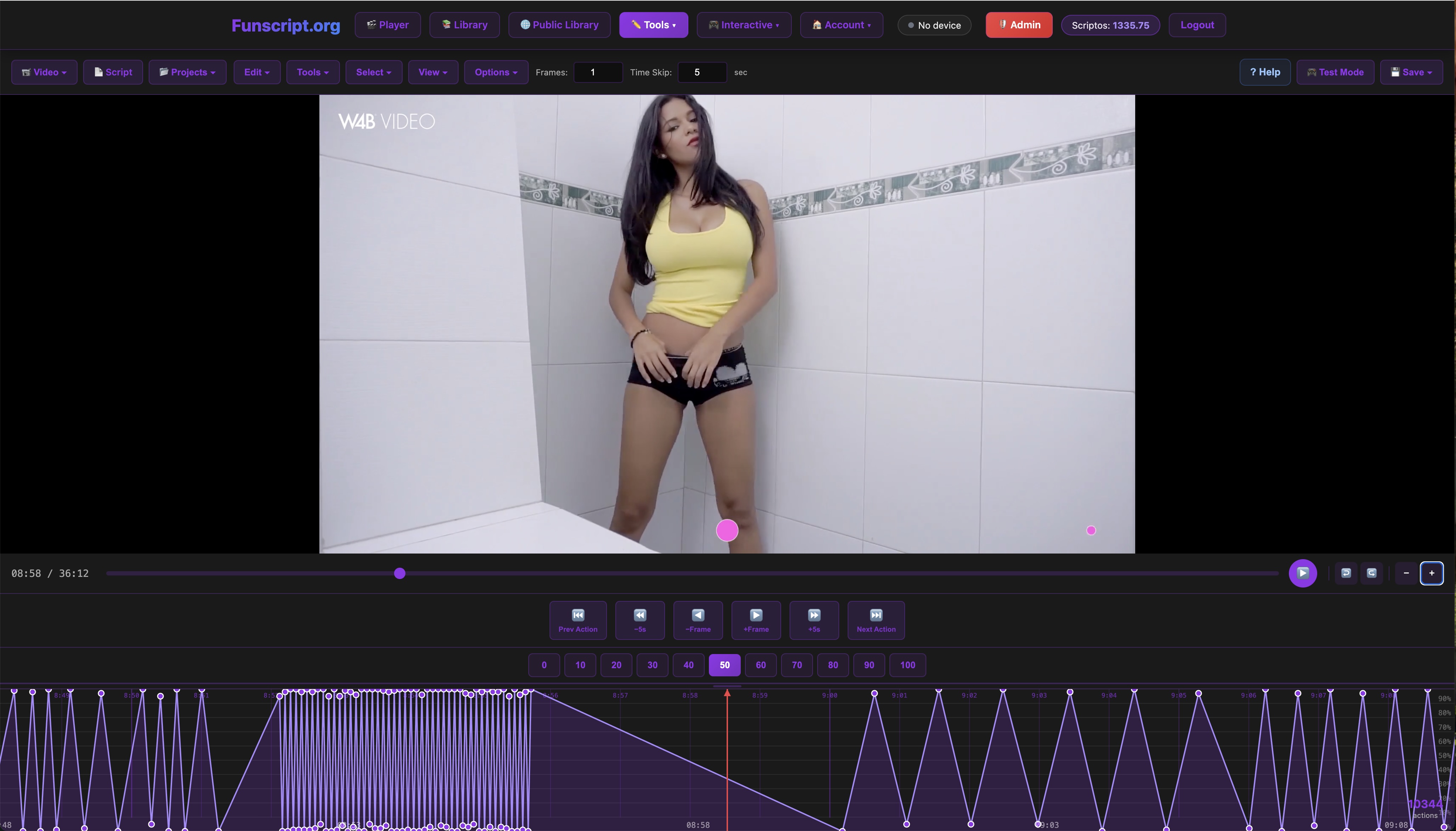
What I found particularly useful is the ability to customize or even create your own funscripts using the Funscript Editor. This tool offers users the chance to tailor their experience to their exact preferences, whether that means adjusting intensity levels or crafting entirely new motion patterns. It’s a powerful way to ensure that every session is uniquely suited to your tastes.
Maximizing Your Experience
Tips for Optimal Sync
To get the most out of your multi-device sync sessions, it's essential to ensure that all your devices are properly connected and calibrated. This means double-checking that each device is paired correctly, and any necessary apps or bridges like Intiface Central are running. It's also a good idea to familiarize yourself with the specific features of each device, as different toys offer varying levels of control and customization.
Additionally, consider experimenting with the sync offset settings in the Funscript Player. This feature allows you to fine-tune the timing of the device movements to match your video's action precisely, providing a more seamless and immersive experience.
In my testing, I found that adjusting these settings can make a significant difference, especially in ensuring that each device’s performance is perfectly aligned with the funscript instructions. This fine-tuning can transform a good experience into a great one, making it well worth the effort to get it just right.
Exploring Advanced Features
Beyond basic synchronization, Funscript.org offers advanced features that can further enhance your interactive sessions. For instance, AI Control introduces an AI companion mode where an AI personality takes full control of your connected devices during a live voice or text conversation. This feature allows for dynamic adjustments based on conversation flow, adding a layer of personalization to your experience.
Another exciting feature is Cruise Control, which offers hands-free device autopilot with customizable motion patterns. This feature allows you to enjoy your devices without needing a specific funscript or video, providing endless possibilities for personalized pleasure sessions.
These advanced features are particularly useful for users who enjoy a hands-free experience or want to delve deeper into interactive storytelling. The AI Control, for example, can create scenarios where the AI anticipates your needs and responds dynamically, leading to a session that feels more like a personalized encounter than a pre-set sequence.

Frequently Asked Questions
What is multi-device sync with funscripts?
Multi-device sync with funscripts involves using multiple interactive sex toys simultaneously, syncing them to video content via funscript motion files for enhanced stimulation. This setup allows for a more immersive and stimulating experience, as each device can perform its function in harmony with the others. The synchronization ensures that the experience feels coherent and well-orchestrated, adding depth and variety to your sessions.
Which devices are compatible with multi-device sync?
Devices like The Handy, Kiiroo Keon, and Lovense Max 2 are compatible with Funscript.org for multi-device sync. These devices utilize either WiFi or Bluetooth connections to sync with the platform effectively. Each device offers its unique set of features, allowing for a tailored experience depending on your preferences. Compatibility ensures you can mix and match different devices for a personalized setup.
How do I connect my devices for multi-device sync?
Devices can be connected via WiFi or Bluetooth and synced using funscript motion files through Funscript.org's platform. For Bluetooth devices, Intiface Central is often required as a bridge, while WiFi devices can connect directly. The connection process is streamlined through the platform's intuitive interface, ensuring you spend more time enjoying your devices and less time troubleshooting connections.
Are there any additional costs for using Funscript.org features?
Funscript.org offers both free and premium features like AI Control and Cruise Control that may require in-app credits. While basic features like the Funscript Player are free, premium options provide enhanced functionality for a fee. Investing in premium features might be worthwhile for those seeking a more sophisticated and customizable experience, adding extra layers of interactivity to your sessions.
Can vibration-only devices be used for multi-device sync?
Yes, vibration-only devices can be used for multi-device sync via intensity mapping, where higher funscript values result in stronger vibrations. Although they can't replicate stroke movements, they still offer a synced experience with video content, adding another dimension to your interactive sessions. This makes them ideal for users who prefer non-penetrative stimulation or want to complement other synced devices.
What if I encounter issues with device synchronization?
If you encounter issues with device synchronization, first check your connections, ensuring that all devices are properly paired and that your network is stable. Consulting the device's user manual and Funscript.org's help resources can also provide solutions to common problems. Persistent issues might require reaching out to customer support for further assistance.
In conclusion, understanding multi-device sync with funscripts opens up new possibilities for interactive experiences. Whether you're using The Handy, Kiiroo Keon, or Lovense Max 2, syncing multiple devices allows for a more immersive and stimulating session. By exploring the features available on Funscript.org, you can tailor your experience to suit your preferences, ensuring each session is as enjoyable as the last.