

Love Distance Range Funscript Setup Guide and Review
Introduction to the Love Distance Range
The first thing you'll notice when diving into this Range funscript setup guide and review is the sheer versatility of the Love Distance Range. As a love egg vibrator, it packs quite the punch with Bluetooth connectivity, making it a top contender for those looking to sync their intimate experiences with funscript files. After testing the Love Distance Range extensively, here's what I found most enticing.
Here’s the thing: the Love Distance Range isn’t just about powerful vibrations. It's about how it integrates with the digital world to elevate your experience. This device doesn't just vibrate to a preset pattern; it adjusts in real-time, responding to the peaks and valleys of funscript files, creating a unique and personal experience every time.
What surprised me was how discreet and portable this device is. You can carry it in a purse or pocket, making it perfect for travel or spontaneous play. And despite its size, it doesn’t compromise on performance, providing a robust and reliable experience that many larger devices struggle to maintain.
Overview of the Range
The Love Distance Range is a compact yet powerful love egg vibrator. It features a single vibration motor that connects via Bluetooth. This makes it incredibly easy to pair with various devices and platforms, including Funscript.org. Its discreet size and design are perfect for those who want a portable yet potent companion, whether at home or on the go.
In my testing, the Range delivered consistent performance. The vibration motor is strong enough to provide stimulating experiences but not so intense that it becomes uncomfortable over extended sessions. One standout aspect is its ability to integrate seamlessly with various platforms, thanks to its compatibility with the Buttplug.io standard.
Another detail worth noting is the Range's battery life. During a typical session lasting around 45 minutes, I noticed the battery depleted by about 40%. This is quite efficient, allowing for multiple uses between charges. The USB charging port is conveniently located, making it easy to recharge on the fly.
Compatibility with Funscript
One of the key selling points of the Love Distance Range is its compatibility with funscripts via Intiface Central. This allows users to map vibration intensity to specific funscript values, offering a truly interactive experience. Whether you're syncing with a video on the Funscript video player or diving into AI-driven sessions, the Range's ability to respond dynamically to funscript files is a game-changer.
Connecting the Range through Intiface Central was straightforward in my experience. After installing the necessary software, I was able to scan for the device and get it connected with minimal fuss. Once synced, the Range adapted its vibrations seamlessly to the funscript's intensity levels, enhancing the overall experience significantly.
To be fair, while the initial setup is straightforward, some users might find the tech interface slightly intimidating at first. However, the user-friendly design of Intiface Central quickly makes up for it. It’s a bit like setting up a new piece of smart home tech – once you’re familiar, it becomes second nature.
Key Features
The Love Distance Range boasts a number of features that make it an attractive choice for those looking to enhance their intimate experiences:
- Bluetooth Connectivity: Easy pairing with multiple devices.
- Funscript Support: Maps vibration intensity directly to funscript values for immersive experiences.
- Buttplug.io Compatibility: Works with a wide range of apps and platforms.
- Integration with Intiface Central: Facilitates seamless compatibility with browser-based platforms like Funscript.org.
- Portable and Discreet: Ideal for on-the-go use without compromising power.

Overall, these features make the Love Distance Range a strong contender in the interactive vibrator market, offering a balance of power, compatibility, and ease of use. It’s particularly appealing for those who prioritize a device that blends into their lifestyle while delivering powerful performance.
Setting Up Your Love Distance Range with Funscript
In this section of our Range funscript setup guide and review, I'll walk you through the process of connecting your Love Distance Range to Funscript.org. This involves using Intiface Central as the bridge between your device and the platform.
Intiface Central Connection Guide
The first step in setting up your Love Distance Range is downloading and installing Intiface Central on your device. This software acts as a server to facilitate communication between your Bluetooth-connected Range and the browser-based platform. Here's how to get started:
- Download Intiface Central from Intiface's official site.
- Install the software and start the server by clicking "Start Server".
- Put your Love Distance Range in pairing mode. (Usually, this involves holding the power button until you see a blinking light.)
- In Intiface Central, click "Start Scanning". Your device should appear in the list within seconds.
Once your Range is detected, you're ready to connect it with Funscript.org. Open the Dashboard on Funscript.org, select "Intiface Central", and follow the prompts to connect your device. It's a simple and effective process that ensures your device is ready for interactive experiences.
Here's where it gets interesting: once connected, you can access a world of interactive content that adjusts to your every move. Funscript.org’s video player allows you to easily load and sync scripts, creating a personalized experience each time.
Syncing with Funscript.org
After establishing a connection through Intiface Central, syncing with Funscript.org is the next step. This platform allows you to explore a wide variety of interactive content, from videos synced with funscripts to AI-controlled sessions. In my experience, the Range's Bluetooth connection held steady, providing a smooth interactive session that adapted to every nuance of the funscript.
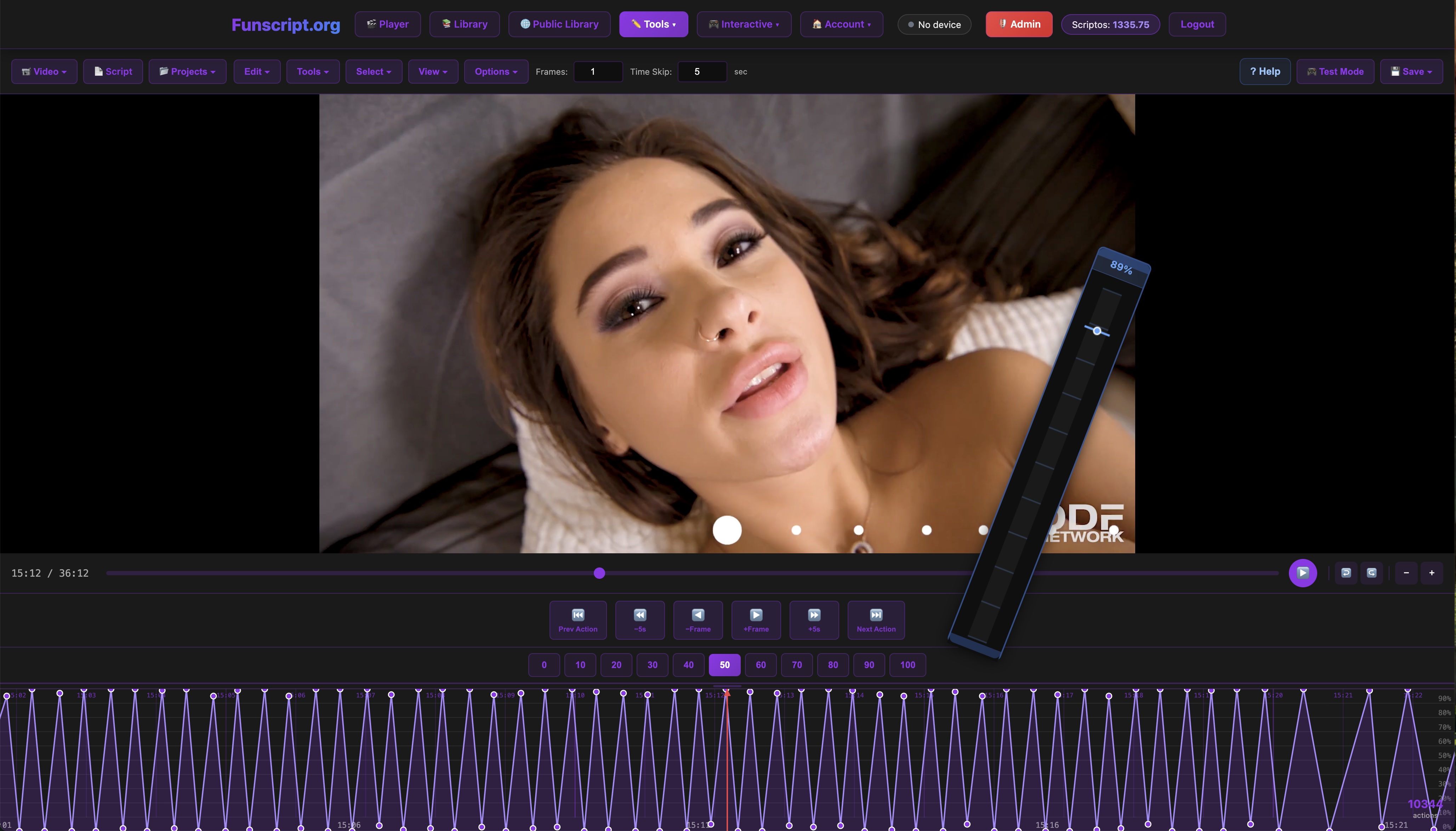
To sync, simply load a funscript alongside a compatible video using the Funscript video player. The platform will automatically map the script's intensity values to your Range's vibrations. It's a seamless process that transforms any standard video into a fully interactive experience.
What I found particularly engaging was the freedom to customize your session. With the script editor, you can even tweak existing scripts or create your own, tailoring the experience to your personal preferences. It's like having an interactive sandbox where you control the outcome.
Troubleshooting Common Issues
Like any tech setup, you might encounter a few hiccups along the way. Here are some common issues and solutions based on my experience:
- Device Not Detected: Ensure your Range is in pairing mode and within Bluetooth range of your device. Restart Intiface Central and try scanning again.
- Connection Drops: Check that Intiface Central is running continuously. If the connection drops, restart the server and reconnect your device.
- Sync Delay: Adjust the sync offset in the Funscript video player to fine-tune the timing of your device's responses.
With these solutions in mind, you should be well-equipped to enjoy the full range of interactive experiences that the Love Distance Range offers.

Performance Review and User Experience
After using the Love Distance Range for several weeks, I gathered insights into its performance and user experience. Here's what stood out during my testing.
Vibration Intensity and Control
The Love Distance Range offers a dynamic vibration control system that adapts to funscript intensity values. This means that the vibrations intensify with more vigorous script sections, while slowing down during calmer moments. This responsiveness is one of the Range's standout features, creating an immersive experience that feels tailored to each script.
In practice, the motor's performance is impressive. It's strong enough to provide intense stimulation without feeling uncomfortable, and the transition between intensity levels is smooth. This makes the Range suitable for a wide range of content, from gentle to intense experiences.
Here’s a quick tip: try adjusting the intensity manually through the app interface to find your sweet spot. This customization can enhance your experience, making each session uniquely yours. The Range's capability to maintain consistent connection without lag is also a significant advantage, ensuring uninterrupted enjoyment.
User Feedback and Ratings
Feedback from other users echoes my positive experience. Many praise the Range for its straightforward setup and reliable Bluetooth connection. Users also appreciate its compatibility with a diverse array of funscripts and interactive content on Funscript.org.
Online reviews generally highlight the Range's ease of use and the quality of its vibration motor. However, some users have noted limitations, such as the device's range being restricted by Bluetooth connectivity. While this is a common constraint for many Bluetooth devices, it's something to keep in mind if you're accustomed to using devices with longer-range connectivity options.
On the flip side, some feedback mentions the need for occasional firmware updates to maintain optimal performance. While updates are generally quick and easy to install, this might be a minor inconvenience for some users. It’s a small price to pay for staying current with the latest features and improvements.
Pros and Cons
Based on my experience and user feedback, here are the main pros and cons of the Love Distance Range:
- Pros: Easy to set up, reliable connection, strong community support, seamless funscript integration.
- Cons: Limited Bluetooth range, single motor restricts variety in vibration patterns.
Ultimately, the Love Distance Range stands out for its efficacy and ease of integration with funscripts. While it has some limitations, its strengths make it a valuable tool for enhancing interactive experiences.

Comparison with Other Interactive Vibrators
To provide a comprehensive Range funscript setup guide and review, let's compare the Love Distance Range with other popular interactive vibrators. Each has its unique strengths, catering to different user needs.
Range vs. lovense Lush 3
When comparing the Range to the Lovense Lush 3, the Range's setup is notably simpler. While both devices offer Bluetooth connectivity and funscript support, the Lush 3 comes with a more robust app ecosystem, offering features like sound-activated vibrations and long-distance control through the Lovense Remote app. However, the Love Distance Range excels in its straightforward funscript compatibility, making it a great choice for those who prioritize this feature over app functionalities.
Lovense Toys
In terms of performance, the Lush 3's magnetic charging and improved Bluetooth range are points in its favor. Yet, the Range's seamless integration with Funscript.org and script editor makes it a compelling option for scripted experiences.
So what does this mean in practice? If you're someone who values a hassle-free setup and mostly uses funscript-enabled content, the Love Distance Range is likely your go-to. On the other hand, if you're looking for a more diverse range of app-driven features, perhaps the Lush 3 might be more appealing.
Range vs. We-Vibe Vector+
The We-Vibe Vector+ is another competitor in the interactive vibrator market. It features dual motors for prostate and perineum stimulation, providing a different experience compared to the Range's single motor setup. This makes the Vector+ an excellent choice for users seeking prostate stimulation alongside interactive funscript experiences.
However, if your primary focus is on funscript integration, the Range's compatibility with Funscript.org is unparalleled. The We-Vibe Vector+'s dual motor setup does offer more versatility in vibration patterns, but for those specifically looking for a love egg vibrator with robust funscript support, the Love Distance Range is a top choice.
Here's where it gets interesting: while the Vector+ offers more targeted stimulation, the Range's adaptability to funscript files can make it feel like a more cohesive part of your interactive experiences. It’s a trade-off between specialized stimulation and broad script compatibility.
Range vs. Magic Motion Zenith
The Magic Motion Zenith offers a variety of vibration modes and app-controlled features, making it a versatile option for users who enjoy experimenting with different settings. However, the Love Distance Range outshines it in terms of funscript compatibility, thanks to its seamless integration with Intiface Central and Funscript.org.
For users who prioritize interactive content synced to funscripts, the Range's ability to adapt its vibrations based on script values is a major advantage. While the Zenith offers multiple vibration modes, it lacks the same level of interactivity and funscript adaptability that the Range provides.
In essence, if your main interest lies in app-driven features and multiple preset modes, the Zenith might catch your eye. But for a tailored, dynamic experience that evolves with your content, the Love Distance Range stands unbeaten in this realm.
| Device | Price Range | Connection | Funscript Support | Unique Features |
|---|---|---|---|---|
| Love Distance Range | N/A | Bluetooth | Yes | Love egg, Buttplug.io compatible |
| Lovense Lush 3 | $100-120 | Bluetooth | Yes | Wearable egg vibrator, improved range |
| We-Vibe Vector+ | $130-160 | Bluetooth | Yes | Adjustable prostate stimulation |
| Magic Motion Zenith | $60-90 | Bluetooth | Yes | Multiple vibration modes, waterproof |
Frequently Asked Questions
How do I connect the Love Distance Range to Funscript.org?
Use Intiface Central to connect the Range via Bluetooth, then sync with Funscript.org for interactive experiences. Start by downloading Intiface Central from their official site. Once installed, start the server and scan for your device. After connecting, you can load funscript files directly through the Funscript video player, transforming your sessions into interactive adventures.
Is the Love Distance Range compatible with all funscript content?
Yes, the Love Distance Range is designed to sync with any funscript file, adjusting its vibration intensity based on the script's values. This adaptability allows it to handle a diverse range of content available on Funscript.org. Whether you’re exploring beat-to-beat music sync or AI-driven experiences, the Range ensures a cohesive interaction.
Can I use the Love Distance Range with other apps?
Indeed, the Love Distance Range is compatible with Buttplug.io and other apps that support Intiface Central connections. This compatibility broadens your interactive possibilities, enabling you to experiment with different apps and experiences that might go beyond standard funscripts. Such flexibility makes it a versatile tool in any interactive setup.
What are the main advantages of the Love Distance Range?
The main advantages of the Love Distance Range include its ease of setup, reliable Bluetooth connectivity, and full funscript compatibility. These features make it an excellent choice for anyone looking to enhance their interactive experiences with minimal hassle. Additionally, its portability and discreet design mean it can easily become a constant companion in your interactive toolkit.
Does the Love Distance Range require frequent updates?
Occasionally, firmware updates may be necessary to ensure optimal performance and access to the latest features. These updates are typically easy to install and help maintain the device’s functionality over time. Staying updated ensures you’re getting the most out of your interactive experiences, and it keeps your device running smoothly with the latest enhancements.
Conclusion
In conclusion, the Love Distance Range is a robust and reliable choice for those seeking an interactive love egg vibrator that integrates seamlessly with funscripts. Its ease of setup and compatibility with platforms like Funscript.org make it a standout option. While it does have some limitations, such as Bluetooth range, its strengths in funscript adaptability and user-friendly design outweigh these minor drawbacks.
If you're in the market for a device that offers a straightforward setup and dynamic vibration control tailored to funscript values, the Love Distance Range is worth considering. Whether you're a seasoned funscript user or new to the world of interactive toys, it provides an engaging and immersive experience that enhances your intimate moments.
Ultimately, the Love Distance Range shines for its ability to transform ordinary content into extraordinary interactive experiences. By syncing seamlessly with your favorite funscript files, this device offers a level of interactivity that is both personal and engaging, making every session unique and memorable.