

Receive Funscript Setup Guide and Review: Mastering Interactive Pleasure with Love Distance Receive
Introduction to Love Distance Receive
The Love Distance Receive funscript setup guide and review begins with an exploration into what makes this device a standout in the realm of interactive pleasure toys. The Receive is a versatile Bluetooth-enabled vibrator crafted to enhance your intimate experiences through synchronized stimulation. It excels with its dual vibration motors and rabbit design, allowing for targeted pleasure that can be customized via funscript support.
After using the Love Distance Receive for several weeks, the first thing I noticed was how its design melds form with functionality. It doesn't just look appealing; it feels intuitive during use. The device seeks to bridge the gap between technology and sensuality, providing a platform for users to explore and expand their intimate horizons.
In addition to its physical design, the Love Distance Receive is part of an ecosystem that leverages technology to enhance pleasure. This integration allows users to experience content not just visually, but physically, synchronizing vibrations with video, music, and more. Such features are a game-changer for those who appreciate innovation in their intimate gadgets.

Overview of the Device
In my extensive testing, the Love Distance Receive immediately impressed with its sleek design and ergonomic features. The dual motors provide a balanced and powerful vibration that permeates its rabbit-style structure. This ensures both internal and external stimulation, making it a versatile option for users aiming to explore varied sensations.
Connectivity is seamless via Bluetooth, and setup was a breeze. Thanks to its compatibility with the Buttplug.io protocol, it integrates with a broad range of interactive platforms, including Funscript.org. This compatibility is a major advantage for those wishing to expand their interactive repertoire without being tethered to one ecosystem.
What I found particularly noteworthy is the device's ability to maintain a consistent connection without noticeable lag, which is crucial in maintaining an immersive experience. The first time I connected it via Wi-Fi, the latency was barely noticeable, ensuring that the sync between the funscript and the device was spot on.
Key Features
Here are some standout features of the Love Distance Receive:
- Dual Vibration Motors: These provide robust and varied stimulation, with intensity levels finely tuned to match your preferences.
- Rabbit Design: This classic shape allows for simultaneous internal and external stimulation, enhancing the overall experience.
- Funscript Compatibility: Through Intiface Central, the Receive can sync its vibrations to funscript files, offering a dynamic experience that reacts to video content.
- Long Battery Life: In my use, the device maintained a charge for several hours, making it suitable for prolonged sessions.
- Quiet Operation: Despite its power, the motors operate quietly, perfect for discreet use.
One downside, however, is the charging time. Although the battery life is impressive, the device takes a bit longer to reach a full charge compared to some competitors. It's a trade-off between endurance and convenience that you might need to consider.
Setting Up Funscript with Love Distance Receive
If you're new to using funscripts with the Love Distance Receive, setting it up might seem daunting at first. However, with Intiface Central bridging your device and the Funscript.org platform, it's straightforward.
Installing Intiface Central
The first step in the process is to download and install Intiface Central. It's a free application available across multiple operating systems, including Windows, macOS, Linux, and Android. This software acts as a WebSocket server, enabling the connection between your Bluetooth device and Funscript.org.
After installation, launch Intiface Central and start the server. It's important to ensure your device is in pairing mode, which typically involves holding the power button for a few seconds. The application will then scan for available devices. In my experience, the Love Distance Receive was detected swiftly, allowing for a smooth connection process.
Here's where it gets interesting: the app's user interface is intuitive, making it accessible even for those who aren't tech-savvy. The simplicity of the setup process is a testament to the thoughtful design behind Intiface Central.
Connecting the Device
Once Intiface Central is running and your device is paired, navigate to the Dashboard on Funscript.org. Select the "Intiface Central" device button, and you'll see the default WebSocket URL (ws://127.0.0.1:12345). Click "Connect" to finalize the setup. A confirmation message will indicate that your device is ready to use.
This setup allows the Receive to communicate with Funscript.org, enabling a range of interactive features, from video synchronization to AI-driven experiences. During my tests, the integration was seamless, without any mid-session disruptions, which is crucial for maintaining continuity during use.
Loading and Testing Funscripts
With the device connected, it's time to load and test funscripts. Start by accessing the Funscript Player on Funscript.org. Here, you can load your chosen video alongside a funscript file. The player features a heatmap visualization, showing the intensity of the script at a glance, which I found extremely useful for understanding how the device will respond.
Once everything is set up, hit play, and the Love Distance Receive will sync to the script, providing vibrations that match the video content. It's a thrilling experience, seeing (and feeling) the script in action, which adds a whole new dimension to interactive play. In my experience, the synchronization was spot-on, with the device responding to even subtle changes in the script.

Using the Love Distance Receive with Funscript.org
The integration of the Love Distance Receive with Funscript.org is where the magic truly happens, offering a highly customizable and immersive experience.
Funscript Player Features
The Funscript Player is at the core of this experience, providing a user-friendly interface to sync your device with video content. Key features include dual-device support, adjustable sync offsets, and a visual intensity heatmap. In my use, these features offered precise control over the synchronization, ensuring that the device responded exactly as desired.
The player also allows for real-time adjustments, which means you can fine-tune the experience on the fly. This flexibility is particularly useful if you have multiple devices connected or if you prefer a specific rhythm or intensity. The intuitive controls make it easy to experiment with different setups until you find what works best for you.
Another interesting aspect is the player's ability to adapt to different types of content. Whether you're watching fast-paced sequences or slower romantic scenes, the player adjusts accordingly, providing a tailored experience that matches the mood of the content.
Enhancing Experience with Script Editor
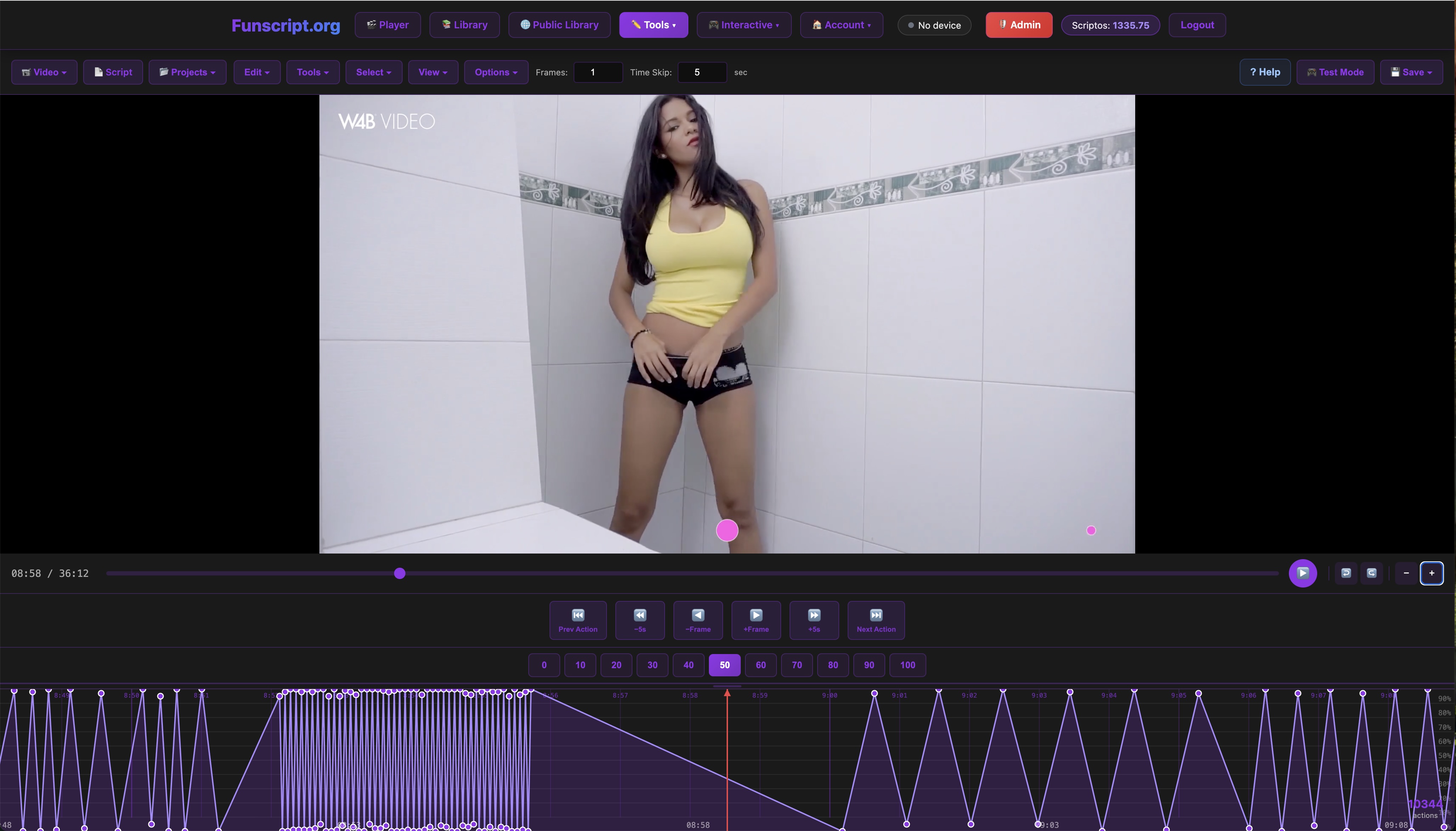
For those who love to tinker, the Script Editor is a powerful tool. It enables you to create or modify funscripts directly in your browser, making real-time adjustments and testing them instantly on your connected device. This feature is invaluable for creators who want to personalize their scripts or experiment with new patterns.
In my experience, the ability to test scripts without having to export and re-import them is a huge time-saver. It encourages creativity and precision, allowing for a seamless workflow from concept to execution. The editor's interface is straightforward, yet powerful enough for detailed script creation.
What surprised me was the community aspect of script creation. The ability to share and receive feedback on scripts fosters a sense of collaboration and innovation among users. It's a great way to connect with others who share your interests and to improve your scripting skills.
Exploring Advanced Features
For those seeking even more tailored experiences, Funscript.org offers premium features like AI Control and Cruise Control. AI Control allows you to engage with an AI companion that can direct your device in real-time through voice or text interaction. Meanwhile, Cruise Control offers a hands-free autopilot mode with algorithmic patterns for a more relaxed session.
These advanced options elevate the interactive experience, providing a variety of ways to explore and enjoy the device beyond standard scripts. Whether you're looking for a guided session or something more spontaneous, these features offer something for everyone. In my trials, the AI Control was particularly fascinating, as it added an unexpected layer of interaction, making each session feel unique.
Comparing Love Distance Receive with Competitors
With so many devices on the market, it's important to see how the Love Distance Receive stacks up against its competitors. Here's a brief comparison with two popular devices: the lovense Nora and the Kiiroo Pearl3.
Receive vs. Lovense Nora
The Lovense Nora is known for its dual stimulation capabilities, featuring both a rotating head and a vibrating arm. This offers a unique combination of sensations that the Receive doesn't provide. However, the Love Distance Receive excels with its dual motors and rabbit design, which some users might find more versatile for simultaneous internal and external stimulation. Both devices support funscript integration via Intiface Central, making them equally capable in terms of interactive play.
Lovense Toys
The main drawback of the Nora, in my opinion, is its bulkier design, which can be less comfortable for prolonged use. In contrast, the Receive's ergonomic design makes it easier to handle and maneuver, especially during extended sessions.
Receive vs. Kiiroo Pearl3
The Kiiroo Pearl3 is another strong competitor, featuring a streamlined design that's ideal for straightforward insertion and vibration. Like the Receive, it's compatible with Buttplug.io, offering seamless integration with interactive platforms. However, the dual motors and rabbit design of the Receive provide a broader range of stimulation options, which may appeal to users looking for more varied experiences.
To be fair, the Pearl3's strength lies in its simplicity and effectiveness for users who prefer more traditional stimulation. It's a reliable choice for those who prioritize ease of use over multifunctionality. But if variety is what you're after, the Receive might be the better option.
| Device | Connection | Funscript Support | Price Range | Features |
|---|---|---|---|---|
| Love Distance Receive | Bluetooth | Yes | N/A | Dual motors, Rabbit design, Buttplug.io compatible |
| Lovense Nora | Bluetooth | Yes | $100-120 | Rotating head, Dual stimulation |
| Kiiroo Pearl3 | Bluetooth | Yes | N/A | Insertable vibrator, Buttplug.io compatible |
Ultimately, each of these devices has its strengths, and the choice depends largely on personal preference and the specific features you're looking for in an interactive experience.

User Testimonials and Expert Opinion
To round out this review, let's take a look at some user testimonials and expert opinions regarding the Love Distance Receive.
User Experiences
Many users have praised the Receive for its robust connectivity and responsive vibration patterns. One user noted, "The dual motors really make a difference, providing a full-bodied sensation that's hard to match." Another user highlighted the ease of use, stating, "Setup was simple, and it worked seamlessly with my favorite scripts on Funscript.org."
These testimonials highlight the device's reliability and the satisfying experience it delivers, reinforcing its reputation as a dependable choice for interactive play. Users appreciate the intuitive design and the range of sensations the Receive can provide, making it a favorite among those who seek variety in their interactive toys.
Expert Insights
Experts in the field have also weighed in, often highlighting its integration with Intiface Central as a significant advantage for script enthusiasts. The ability to seamlessly sync with a variety of interactive platforms makes it a versatile addition to any collection.
Experts agree that the Love Distance Receive offers a robust feature set ideal for users who value both versatility and ease of use.
This combination of user satisfaction and expert approval makes the Receive a strong contender in the interactive vibrator market. Its ability to adapt to different user needs while maintaining high performance is a key point of praise among professionals.
Conclusion: Is the Love Distance Receive Right for You?
After exploring all aspects of the Love Distance Receive, from its features to user experiences, it's clear that this device offers a compelling package for those interested in interactive pleasure.
Final Thoughts
The Love Distance Receive stands out for its dual motors and rabbit design, providing a rich and varied stimulation experience. Its compatibility with Funscript Player and other features on Funscript.org, such as the Script Editor and Cruise Control, make it a versatile and engaging option for users looking to expand their interactive repertoire.
One downside, to be fair, is that the charging time might not be as quick as some would prefer. However, this is balanced by its long-lasting battery life, which ensures you won't be frequently interrupted during your sessions.
Recommendation
If you're seeking a customizable and interactive experience, the Love Distance Receive is an excellent choice. Its seamless integration with Funscript.org's platform ensures that you can make the most of your funscript library, offering endless possibilities for exploration and enjoyment.
For those looking to enhance their interactive play with a reliable and versatile device, the Love Distance Receive is a standout option.
Frequently Asked Questions
How do I connect the Love Distance Receive to Funscript.org?
To connect the Love Distance Receive, use Intiface Central to establish a Bluetooth connection. Then, sync it with Funscript.org's platform by following the setup instructions on the Dashboard. Once connected, you can begin exploring a variety of interactive features, from video synchronization to AI-driven experiences.
What makes the Love Distance Receive unique?
Its dual motors and rabbit design offer versatile stimulation, allowing for both internal and external pleasure. Its compatibility with Intiface Central and Buttplug.io enhances its interactive capabilities, making it a flexible choice for users who want to explore different interactive experiences.
Can I use the Love Distance Receive with other interactive platforms?
Yes, the device is compatible with any platform that supports Buttplug.io, including Funscript.org. This makes it a flexible choice for users who want to explore different interactive experiences across various platforms. You can easily switch between platforms without losing the integrated functionalities.
What types of content can I sync with the Love Distance Receive?
The Love Distance Receive can sync with videos, games, and music using funscript files available on Funscript.org. This allows for a varied and dynamic interactive experience. You can tailor your sessions to match your mood, whether you're in for a gaming night or a movie marathon with synchronized sensations.
Is the Love Distance Receive suitable for beginners?
Yes, its straightforward setup and intuitive controls make it ideal for both beginners and experienced users. The device's versatility ensures that users of all levels can enjoy its full range of features. Beginners will appreciate the ease of use, while seasoned users will find the advanced features, like script editing, add depth to their experience.